Browsing presets – D16 Group Drumazon 2 Drum Machine 909 Emulation Plug-In User Manual
Page 55
Browsing presets
The
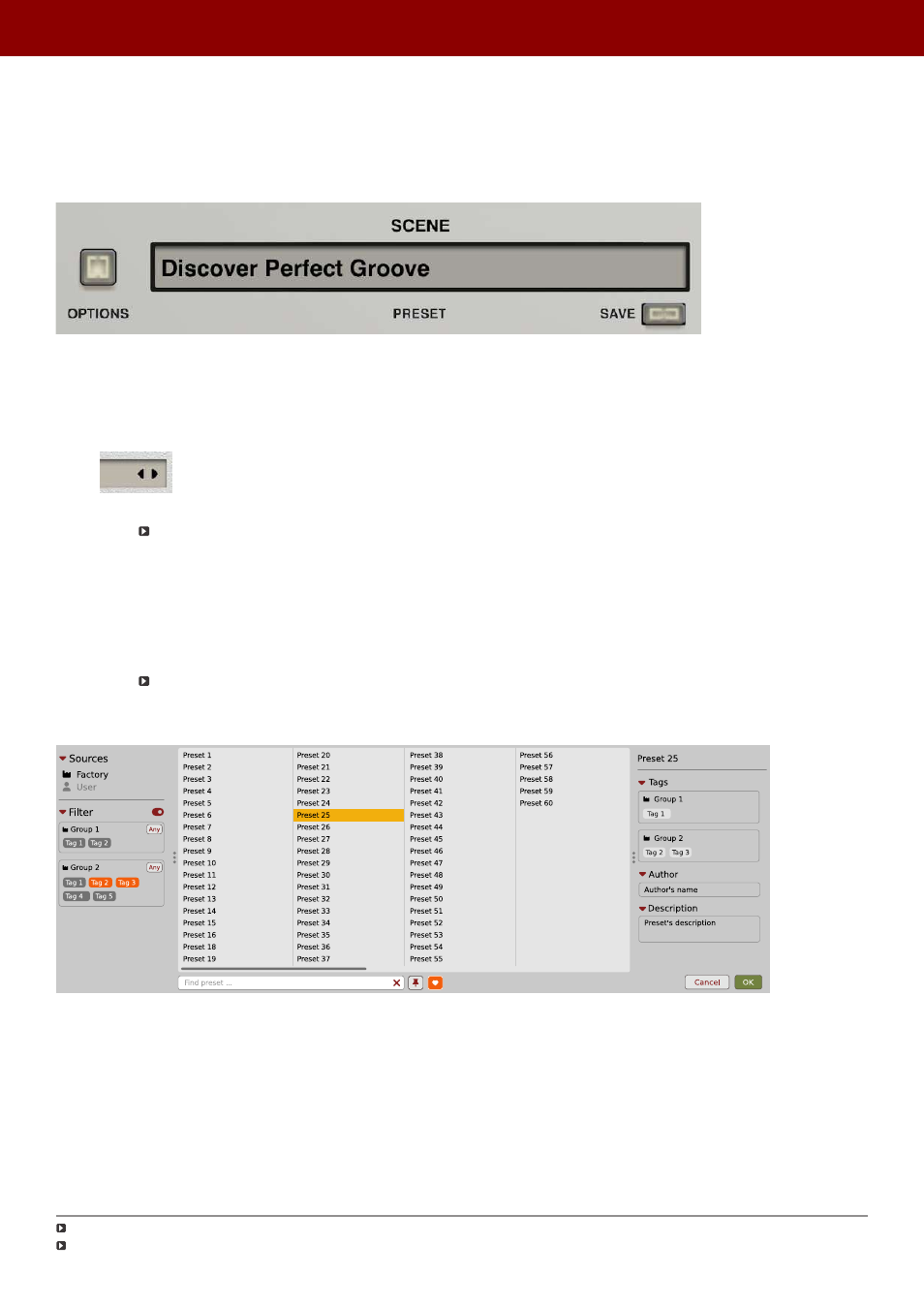
Preset management section
(no matter what kind of preset it concerns) enables quick navigation and browsing
of the preset structure:
The Preset management section
•
PRESET
- Displays the name of the currently loaded preset. Clicking the display opens the
Preset Browser
panel,
allowing you to browse factory / user presets.
•
Prev / Next
- Hovering over right side of the
Preset
display exposes the
Prev / Next
buttons:
They allow for linear browsing of the presets list (depending on currently set filters - see sections below).
•
Save
- Saves current parameters as a new preset or allows for overwriting of the existing one (see sections
below).
Right-clicking over the
Preset
display opens a context menu with two or three additional options:
•
Init
- Restores initial settings of plug-in parameters.
•
Reload
- Reloads the most recently loaded preset.
•
Save
– See description above.
The
Preset Browser
looks as follows:
The Preset Browser
There are four main parts:
•
Sources
- Situated in the left column, filter content
Sources
for displayed presets.
•
Filter
- Below
Sources
, a preset
Filter
that uses the
Tags
system.
•
Results
- List of presets (shown in the middle column) from
Sources
that meet criteria set in the
Filter
.
•
Info pane
- The right column shows information about the currently selected preset(s), divided into several
subsections.
If available - For some preset types this button can be hidden and accessible from the contextual menu (accessible via right mouse-click on
Preset display
)
If available
55
PReset management •
BrowsinG PreseTs