Play modes, External mode, Drum midi map – D16 Group Drumazon 2 Drum Machine 909 Emulation Plug-In User Manual
Page 30
Play modes
Drumazon
works in two play modes:
•
Internal
– Drum patterns are triggered by the internal sequencer of the plug-in.
Drumazon
operates in this mode
when
Int Seq
is enabled.
•
External
–
Drumazon
acts as a sound module; drum sounds are triggered by incoming MIDI Notes from the host
sequencer.
Drumazon
operates in this mode when
Int Seq
is disabled.
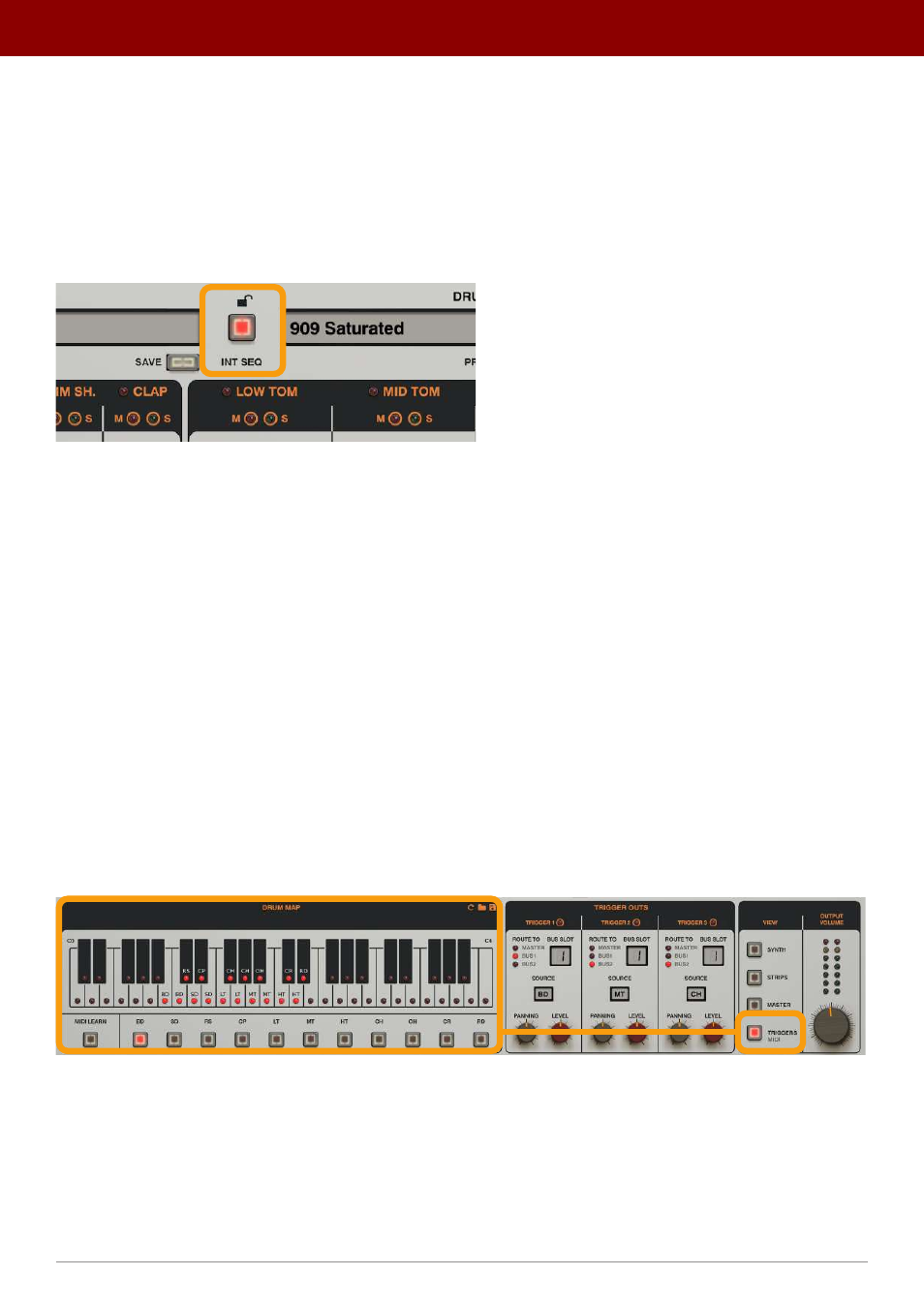
The Int Seq toggle button
External mode
When
Int Seq
is disabled,
Drumazon
is in the
External
mode where it acts as a sound module. MIDI Notes correspond-
ing to instrument (drum sound) note numbers are sent from the host sequencer to play drum patterns.
By default, the MIDI Notes layout (
MIDI Map
) follows the General MIDI standard, as it does in the original 909. The
following chapters will explain how to change these settings.
Note velocity determines the volume at which notes are played. There’s no discrete gradation between accented and
non-accented notes in this mode as played note velocity will depend on the velocity value of each
incoming MIDI Note.
As a result, we can obtain a smooth transition in the loudness and responsiveness of instruments (127 levels of velocity).
In
External
mode, only the
Sound Control
part of the GUI works.
Drum MIDI Map
To change the MIDI Map or, in other words, the MIDI Notes that trigger particular sounds, you need to open the
Trigger
/ MIDI
view:
The MIDI Map
30
inteRface oveRview •
Play modes