Host link active option, Host note mode – D16 Group Drumazon 2 Drum Machine 909 Emulation Plug-In User Manual
Page 35
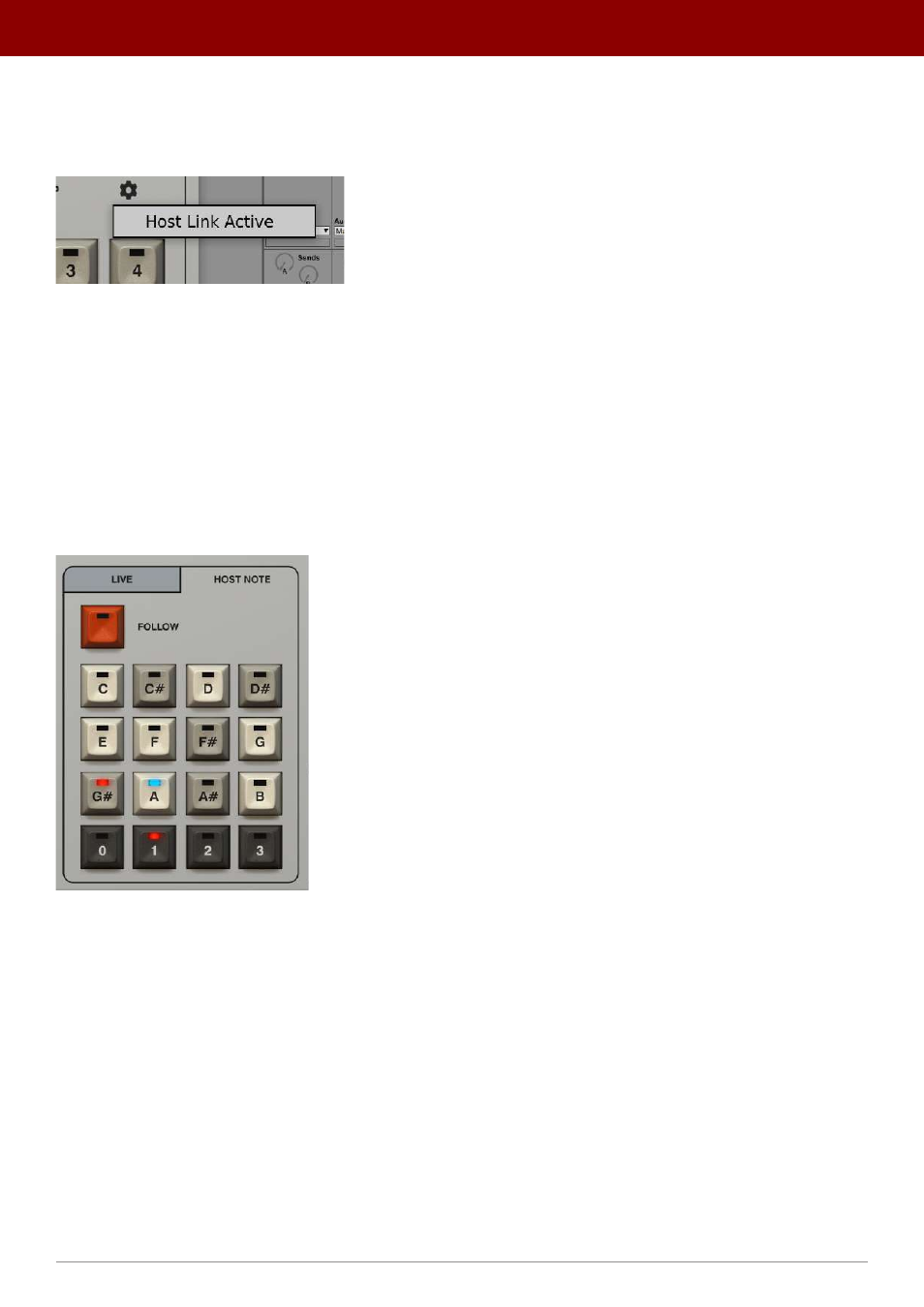
Host Link Active option
The
Host Link Active
option is accessible from the
Cog
icon in the
Pattern Selector
section and controls the way the
plug-in sequencer’s cursor position is aligned with the cursor position of the project in your DAW.
The Host Link Active mode
•
Option
disabled
(default) - The sequencer cursor position is synchronized only once, when the sequencer starts
to play, then the internal clock takes it over.
•
Option
enabled
- The sequencer cursor position is continuously aligned for as long as the pattern plays.
The main difference between having the option disabled or enabled can be seen when you use loops in your project.
When the option is disabled and the host rapidly changes cursor position,
Drumazon
ignores it and continues playing as
if the position change didn’t occur. But, when you enable the option and the host changes cursor position,
Drumazon
re-adjusts its own cursor position in response to changes in the host.
Host note mode
The Pattern Selector in Host Note mode
In
Host Note
mode, patterns are triggered using only MIDI Notes. Each note coming from the host application corre-
sponds to one internal pattern. The whole bank of patterns is accessed by the
48
MIDI Notes starting from the C note
of the second lowest octave and spanning 4 octaves. For convenience,
Drumazon
indicates the currently selected
pattern on the
Pattern Selector
.
A
MIDI Note ON
triggers the corresponding pattern to play. Releasing the key and sending a
MIDI Note OFF
message will
eventually stop the pattern.
It should be noted that in
Host Note
mode, the
Start
button in a DAW (
Start
transport message) has no effect. Patterns
are only played back while a MIDI Note is received.
35
inteRface oveRview •
Play modes