Mute / solo leds, Drum sounds activity – D16 Group Drumazon 2 Drum Machine 909 Emulation Plug-In User Manual
Page 8
Level
- Sets the output volume for each instrument, placed after its effect strip in the
Strips
view.
And individual parameters:
•
Bass Drum
•
Tune
- Release time of the frequency envelope,
•
Attack
- Amplitude value of the initial transient,
•
Decay
- Decay time of the amplitude,
•
Pitch
- Base frequency of the instrument,
•
Tune Depth
- Range of the frequency envelope.
•
Snare Drum
•
Tune
- Release time of the frequency envelope,
•
Tone
- Noise amplitude release time,
•
Tune Depth
- Range of the frequency envelope,
•
Decay
- Decay time of the amplitude,
•
Snappy
- Amplitude value of the noise.
•
Rim Shot
•
Tune
- Base frequency of the instrument,
•
Decay
- Decay time of the amplitude.
•
Hand Clap
•
Decay
- Decay time of the amplitude,
•
Reverb
- Reverb time.
•
Low Tom, Middle Tom, High Tom
•
Tune
- Base frequency of the instrument,
•
Tune Depth
- Range of the frequency envelope,
•
Decay
- Decay time of the amplitude,
•
Tone
- Noise amplitude release time,
•
Tune Decay
- Decay time of the frequency envelope.
•
Closed Hihats, Open Hihats, Crash, Ride
•
Tune
- Base frequency of the instrument,
•
Decay
- Decay time of the amplitude.
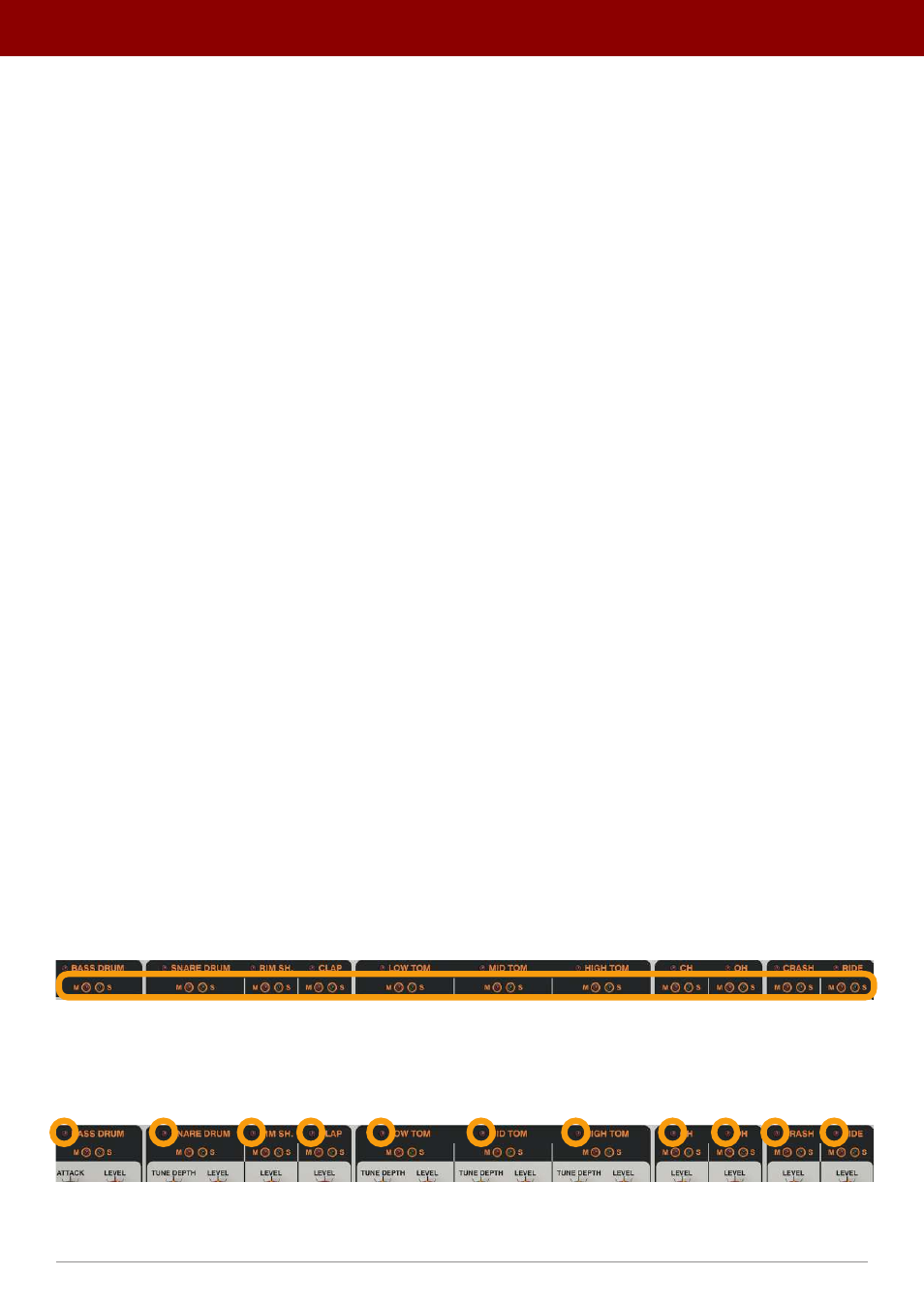
Mute / solo LEDs
When
Drumazon
is playing, it is possible to turn individual instruments
On
or
Off
using the
Mute
/
Solo
LED switches;
these stop the triggering of the instruments but allow the sounds to play until the end of the envelope. This stops a
rapid cut in the sound, making the transition more natural.
The Mute / Solo LED switches
Drum sounds activity
The LEDs next to each instrument’s name light up when the instrument is triggered and starts to play:
The activity LEDs
This way it’s easier to be sure which drum instruments are engaged and when.
8
inteRface oveRview •
The sound conTrol secTion