Pattern follow, Midi output, Enable / disable midi output – D16 Group Drumazon 2 Drum Machine 909 Emulation Plug-In User Manual
Page 36
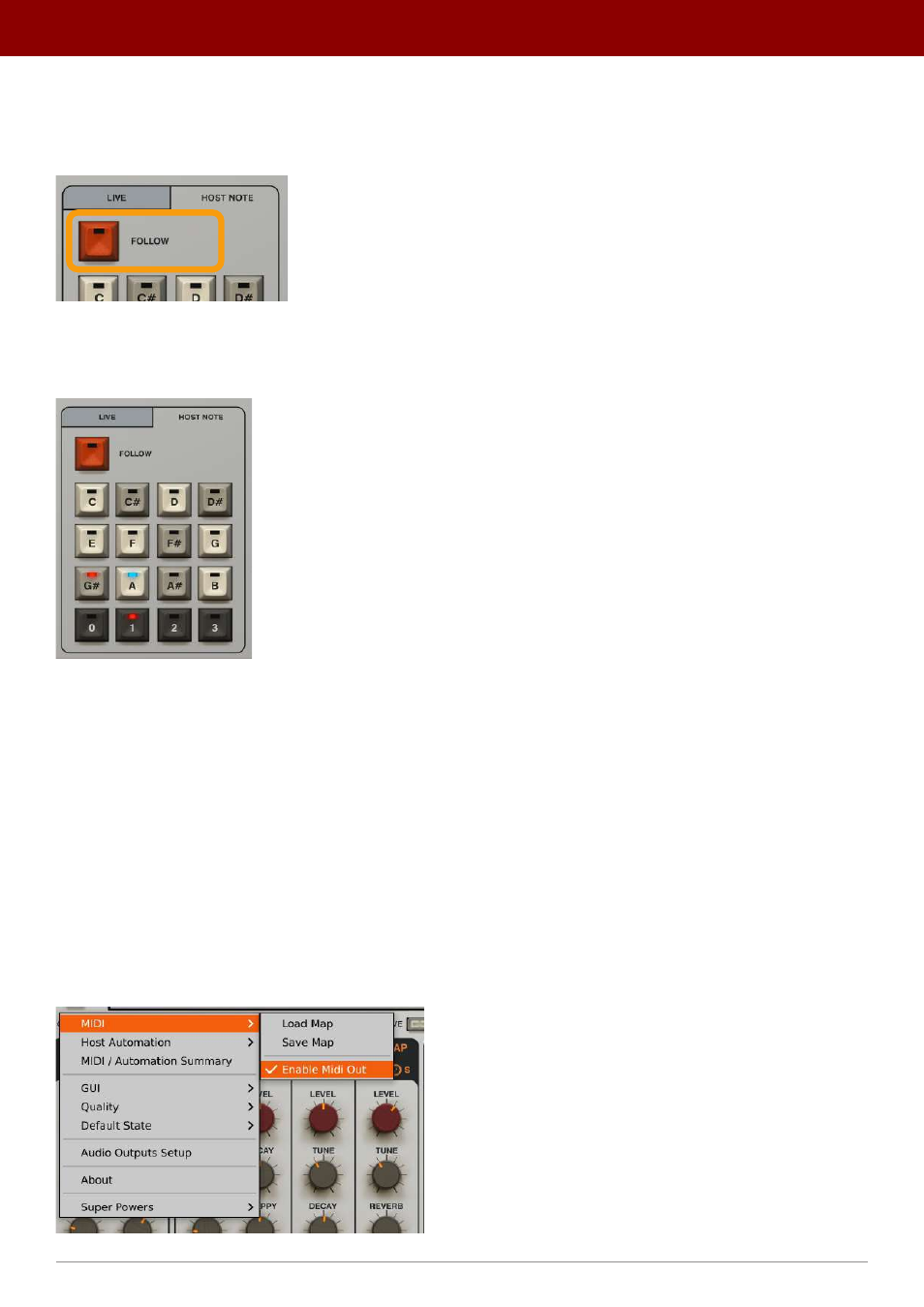
Pattern Follow
The
Follow
button activates a mode where the pattern currently playing is also set as the one being edited (
Pattern
Editor
).
The Pattern Follow mode
When
Follow
mode is disengaged, the pattern being edited will be indicated by a blue LED light and the pattern being
played will be indicated by a red LED light on the
Pattern Selector
buttons.
Pattern Follow disabled
MIDI Output
Drumazon
features active MIDI Output. This allows for the control of external instruments (virtual or hardware) by
Drumazon’s
internal sequencer. It works either in
Live
mode or
Host Note
mode. When
Drumazon
is in
External
mode,
it passes MIDI Notes through itself unchanged.
Velocity values of MIDI Notes sent by
Drumazon
are calculated according to
Normal
,
Accent
and
Global Accent Boost
patterns’ dynamics parameters.
Enable / Disable MIDI Output
It’s possible to disable MIDI Output to avoid the problems with MIDI loopbacks that occur in some DAWS; to do so, use
the
Options
button in the upper left corner of the GUI and uncheck the
MIDI
->
Enable MIDI Out
option.
The Enable MIDI Out option in the MIDI menu
36
inteRface oveRview •
Play modes