Multiband compressor – D16 Group Drumazon 2 Drum Machine 909 Emulation Plug-In User Manual
Page 26
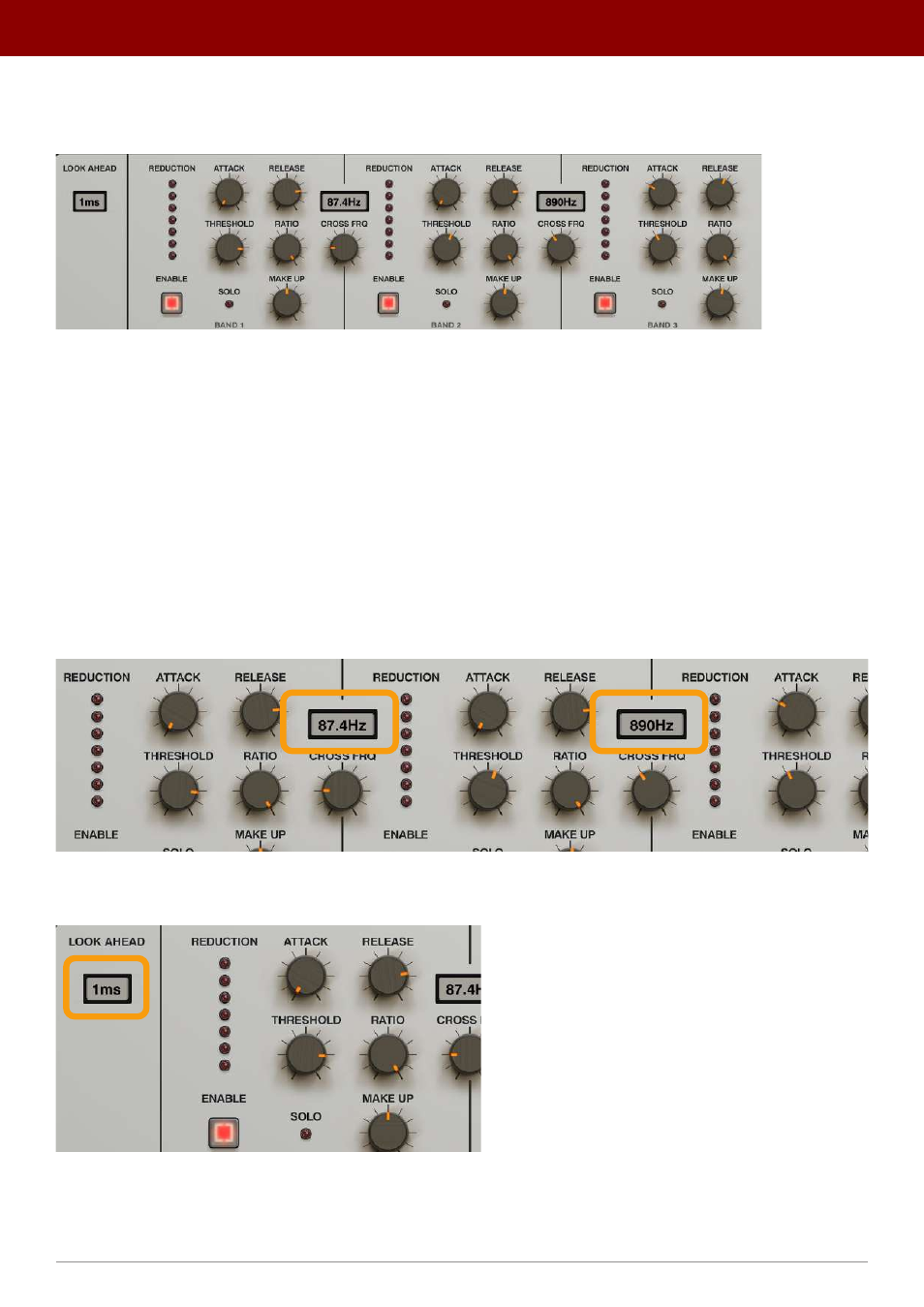
Multiband Compressor
The first effect in the chain is a 3-band compressor with a
Look Ahead
option
The multiband Compressor
Each band is controlled by same set of parameters:
•
Enable
- Activates compression for a specific band.
•
Solo
- Mutes signals from other bands to check audio output from a specific band.
•
Attack
- Sets the attack time for a compressor’s envelope between
1
and
500
ms.
•
Release
- Sets the release time for a compressor’s envelope between
1
and
500
ms.
•
Threshold
- Sets the amplitude detection threshold between
0
and
-48
dB.
•
Ratio
- Sets the compression ratio
between
1:1
and
1:20
.
•
Make Up
- Sets audio level gain.
The
Reduction
meter shows how much the signal is being compressed in a band.
The frequency width of each band is controlled by the two
Cross Frq
knobs:
The cross-frequency settings for the bands
And finally, the
Compressor’s
Look Ahead
option:
The Look Ahead option
26
inteRface oveRview •
The sound conTrol secTion