Grass Valley EDIUS Neo 3 User Manual
Page 721
Advertising
EDIUS NEO — User Reference Guide
719
Export Project to Output Format
Still Image
•
Targa
•
Bitmap
•
JPEG
•
TIFF
•
Photoshop
•
JPEG File Interchange Format
•
PNG
•
Mac Pict File
•
QuickTime Image
•
SGI
To use an Exporter, do the following:
Note
This example shows exporting to MPEG2 Elementary Stream format - proce-
dures for other formats may vary
1.
Click the
Export
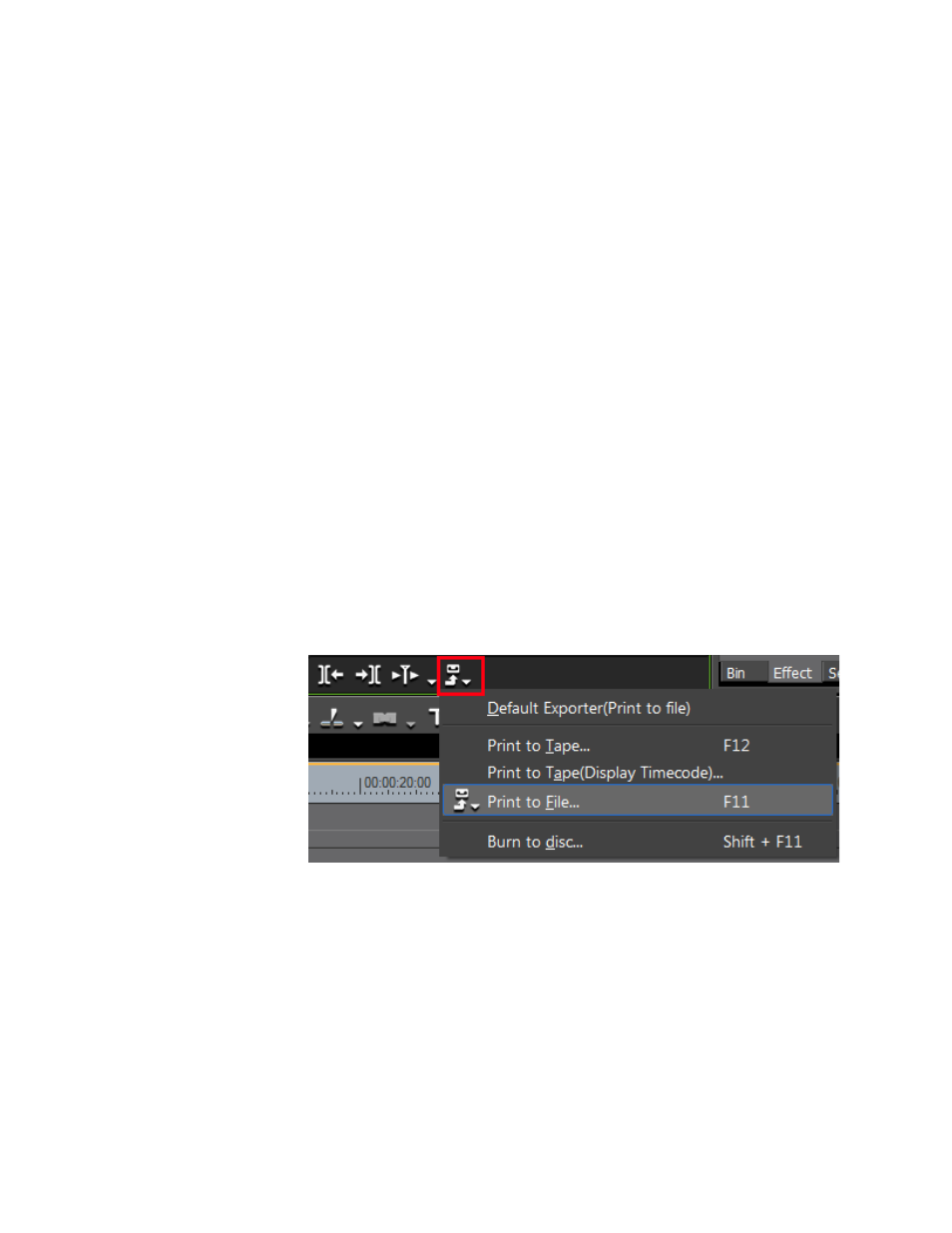
button in the Recorder as shown in
.
Note
Alternatively, you may select File>Export from the Preview window menu bar.
Figure 877. Export Button Menu
The Export menu appears.
2.
Select Print to File from the menu.
Note
You may also press the [F11] key to display the Print to File dialog.
The Print to File dialog appears as illustrated in
.
Advertising
This manual is related to the following products: