3 hdd power management, Stagger power on control, Web browser-based configuration – Areca ARC-8050T3U 6-Bay Thunder3 Desktop RAID Storage Array User Manual
Page 104
WEB BROWSER-BASED CONFIGURATION
104
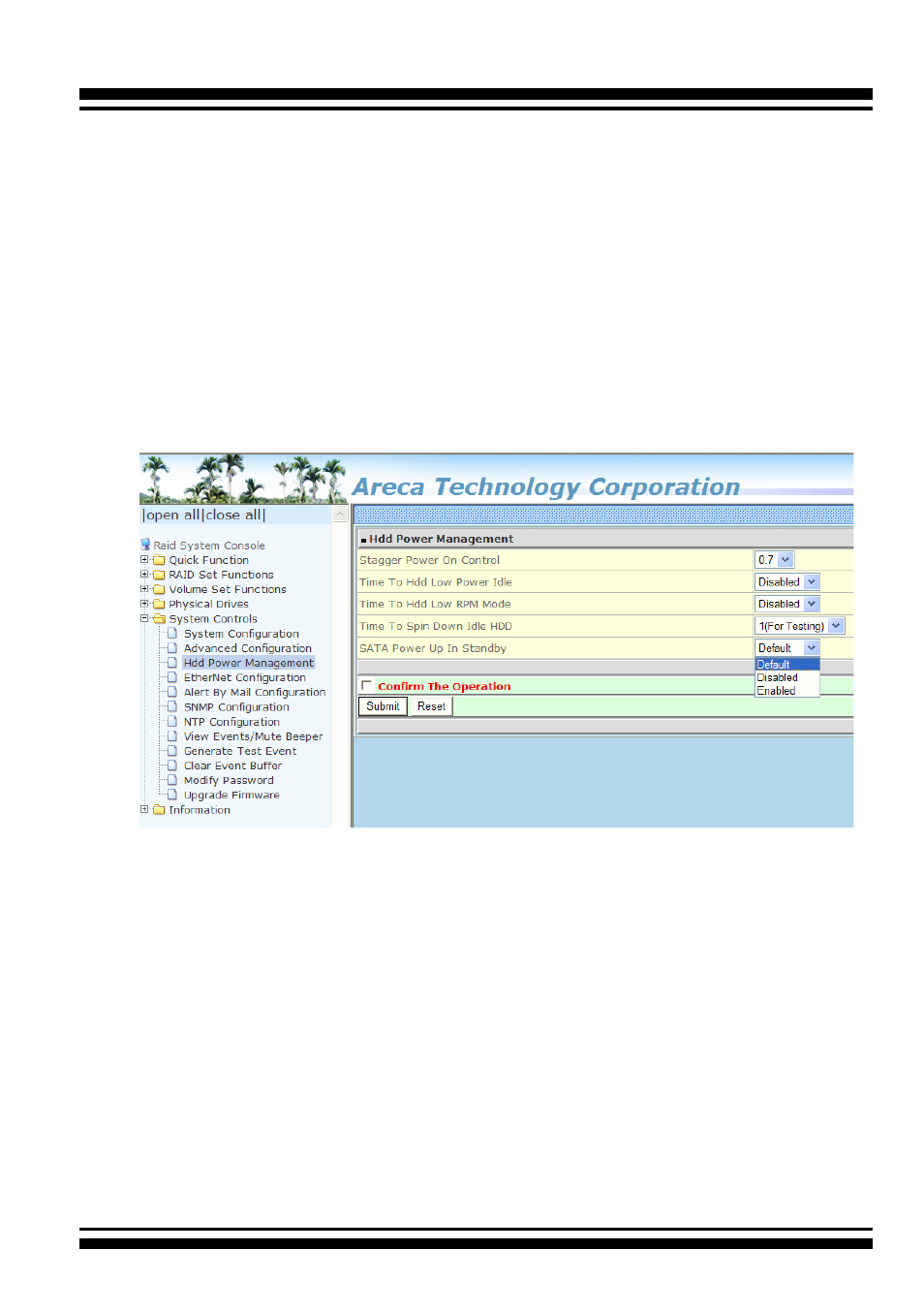
4.9.3 HDD Power Management
Areca has automated the ability to manage HDD power based
on usage patterns. The “HDD Power Management” allows you
to choose a “Stagger Power On Control”, “Low Power Idle”, “Low
RPM” and completely “Spins Down Idle HDD”. It is designed to
reduce power consumption and heat generation on idle drives.
To set the HDD power management function, move the cursor to
the main menu and click the “HDD Power Management” link. The
“HDD Power Management” menu will show all items, and then
select the desired function.
•
Stagger Power On Control
In a PC system with only one or two drives, the power can
supply enough power to spin up both drives simultaneously.
But in systems with more than two drives, the startup current
from spinning up the drives all at once can overload the power
supply, causing damage to the power supply, disk drives and
other system components. This damage can be avoided by
allowing the host to stagger the spin-up of the drives. The
SAS/SATA drives have supported the staggered spin-up ca-
pabilities to boost reliability. The staggered drive spin-up is
a very useful feature for managing multiple disk drives in a
storage. It gives the host the ability to spin up the disk drives
sequentially or in groups, allowing the drives to come ready at