Installation – Areca ARC-8050T3U 6-Bay Thunder3 Desktop RAID Storage Array User Manual
Page 27
Advertising
INSTALLATION
27
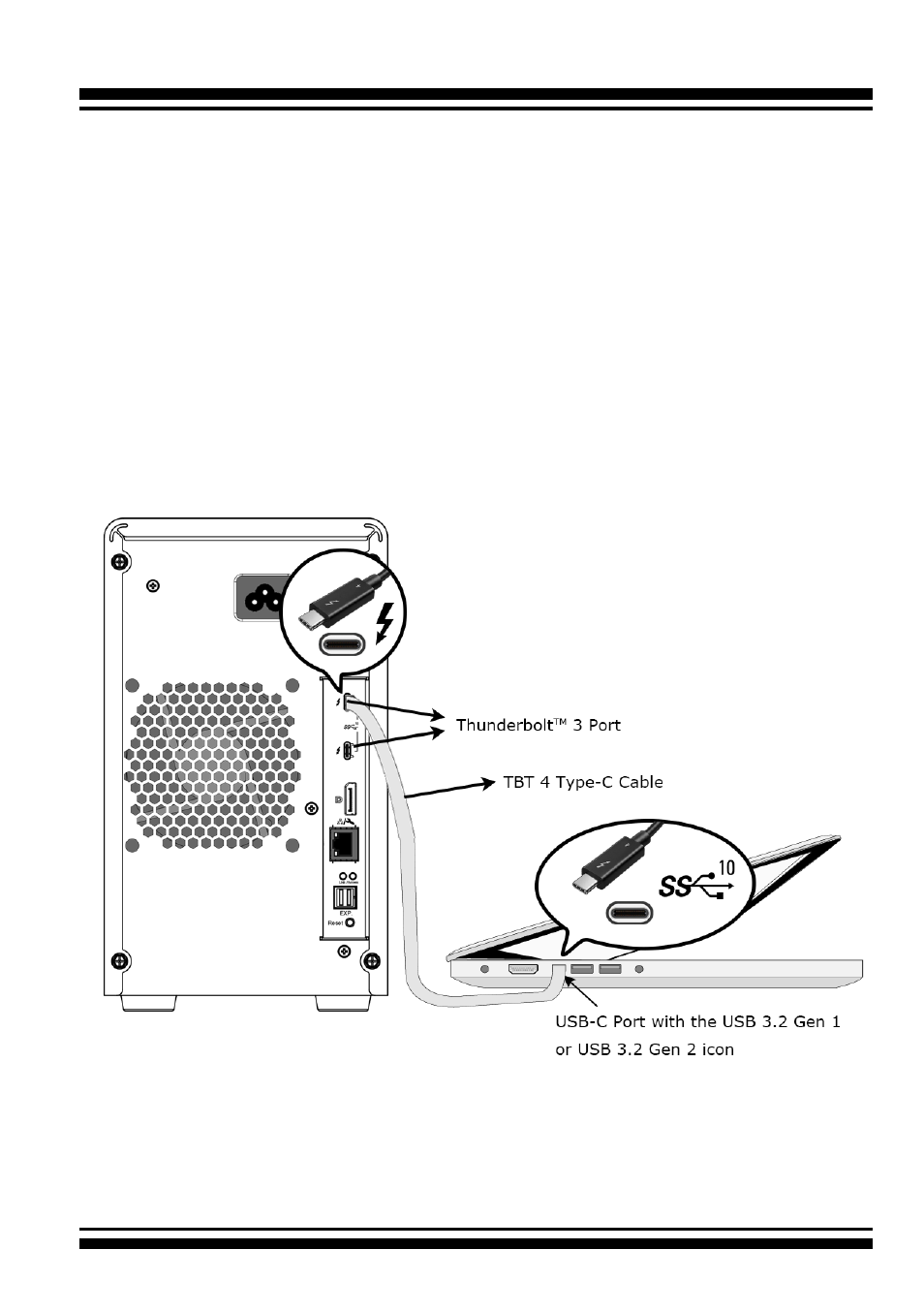
Figure 2-8, Connecting to computer USB-C port with
the USB 3.2 Gen 1 or USB 3.2 Gen 2 icon
•
USB-only Computer Port Connection
Your USB-only computer can recognize up to 1 volume when
connecting any Thunderbolt 3 port on the ARC-8050T3U.
Connect the cable to one of the Thunderbolt 3 ports on the
back of your ARC-8050T3U RAID storage and to your USB-only
capable computer. The additional port can’t support the daisy
chain function.
- Computer with a USB-C port
Connect ARC-8050T3U RAID storage and USB-only computer
USB-C port with the USB 3.2 Gen 1 or USB 3.2 Gen 2 icon
using the included USB-C cable as shown below:
Advertising