Installation – Areca ARC-8050T3U 6-Bay Thunder3 Desktop RAID Storage Array User Manual
Page 41
INSTALLATION
41
Choose OS X Extended (Journaled) for the Format, and,
for the Scheme, choose GUID Partition Map. You could also
choose MS-DOS as the format, if you want to be able to use
the drive on both a Mac and a PC. In that case, choose Mas-
ter Boot Record for the Scheme. Click “
Erase
” button in the
toolbar, and Disk Utility will erase and format the RAID stor
-
age. When it is complete, icons for this partition shows up on
your desktop. It is now ready to use.
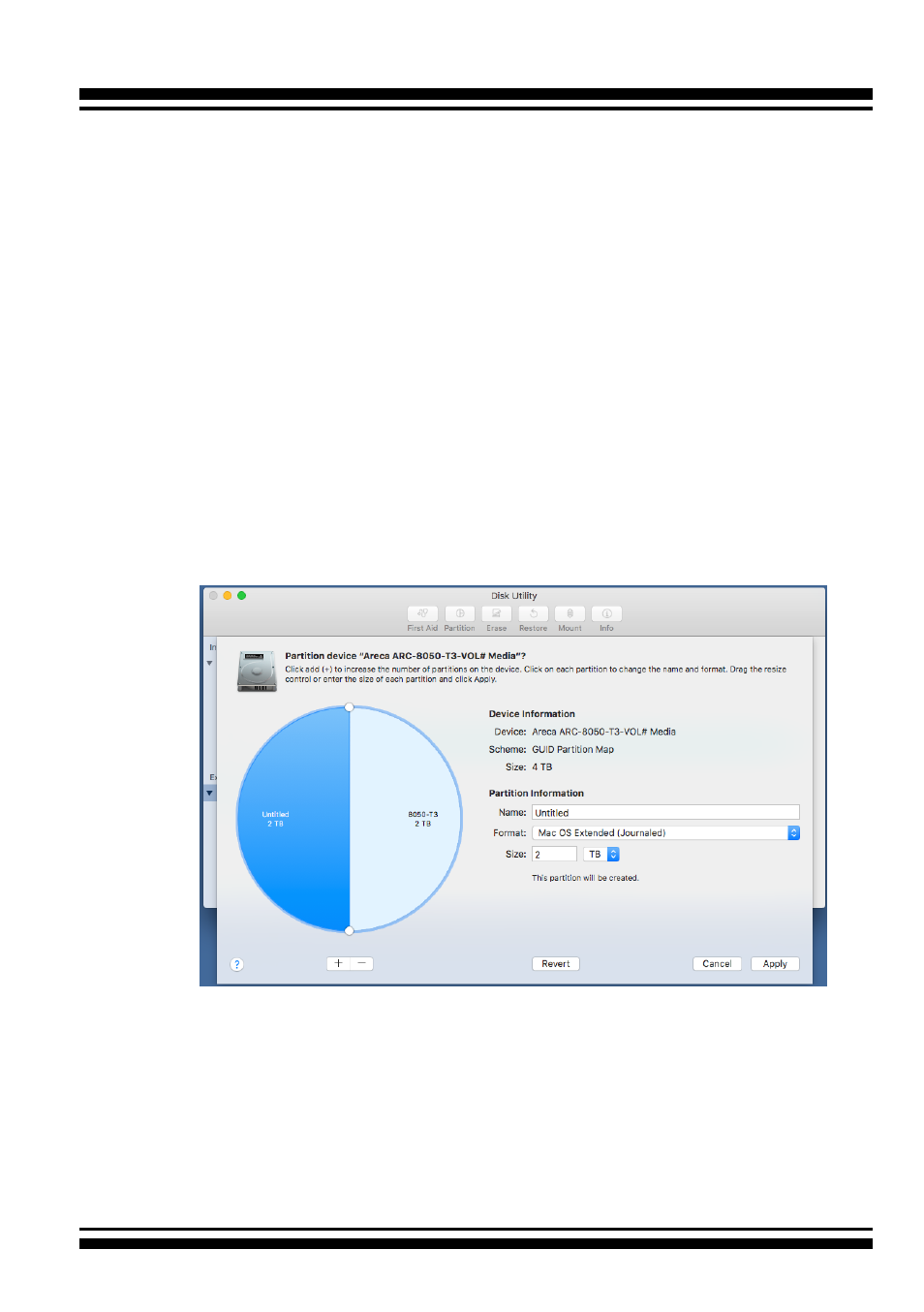
2. You may want to divide a drive into more than one partition.
When you do this, each partition is a volume, and each vol-
ume shows up as a separate drive on your Desktop. To parti-
tion a drive, select it in Disk Utility, and then click “
Partition
”
in the toolbar. Disk Utility shows the RAID storage’s space as
a pie chart. By default, RAID storage only contain a single
partition, but to add one, click the + icon; you’ll see two par-
titions.
If you want to adjust their sizes, you can do so by dragging
the circles dividing the partitions, or by typing a size into the
Size field. When you click “
Apply
”, Disk Utility erases the
RAID storage and splits it into the number of partitions you
have selected. Each partition will appear as a separate drive
on your Desktop.