2 create raid30/50/60 (volume set 30/50/60), 3 delete volume set, Web browser-based configuration – Areca ARC-8050T3U 6-Bay Thunder3 Desktop RAID Storage Array User Manual
Page 74
WEB BROWSER-BASED CONFIGURATION
74
4.6.2 Create Raid30/50/60 (Volume Set
30/50/60)
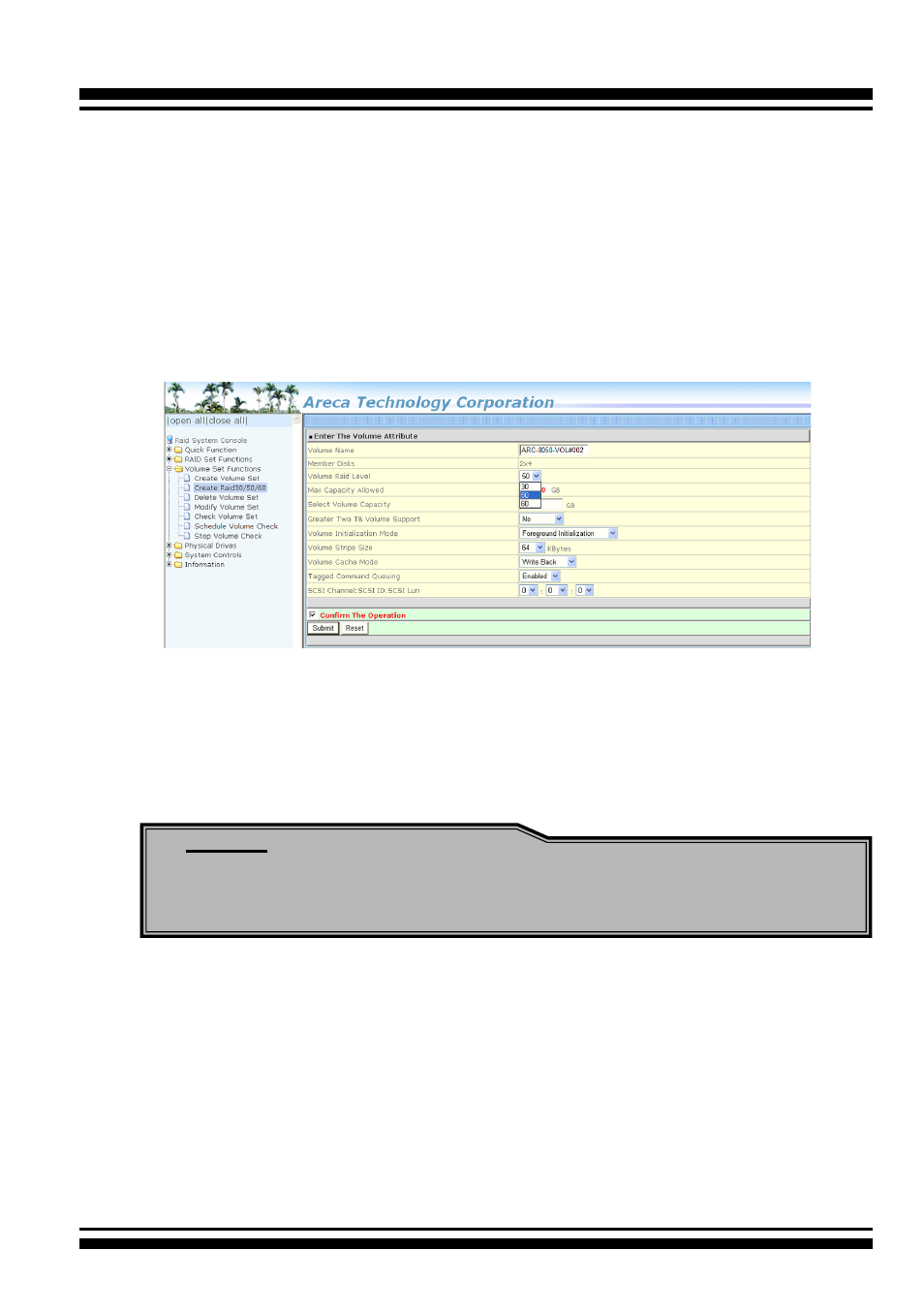
To create 30/50/60 volume set from RAID set group, move
the cursor bar to the main menu and click on the “Create
Raid30/50/60” link. The “Select The Raid Set To Create Volume
On It” screen will show all RAID set number. Tick on the RAID set
numbers (same disk numbers per RAID set) that you want to cre-
ate and then click on the “Submit” button.
The new create volume set attribute allows user to select the
Volume Name, Raid Level, Capacity, Greater Two TB Volume Sup-
port, Initialization Mode, Stripe Size, Cache Mode, Tagged Com
-
mand Queuing, and SCSI Channel/SCSI ID/SCSI Lun. Please refer
to above section for details description of each item.
Note:
RAID level 30 50 and 60 can support up to two RAID set (two
pairs), but it can not support expansion and migration.
4.6.3 Delete Volume Set
To delete a volume from RAID set, move the cursor bar to the
main menu and click on the “Delete Volume Set” link. The “Select
The Raid Set To Delete” screen will show all RAID set numbers.
Click a RAID set number and the “Confirm The Operation” check
box and then click the “Submit” button to show all volume set
items in the selected RAID set.