4 offline raid set, 5 rename raid set, Web browser-based configuration – Areca ARC-8050T3U 6-Bay Thunder3 Desktop RAID Storage Array User Manual
Page 65
65
WEB BROWSER-BASED CONFIGURATION
Note:
1. Once the “Expand Raid Set” process has started, user can
not stop it. The process must be completed.
2. If a disk drive fails during RAID set expansion and a hot
spare is available, an auto rebuild operation will occur
after the RAID set expansion completes.
3. RAID 30/50/60 does not support the "Expand Raid set".
4. RAID set expansion is a quite critical process, we strongly
recommend customer backup data before expand. Unex-
pected accident may cause serious data corruption.
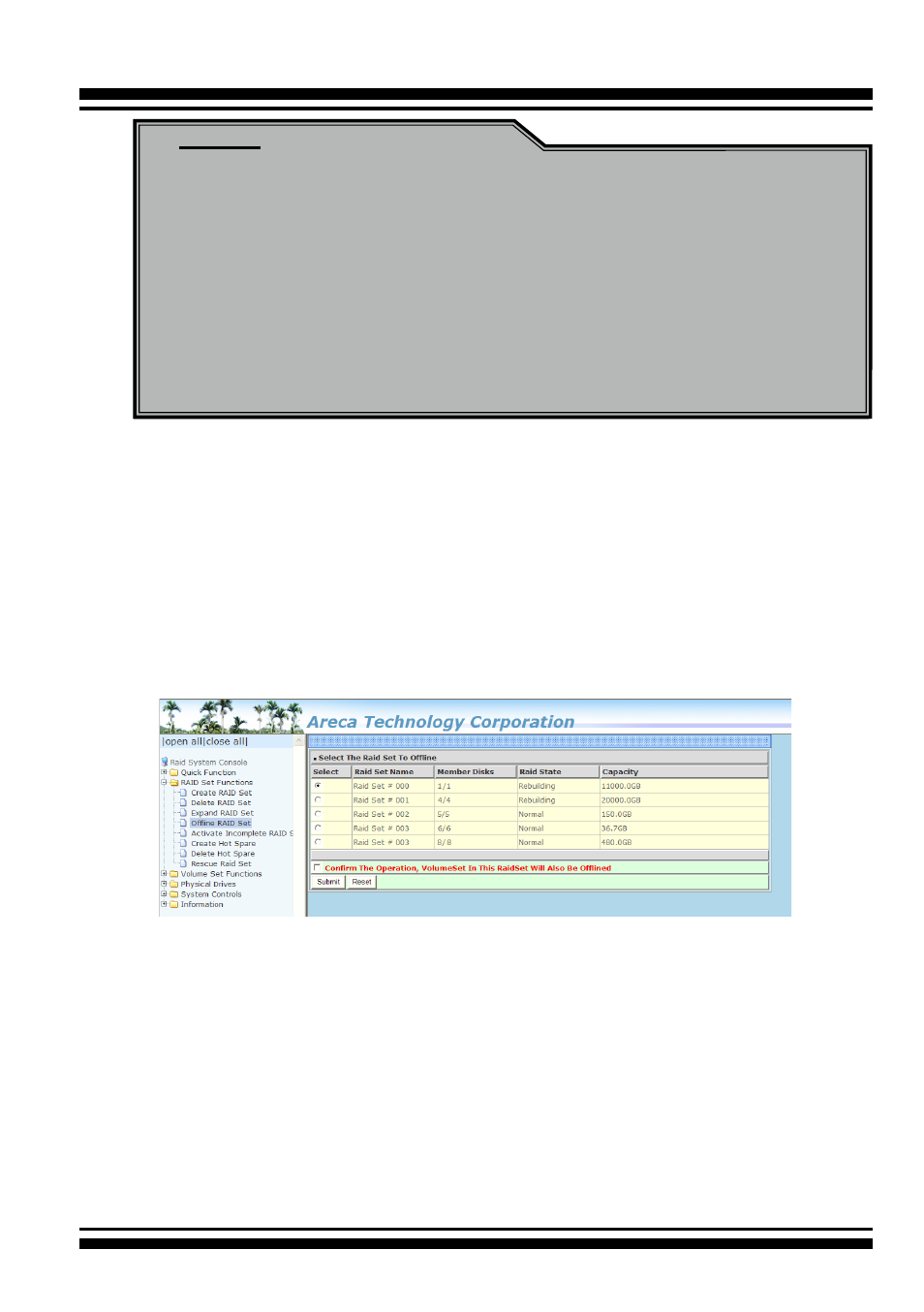
4.5.4 Offline Raid Set
This function is for customer being able to unmount and remount
a multi-disk volume. All Hdds of the selected RAID set will be put
into offline state, spun down and fault LED in fast blinking mode.
User can remove those Hdds and insert new Hdds on those empty
slots without needing power down the controller to perform the
online array roaming.
4.5.5 Rename Raid Set
The default RAID set name will always appear as “Raid Set #”
when it is first created by the controller. The "Rename Raid Set"
function is for customer to rename the default RAID set name.
To rename a RAID set from a group of RAID sets:
1. Click on the ”Rename Raid Set" link.
2. Click the RAID set check box from the list that you wish to re-
name. Click the “Submit” button. The following screen appears.
Use this option to rename the RAID set name.