5 alert by mail configuration, 6 snmp configuration, Web browser-based configuration – Areca ARC-8050T3U 6-Bay Thunder3 Desktop RAID Storage Array User Manual
Page 108
WEB BROWSER-BASED CONFIGURATION
108
Note:
If you configure the HTTP Port Number to 0, the HTTP
console will be closed.
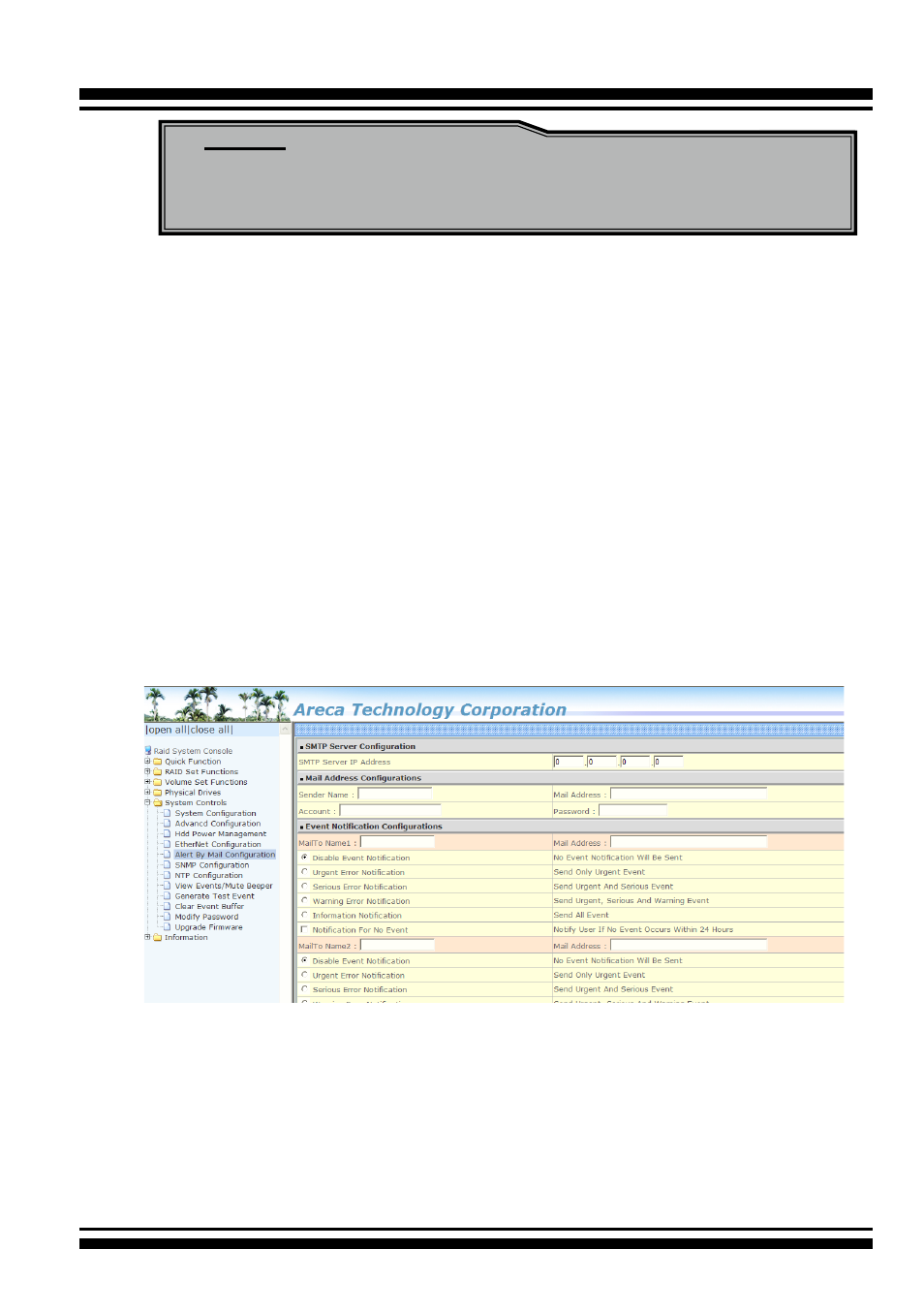
4.9.5 Alert By Mail Configuration
To configure the RAID storage e-mail function, move the cursor
bar to the main menu and click on the “System Controls” link.
The “System Controls” menu will show all items. Move the cur-
sor bar to the “Alert By Mail Configuration” item, and then select
the desired function. This function can only be set via web-based
configuration.
The firmware contains a SMTP manager monitoring all system
events. Single or multiple user notifications can be sent via “Plain
English” e-mails with no software required. (Please refer to SMTP
Sever Configuration, Mail Address Configuration and Event Notifi
-
cation Configuration on chapter 3 “ArcHTTP Configuration” ).
4.9.6 SNMP Configuration
Please refer to
Appendix C
of SNMP Operation & Installation.