3 format raid volumes, 4 unmounting raid volumes, Unmounting raid volumes – Areca ARC-8050T3U 6-Bay Thunder3 Desktop RAID Storage Array User Manual
Page 51: Installation
INSTALLATION
51
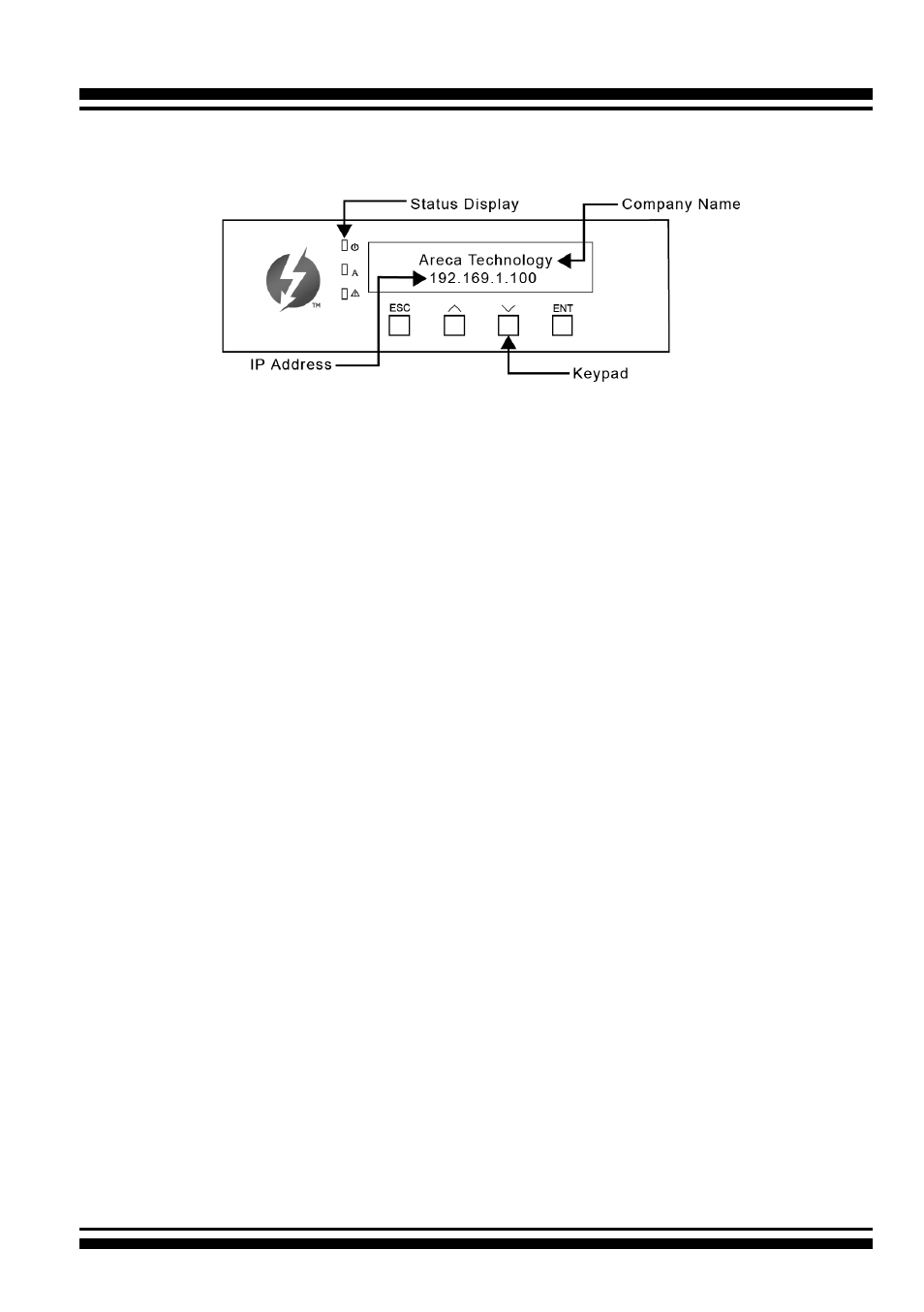
The LCD initial screen is shown below:
2.4.3.3 Format RAID Volumes
After the volume set is ready for system accesses, it needs to be
partitioned, formatted, and mounted by the operating system.
The following steps show how to make any new disk arrays or
independent disks accessible to Windows system.
1. Click “Start” ==> right-click “Computer” and select “Manage”.
2. Click “Disk Management” in the left pane.
3. Scroll down to the bottom of the middle pane.
Windows will
display a list of new drives attached to your system with a
label such as “Disk 1” or “Disk 2”, etc.
4. Right-click on the drive you want to partition and then again
to format it.
5. Once it’s formatted, Windows automatically assigns the next
available drive letter to it and then it will appear in Windows
Explorer.
2.4.3.4 Unmounting RAID Volumes
To avoid possible data corruption, Areca recommends that ARC-
8050T3U RAID storages volume(s) be properly unmounted from
the computer prior to turning off the RAID storage or safely
removing the Thunderbolt interface cable.