8 delete hot spare, 9 rescue raid set, Web browser-based configuration – Areca ARC-8050T3U 6-Bay Thunder3 Desktop RAID Storage Array User Manual
Page 67
67
WEB BROWSER-BASED CONFIGURATION
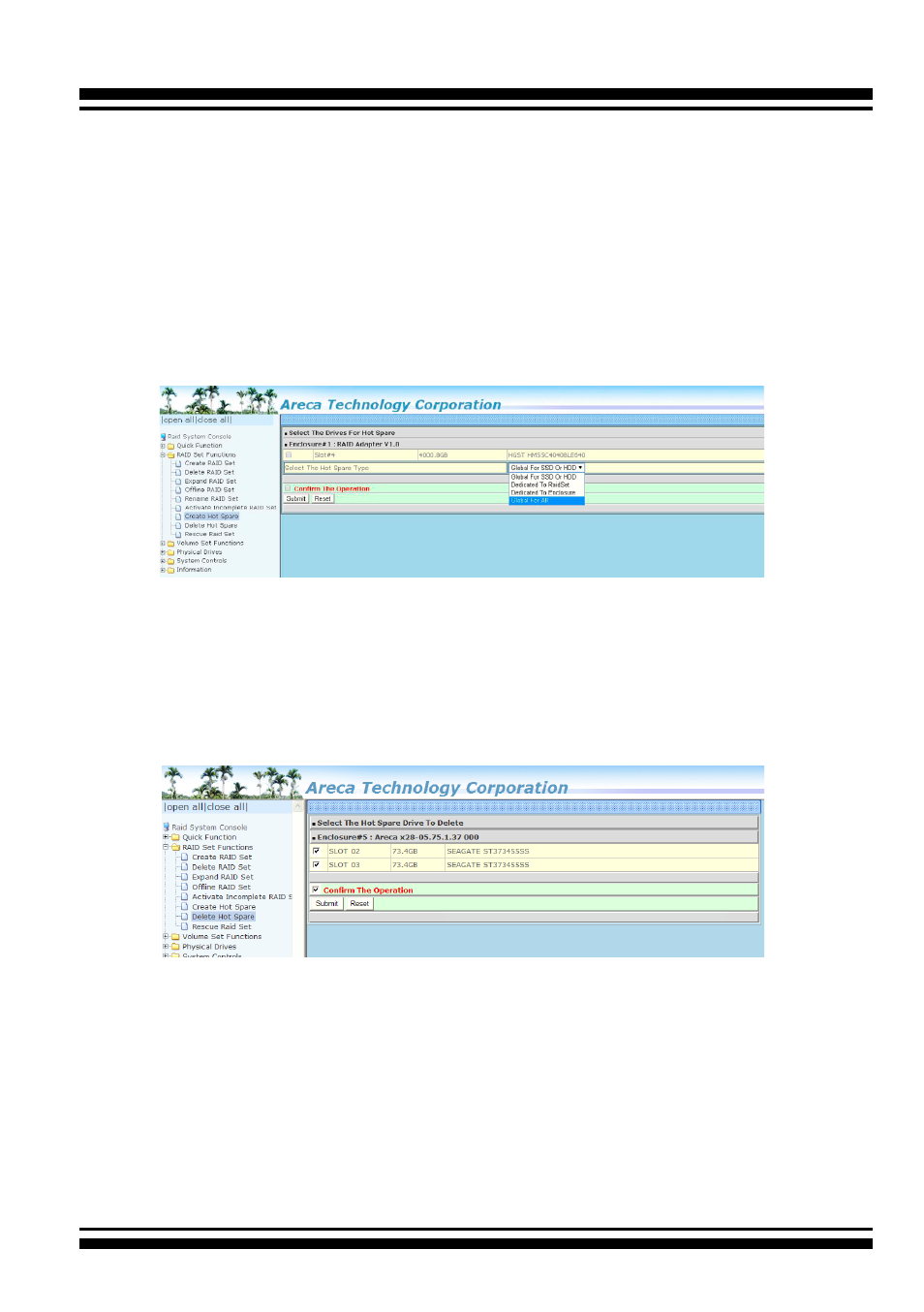
The “Create Hot Spare” gives you the ability to define a global or
dedicated hot spare. Firmware default (“Global For SSD or HDD”)
only uses SSD to rebuild SSD array or HDD to rebuild HDD array.
If you want rebuild a SSD array with a HDD, please configure the
HDD as hotspare disk for both HDD and SSD (“Global For All”) to
activate the rebuilding of the new array.
“Dedicated to RaidSet”
and “Dedicated to Enclosure” can only be used with a specific
RAID set or Enclosure. When a disk drive fails in the RAID set or
enclosure with a dedicated hot spare is pre-set, data on the disk
drive is rebuild automatically on the dedicated hot spare disk.
4.5.8 Delete Hot Spare
Select the target hot spare disk to delete by clicking on the ap-
propriate check box. Tick on the “Confirm The Operation” check
box and click the “Submit” button on the screen to delete the hot
spares.
4.5.9 Rescue Raid Set
When the system is powered off in the RAID set update/creation
period, the configuration possibly could disappear due to this
abnormal condition. The “RESCUE” function can recover the miss
-
ing RAID set information. The RAID storage uses the time as the
RAID set signature. The RAID set may have different time after
the RAID set is recovered. The “SIGANT” function can regenerate
the signature for the RAID set.