Smart polling interval, 2 advanced configuration, Web browser-based configuration – Areca ARC-8050T3U 6-Bay Thunder3 Desktop RAID Storage Array User Manual
Page 96
WEB BROWSER-BASED CONFIGURATION
96
“Failed The Drive If Hot Sapre Exist” – controllers kill off the
SMART fail disk if hot sapre dive is existed.
“Alert” – it will trigger alert when there happens a SMART fail
drive.
• Smart Polling Interval
Besides the scheduled volume check, user can define the
Smart Pulling Interval to pull the SMART status of each disk.
The default is “on demand”. User can schedule every certain
period of time interval to pull the SMART status of each disk.
When SMART pulling is executed, disk activity will be tempo-
rally halted until the SMART parameter reading is finished.
That is why you don’t want to set the “ Smart Polling Interval”
too frequent. What to use is up to the users to decide based
on their applications and experimental results.
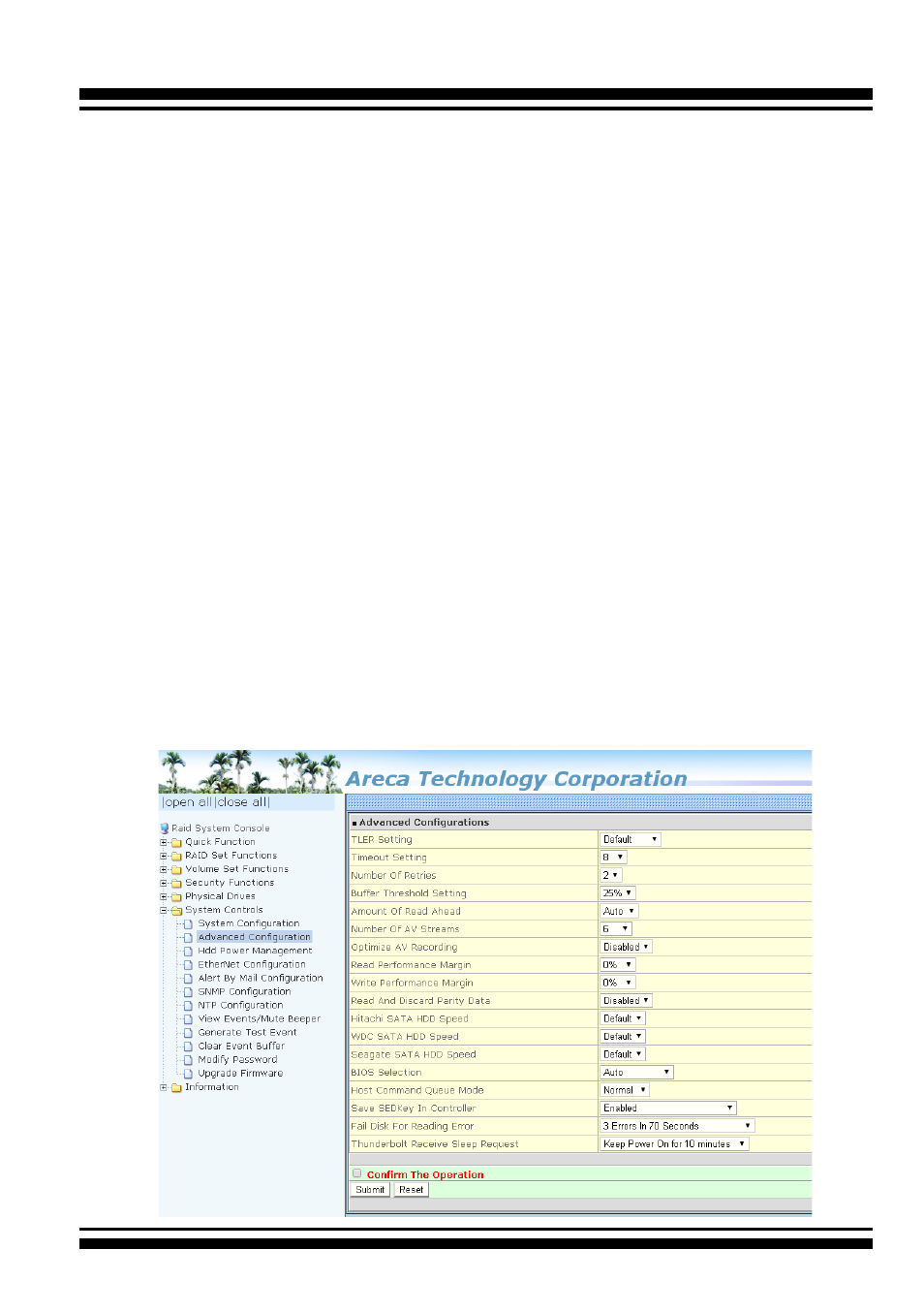
4.9.2 Advanced Configuration
To set the RAID storage advanced system function, move the cur-
sor to the main menu and click the “Advanced Configuration” link.
The “Advanced Configuration” menu will show all items, and then
select the desired function.