3 delete pass-through disk, 4 clone disk, Web browser-based configuration – Areca ARC-8050T3U 6-Bay Thunder3 Desktop RAID Storage Array User Manual
Page 88
WEB BROWSER-BASED CONFIGURATION
88
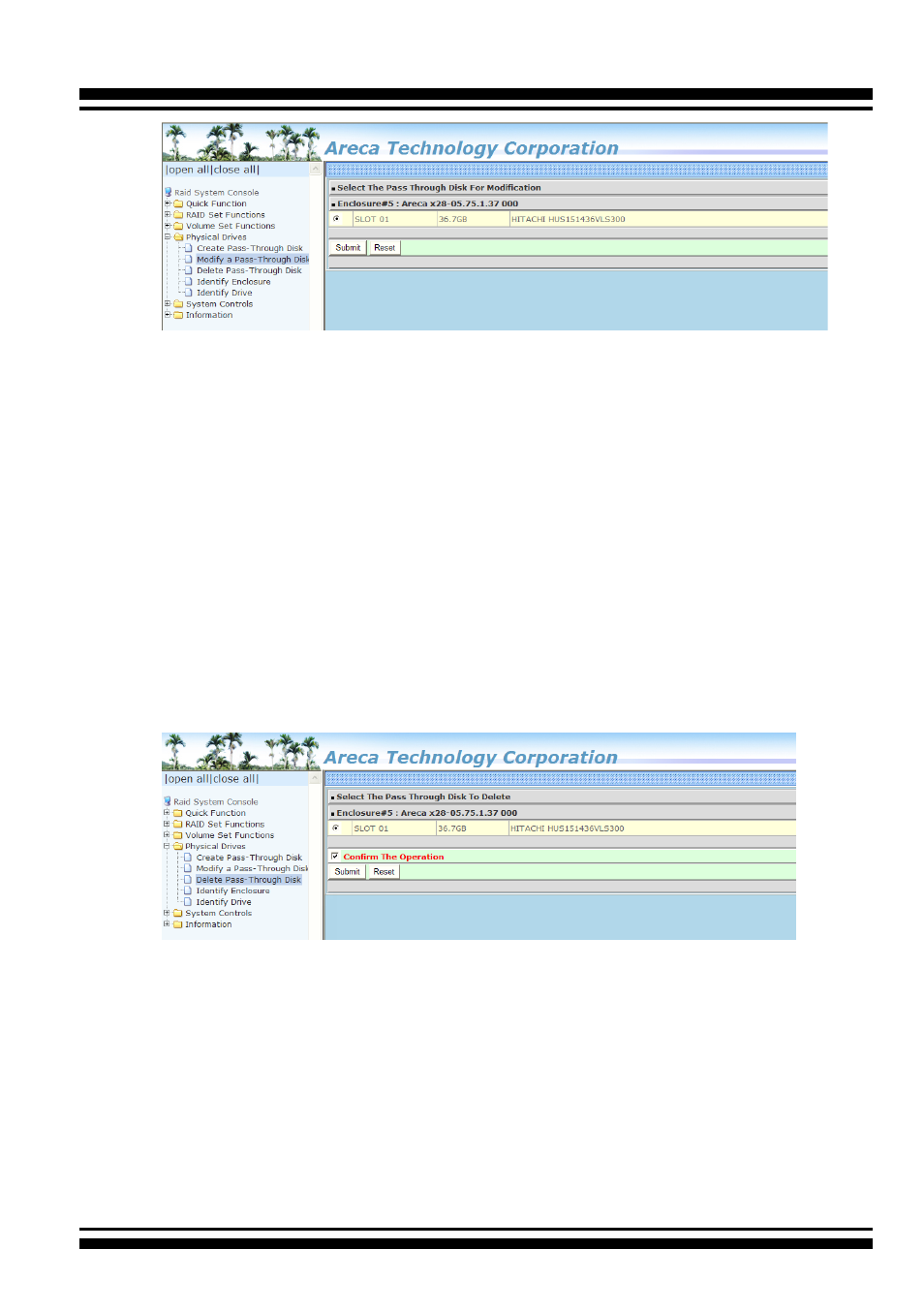
When the “Enter Pass-Through Disk Attribute” screen appears,
modify the drive attribute values, as you want. After you com-
plete the selection, mark the check box for “Confirm The Opera
-
tion” and click on the “Submit” button to complete the selection
action.
4.8.3 Delete Pass-Through Disk
To delete a pass-through drive from the pass-through drive pool,
move the mouse cursor bar to the main menus and click the “De-
lete Pass Through” link. After you complete the selection, mark
the check box for “Confirm The Operation” and click the “Submit”
button to complete the delete action.
4.8.4 Clone Disk
Instead of deleting a RAID set and recreating it with larger disk
drives, the “Clone Disk” function allows the users to replace larger
disk drives to the RAID set that have already been created. Click
the “Clone Disk” option on the “Physical Drives” link to enable the
clone function. If there is an available disk, then the “Select The
Drives For Cloning” screen appears. There are two “Clone Disk”
function options: ”Clone And Replace ” and “Clone Only.”