2 delete raid set, Web browser-based configuration – Areca ARC-8050T3U 6-Bay Thunder3 Desktop RAID Storage Array User Manual
Page 63
63
WEB BROWSER-BASED CONFIGURATION
Note:
To create RAID 30/50/60 volume, you need create multiple
RAID sets firstly with the same disk numbers on each RAID
set.
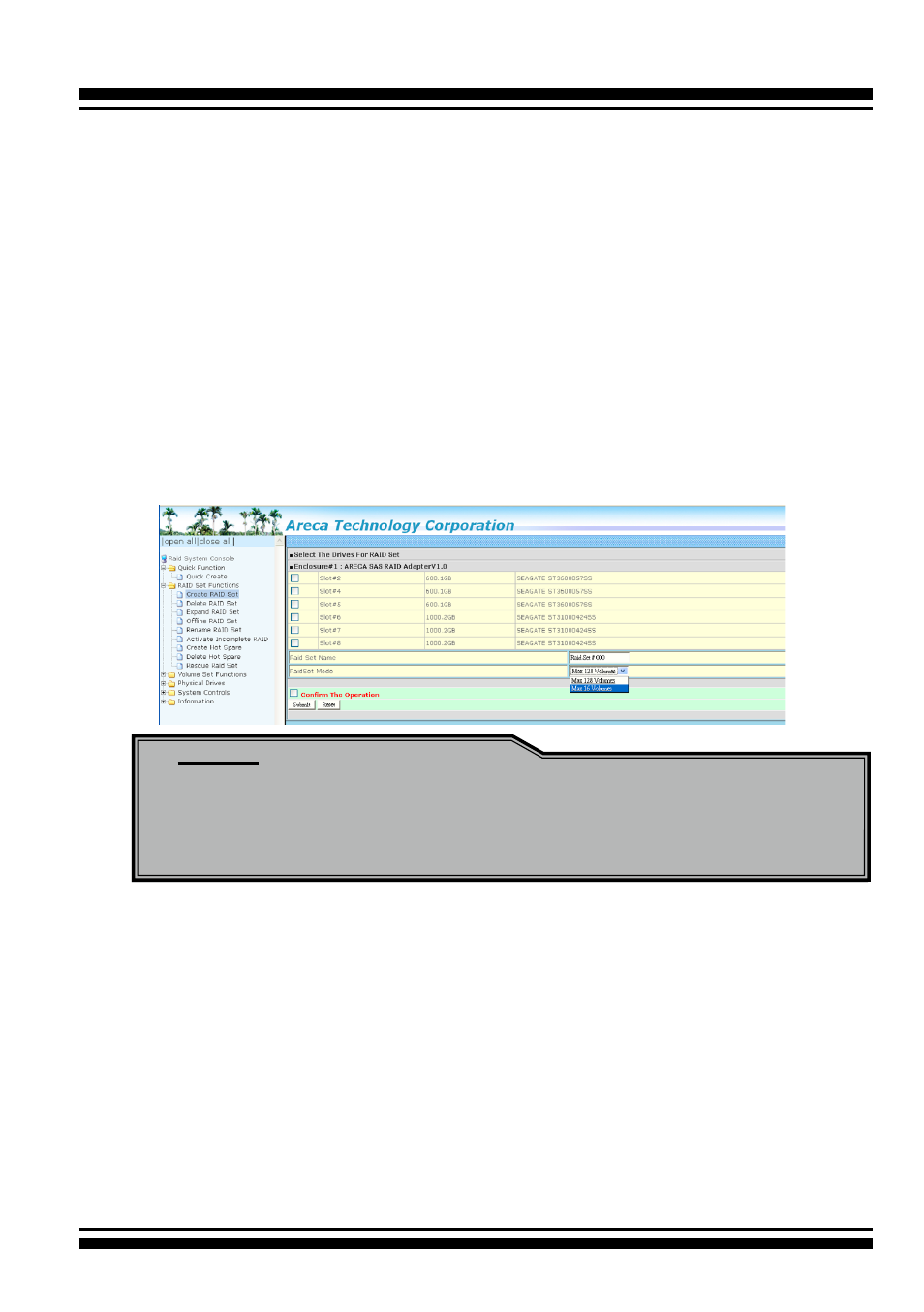
alphanumeric characters to define a unique identifier for a RAID
set. The default RAID set name will always appear as “Raid Set
#”.
Tick on the “Confirm The Operation” check box and click on the
“Submit” button on the screen; the RAID set will start to initialize.
If you have available disk member, you can repeat above proce-
dures to define another RAID sets. The “Max 128 volumes” is the
default mode for SAS RAID storage. The “Max 16 volumes” mode
is used for support roaming this raidset to Areca SATA RAID con-
trollers. The SATA RAID controller is designed to support up to 16
volumes only. You have to use “Max 16 volumes” on the raidset
mode if you plan to roam this raidset between SAS RAID control-
ler and SATA RAID controller.
4.5.2 Delete Raid Set
To delete a RAID set, click on the “Deleted Raid Set” link. A
“Select The Raid Set To Delete” screen is displayed showing all
exist RAID sets in the current controller. Click the RAID set num-
ber which you want to delete in the select column on the delete
screen. Then, tick on the “Confirm The Operation” check box and
click on the “Submit” button in the screen to delete it. The volume
sets included in the “Delete RAID Set”. It will be deleted by this
action. But for the Raid 30/50/60, you need to delete the volumes
belonging to those RAID sets.