Appendix – Areca ARC-8050T3U 6-Bay Thunder3 Desktop RAID Storage Array User Manual
Page 128
APPENDIX
128
To enable the controller to send the SNMP traps to client SNMP
manager using the IP address assigned to the operating system,
such as Net-SNMP manager, you can simply use the SNMP
function on the ArcHTTP proxy server utility. To enable the RAID
controller SNMP traps sending function, configure the “SNMP
Traps Configuration” options on the "ArcHTTP Configurations".
The ArcHTTP proxy only provides one direction to send the
trap to the SNMP manager without needing to install the SNMP
extension agent on the host. For detailed information on using
ArcHTTP proxy server utility to send the SNMP traps, please
see "SNMP Traps Configuration" section on chapter 3 "ArcHTTP
Configuration".
If SNMP manager requests to query the SNMP information from
RAID controller, please refer the C-3-2 section “
U
sing Onboard
NIC”.
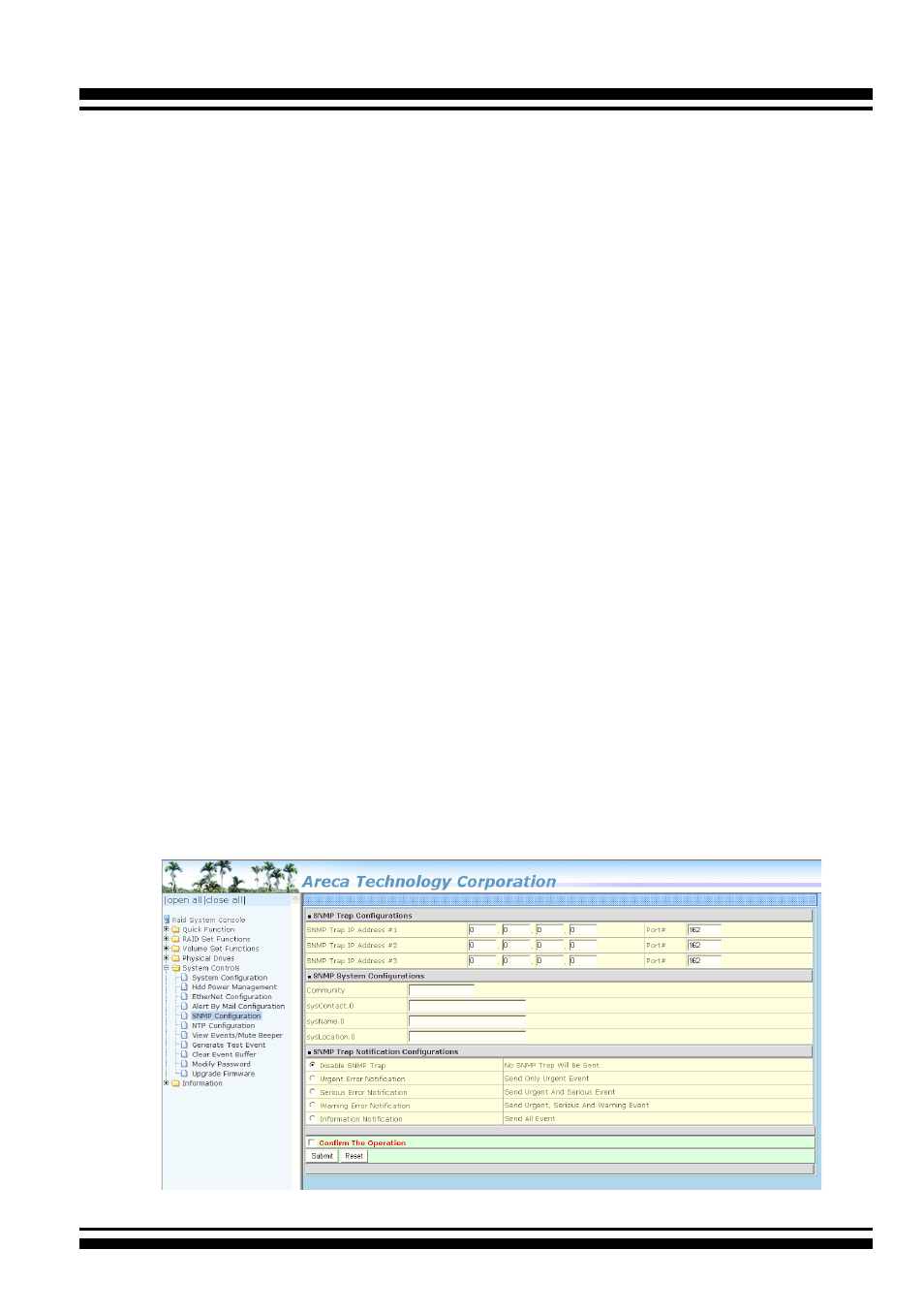
C-3-2 Using Onboard NIC Installation
With the built-in LAN port, you can add SNMP function onto your
the RAID storage. You can use the browser-based manager to
setup the firmware-based SNMP configuration. To launch the
browser-based RAID controller SNMP function, click on the “Sys-
tem Controls” link. The “System Controls” menu will show avail-
able items. Select the “SNMP Configuration” item. The follow
-
ing screen is the firmware-embedded SNMP configuration setup
screen using browser-based manager: