6 erase failed disk, Web browser-based configuration – Areca ARC-8050T3U 6-Bay Thunder3 Desktop RAID Storage Array User Manual
Page 85
85
WEB BROWSER-BASED CONFIGURATION
1. Select the “Import/Roaming And Set SED Key” option to unlock
the locked disk and change to foreign SED key.
2. Select the “RaidSet Roaming Only” option to unlock the locked
disk and personalize to new controller’s SED key. If there is an
existing SED key on new controller, RaidSet is updated with the
new security key. If there is not an existing SED key on new
controller, RaidSet is updated to unlock RaidSet.
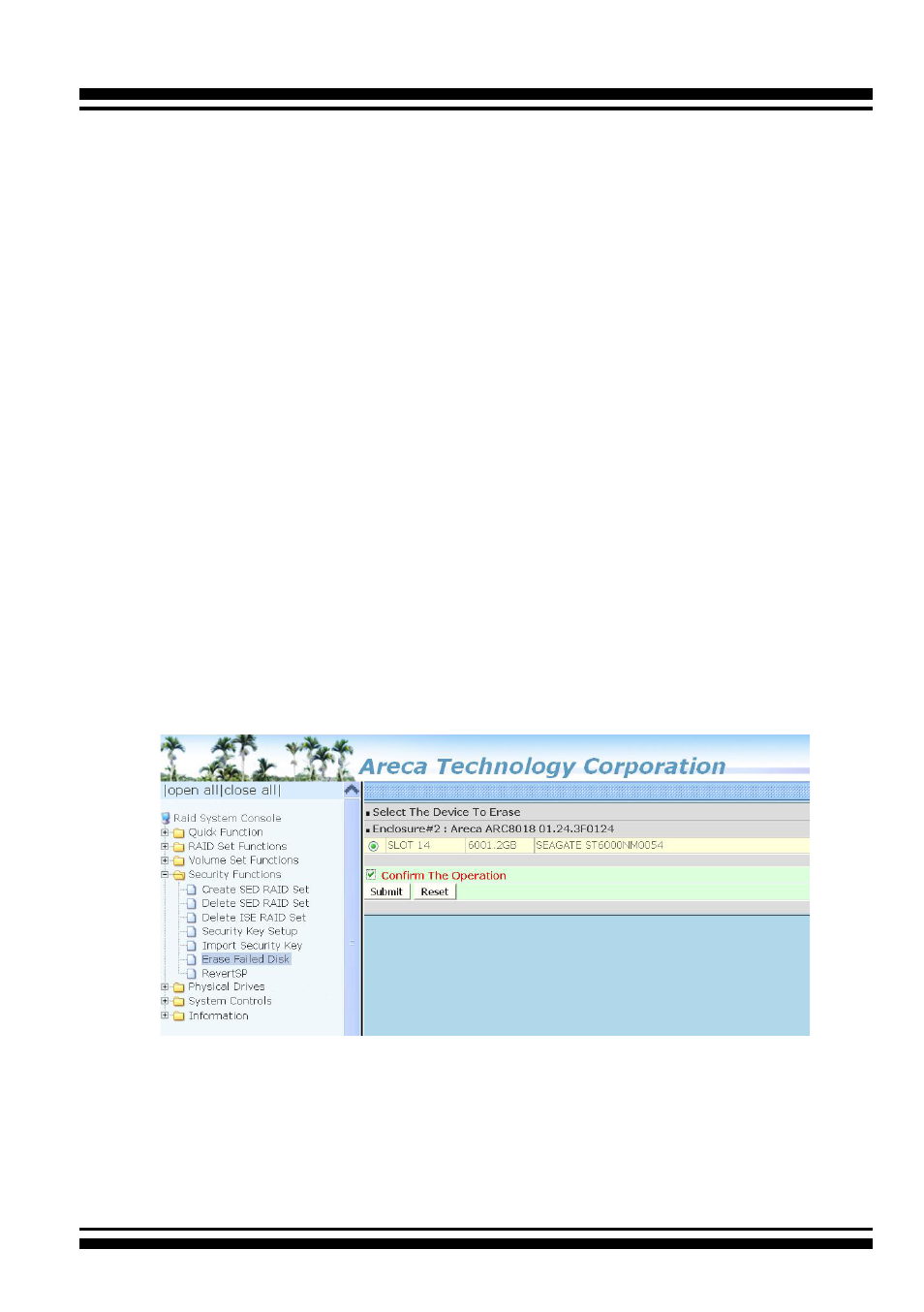
4.7.6 Erase Failed Disk
To erase the failed encryption-capable physical disk, move the
cursor bar to the main menu and click on the “Erase Failed Disk ”
link. The “Select The Device To Erase” screen will show all failed
encryption-capable physical disks. Tick on the failed disk that you
want to erase and then click on the “Submit” button. In case con-
troller successfully performs an Instant Secure Erase, it will erase
all data on the encryption-capable physical disk disks and reset
the security attributes. The data on the encryption-capable physi-
cal disk is lost.