Installation – Areca ARC-8050T3U 6-Bay Thunder3 Desktop RAID Storage Array User Manual
Page 52
Advertising
INSTALLATION
52
Note:
You can also safely remove devices from the computer folder.
Click the "Start" button, click "Computer", right-click the
device you want to remove, and then click "Eject".
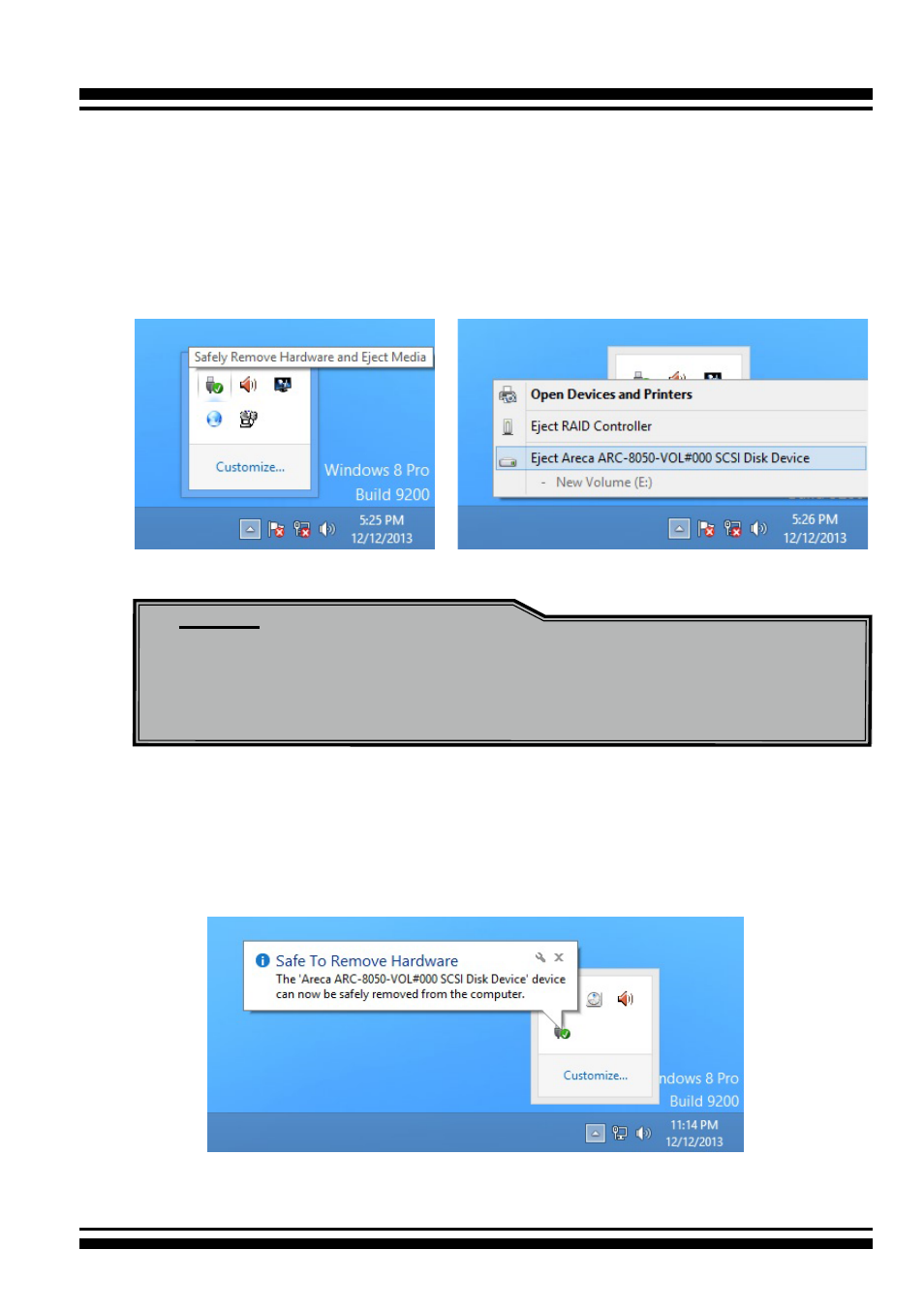
2. Windows will display a notification telling you it's safe to
remove the Thunderbolt storage volume. Now you can unplug
the Thunderbolt cable
.
To unmount ARC-8050T3U RAID storage from a Windows
system:
1. Click on the "Safely Remove Hardware and Eject Media" icon
in the notification area, at the lower right-hand side of your
screen, and then, in the list of devices, choose the Thunder-
bolt storage volume option that you want to remove.
Advertising