Installation – Areca ARC-8050T3U 6-Bay Thunder3 Desktop RAID Storage Array User Manual
Page 29
INSTALLATION
29
Step 3. Expansion Connection (Optional)
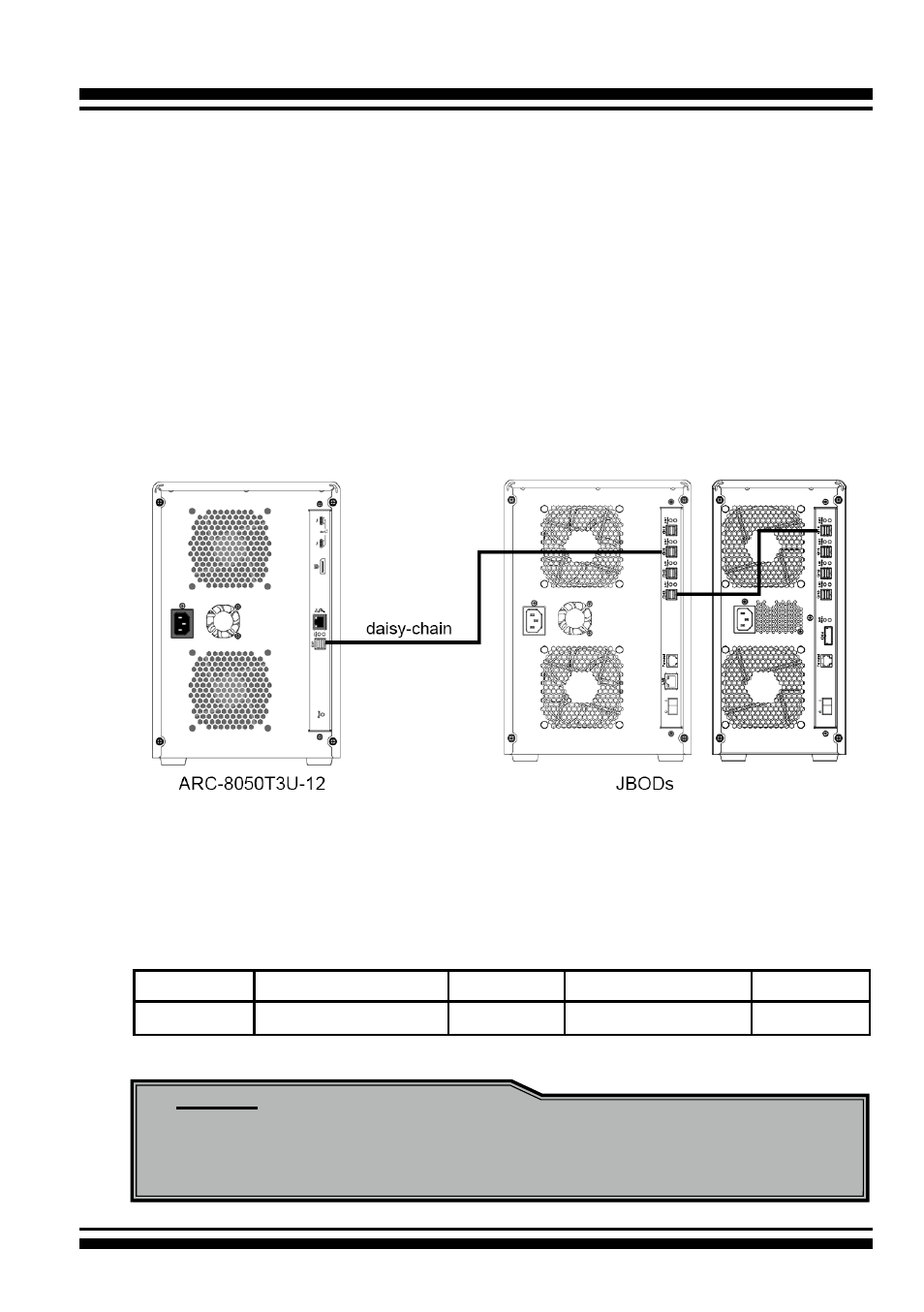
The ARC-8050T3U-6/12 12Gb/s SAS RAID storages contain one
expansion port that can connect up to 7 expander enclosures.
The maximum drive no. is 256 through this RAID storage with
7 expander enclosures. Enclosures installed with SAS disks or
SATA disks can be included in the same daisy-chain. The following
figure shows how to connect the external SFF-8644 cable from
the 12Gb/s SAS RAID storage to the external JBOD. Daisy-chains
longer than the limitation of storages are not supported even if it
may be workable.
Figure 2-10, Module Daisy-chain
The following table is the maximum number of ARC-8050T3U-6/12
RAID storage supported:
Disks/Enclosure
Expander
Disks/Controller
Volume
Max No.
128
7
256
128
Note:
Turn on the JBOD first to make sure the ARC-8050T3U-6/12
RAID storage recognizes the drives in the JBOD.