3 expand raid set, Web browser-based configuration – Areca ARC-8050T3U 6-Bay Thunder3 Desktop RAID Storage Array User Manual
Page 64
WEB BROWSER-BASED CONFIGURATION
64
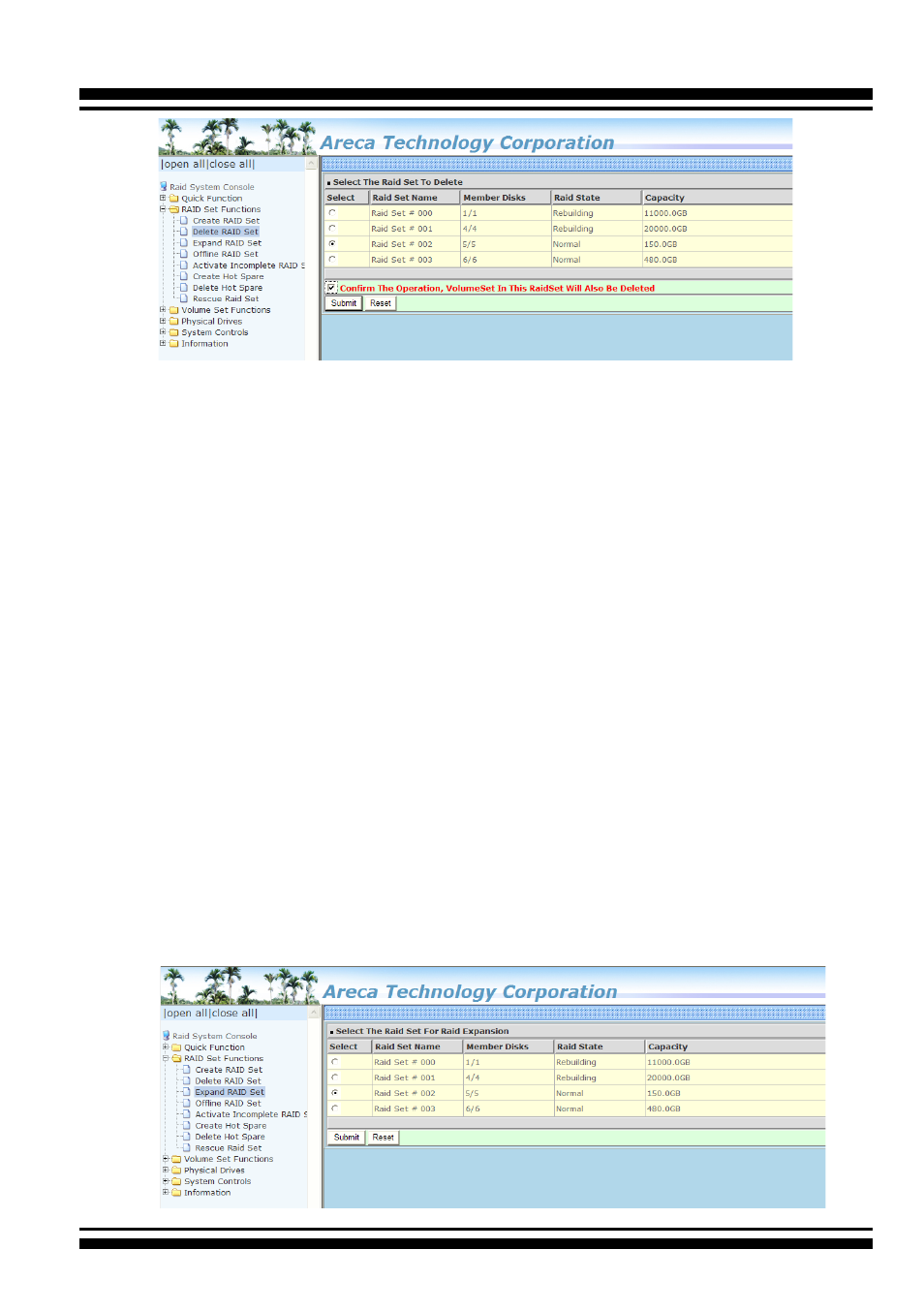
4.5.3 Expand Raid Set
Instead of deleting a RAID set and recreating it with additional
disk drives, the “Expand Raid Set” function allows the users to
add disk drives to the RAID set that have already been created.
To expand a RAID set:
1. Select the “Expand Raid Set” option. If there is an available
disk, then the “Select SAS/SATA Drives For Raid Set Expansion”
screen appears.
2. Select the target RAID set by clicking on the appropriate radio
button. Select the target disk by clicking on the appropriate
check box.
3. Click on the "Submit" button to start the expansion on the
RAID set.
The new additional capacity can be utilized by one or more volume
sets. The volume sets associated with this RAID set appear for
you to have chance to modify RAID level or stripe size. Follow the
instruction presented in the “Modify Volume Set” to modify the
volume sets; operation system specific utilities may be required
to expand operating system partitions.