6 port channel – PLANET WGS3-2820 User Manual
Page 123
User’s Manual of WGS3-2820/WGS3-5220
123
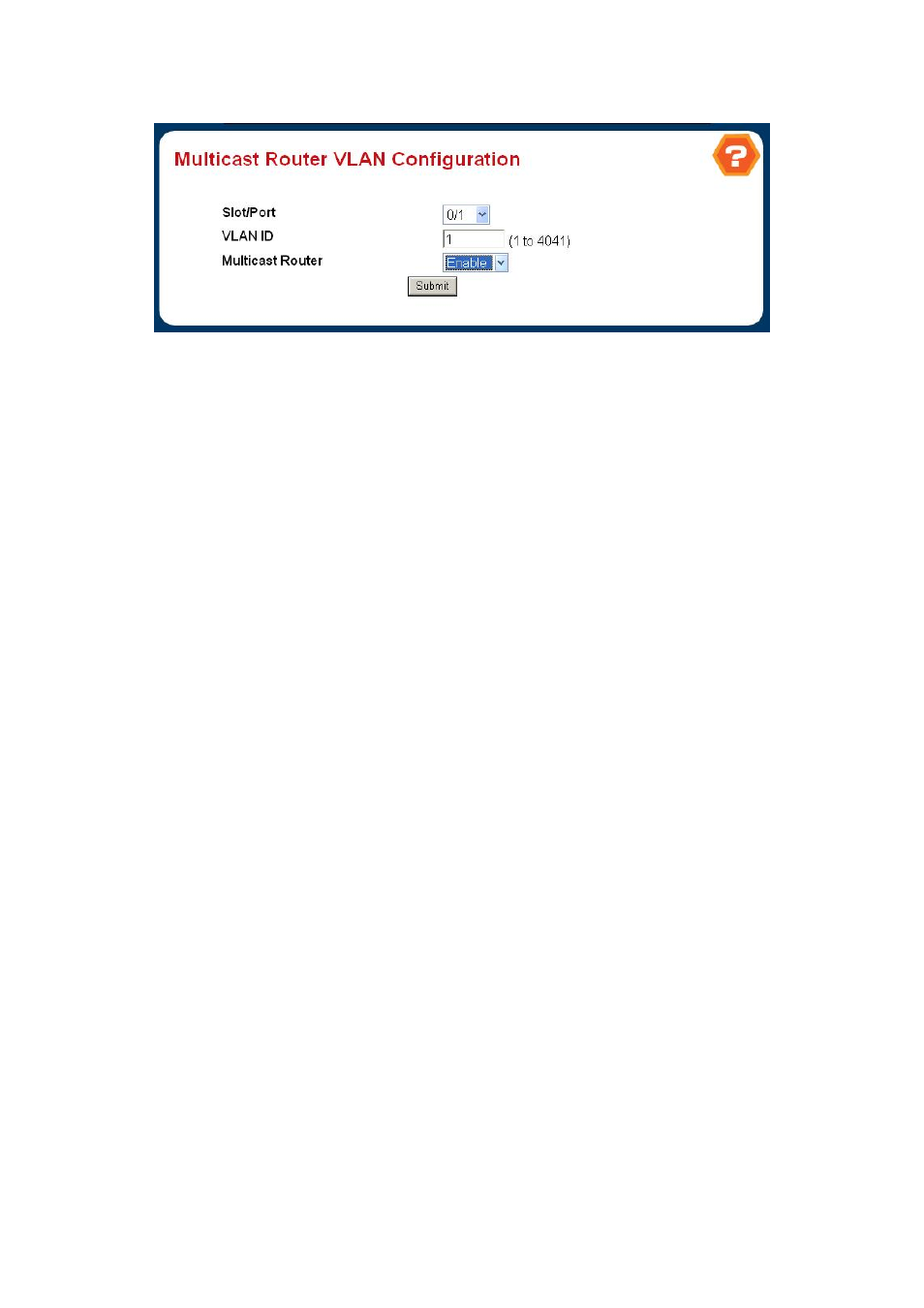
4.3.5.8 Multicast Router VLAN Configuration
Figure 4-3-26
Multicast Router VLAN Configuration
Selection Criteria
。
Slot/Port
- The select box lists all Slot/Ports.Select the interface for which you want to display the statistics.
Non-Configurable Data
。
VLAN ID
- All Vlan Ids for which the Multicast Router Mode is Enabled
。
Multicast Router
- Multicast Router Mode for Vlan ID.
4.3.6 Port Channel
The Link Aggregation Control Protocol (LACP) provides a standardized means for exchanging information between Partner
Systems that require high speed redundant links. Link aggregation lets you group up to eight consecutive ports into a single
dedicated connection. This feature can expand bandwidth to a device on the network. LACP operation requires full-duplex
mode, more detail information refer to the IEEE 802.3ad standard.
Port link aggregations can be used to increase the bandwidth of a network connection or to ensure fault recovery. Link
aggregation lets you group up to 4 consecutive ports into a single dedicated connection between any two the Switch or other
Layer 2 switches. However, before making any physical connections between devices, use the Link aggregation Configuration
menu to specify the link aggregation on the devices at both ends. When using a port link aggregation, note that:
。
The ports used in a link aggregation must all be of the same media type (RJ-45, 100 Mbps fiber).
。
The ports that can be assigned to the same link aggregation have certain other restrictions (see below).
。
Ports can only be assigned to one link aggregation.
。
The ports at both ends of a connection must be configured as link aggregation ports.
。
None of the ports in a link aggregation can be configured as a mirror source port or a mirror target port.
。
All of the ports in a link aggregation have to be treated as a whole when moved from/to, added or deleted from a VLAN.
。
The Spanning Tree Protocol will treat all the ports in a link aggregation as a whole.
。
Enable the link aggregation prior to connecting any cable between the switches to avoid creating a data loop.
。
Disconnect all link aggregation port cables or disable the link aggregation ports before removing a port link aggregation to
avoid creating a data loop.
It allows a maximum of eight ports to be aggregated at the same time. The Switch support Gigabit Ethernet ports (up to 12