Monitor information – H3C Technologies H3C Intelligent Management Center User Manual
Page 246
232
The monitor report of the SQL Server application appears, as shown in
. For
information about the icons in the monitor report, see "
." This section describes the
fields in each area of the monitor report.
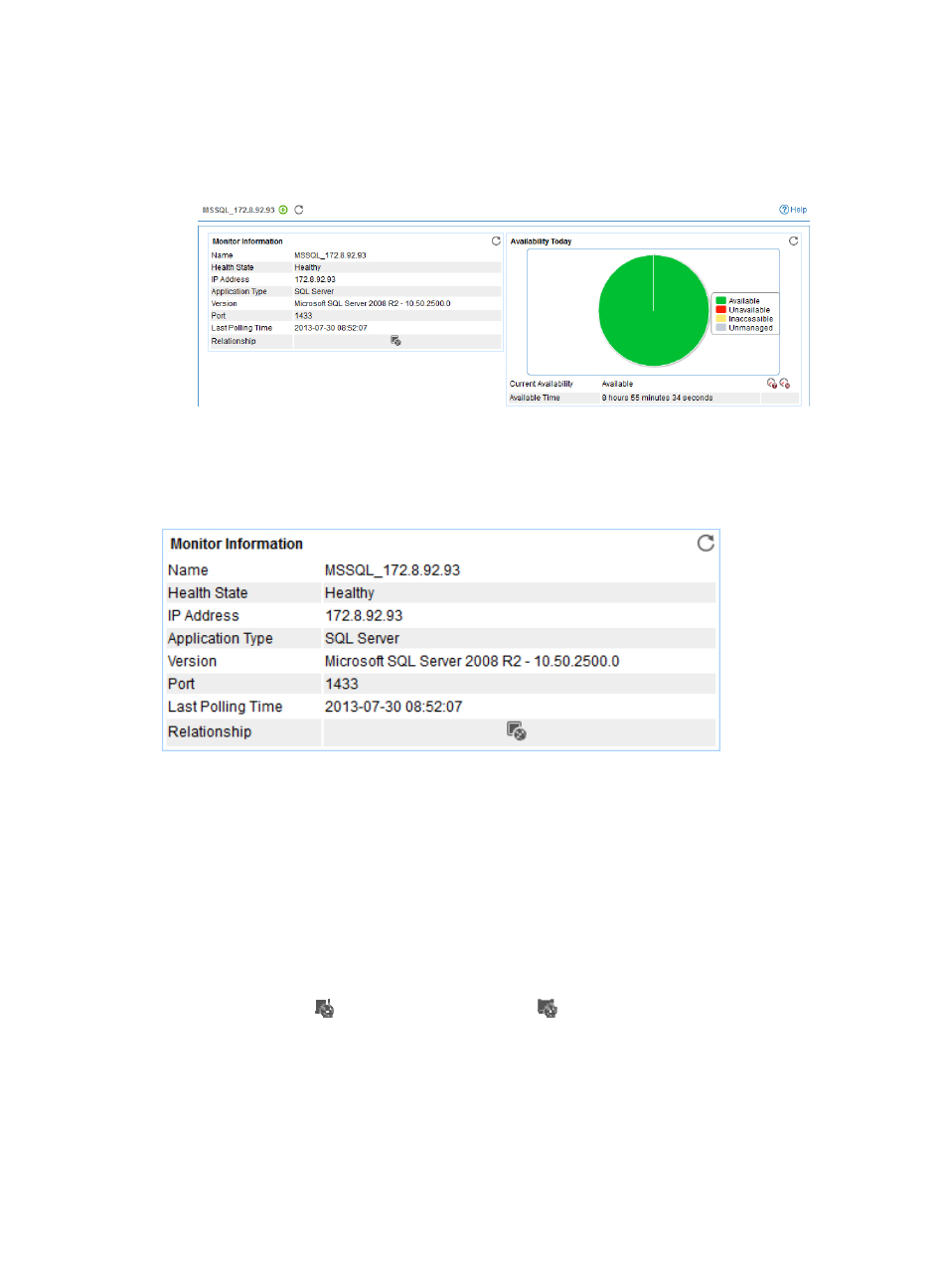
Figure 181 Part of a SQL Server application monitor report
Monitor Information
The Monitor Information area layout is shown in
Figure 182 Monitor Information area layout
Monitor Information area fields:
•
Name—Application monitor name.
•
Health State—Health status of the SQL Server application.
•
IP Address—IP address of the SQL Server host.
•
Application Type—Type of the monitored application, which is always SQL Server.
•
Version—SQL Server version.
•
Port—Service port of the SQL Server.
•
Last Polling Time—Time when APM last polled SQL Server.
•
Relationship icon
—Click the Relationship icon
to view dependencies between SQL Server
and other applications in the dependency topology. For more information about dependency
topologies, see "
4 Topology and application group management
•
Top5 Unrecovered Alarm—Latest five unrecovered alarms on SQL Server host. The alarm level is
identified by color: yellow for minor alarms, orange for major alarms, and red for critical alarms.
This field does not appear if no alarm is generated by the SQL Server application.