Web application details, N in, Figure 287 – H3C Technologies H3C Intelligent Management Center User Manual
Page 364
350
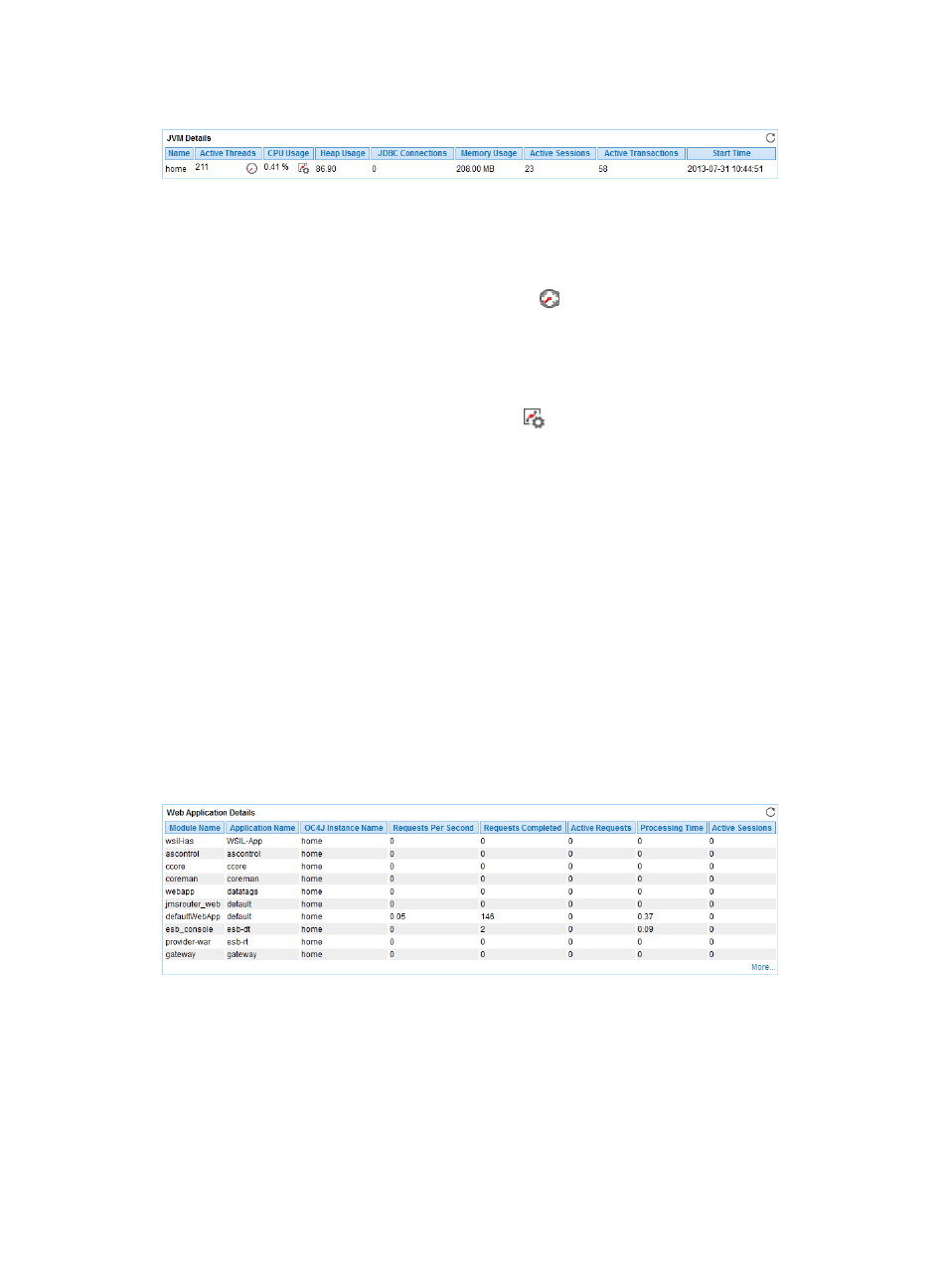
Figure 287 JVM Details area layout
JVM Details area fields:
•
Name—Name of the JVM.
•
Active Threads—Number of active threads of JVM in the last polling interval.
{
History Record—Click the History Record icon
to view the changes of the number of active
threads of JVM in a line graph. Point to a spot on the curve to view the data at the specific time
point. Authorized users can view statistics over the last 1 hour, last 6 hours, today, yesterday, this
week, this month, and this year by clicking the corresponding icons.
•
CPU Usage—CPU usage of the JVM in the last polling interval.
{
Set Threshold—Click the Set Threshold icon
to set alarm thresholds for the CPU usage of
JVM. The CPU usage data is highlighted in orange when it reaches the level-1 threshold, and is
highlighted in red when it reaches the level-2 threshold. Use either the global thresholds or
custom thresholds. For more information about threshold setting, see "
•
Heap Usage—Heap memory usage of JVM in the last polling interval.
•
JDBC Connections—Total number of open JDBC connections in the last polling interval.
•
Memory Usage—Physical memory used by the JVM in the last polling interval.
•
Active Sessions—Number of active sessions in the last polling interval.
•
Active Transactions—Number of active transactions in the last polling interval.
•
Start Time—Time when JVM last rebooted.
Web Application Details
The Web Application Details area displays information about 10 Web applications deployed on the
Oracle AS, as shown in
.
Figure 288 Web Application Details area layout
Web Application Details area fields:
•
Module Name—Module name of the Web application.
•
Application Name—Name of the Web application.
•
OC4J Instance Name—Name of the OC4J instance to which the Web application is deployed.
•
Requests Per Second—Number of requests per second received by the Web application.
•
Requests Completed—Total number of requests processed by the Web application since the Oracle
AS started in the last polling interval.