Vm list, Vm memory information – H3C Technologies H3C Intelligent Management Center User Manual
Page 657
643
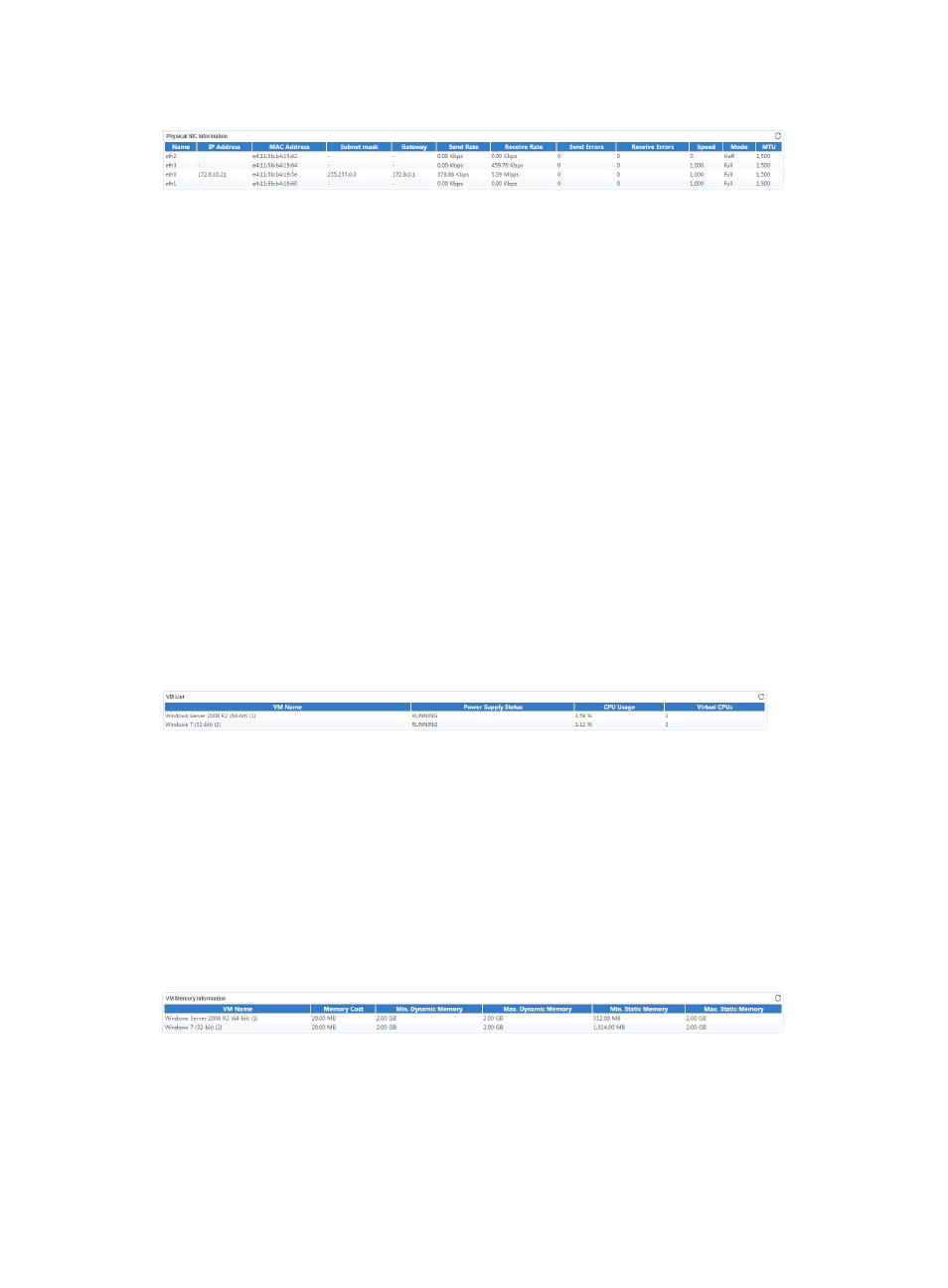
Figure 547 Physical NIC Information area layout
Physical NIC Information area fields:
•
Name—Name of the NIC on the XenServer server.
•
IP Address—IP address of the NIC.
•
MAC Address—MAC address of the NIC.
•
Subnet Mask—Subnet mask of the NIC.
•
Gateway—IP address of the gateway.
•
Send Rate—Number of outbound bits per second on the NIC in the last polling period.
•
Receive Rate—Number of inbound bits per second on the NIC in the last polling period.
•
Send Errors—Number of outbound error packets per second on the NIC in the last polling period.
•
Receive Errors—Number of inbound error packets per second on the NIC in the last polling period.
•
Speed—Speed of the NIC.
•
Mode—Duplex mode of the NIC, Full or Half.
•
MTU—Maximum transmission unit of the NIC. A packet whose size exceeds the MTU will be
fragmented.
VM List
The VM List area layout is shown in
.
Figure 548 VM List area layout
VM List area fields:
•
VM Name—Name of the VM on the XenServer server in the last polling period.
•
Power Supply Status—Status of the power supply on the VM.
•
CPU Usage—CPU usage ratio of the VM in the last polling period.
•
Virtual CPUs—Number of virtual CPUs on the VM.
VM Memory Information
The VM Memory Information area layout is shown in
Figure 549 VM Memory Information area layout
VM Memory Information area fields:
•
VM Name—Name of the VM on the XenServer server in the last polling period.
•
Memory Cost—Memory cost that occurred when the XenServer server managed the VM in the last
polling period.
•
Min. Dynamic Memory—Minimum dynamic memory space of the VM in the last polling period.