Database lock – H3C Technologies H3C Intelligent Management Center User Manual
Page 282
268
•
Initial Extent Segment—Size of the first extent segment allocated for the rollback segment.
•
Next Extent Segment—Size of the second extent segment allocated for the rollback segment.
•
Min Extent Segment—Minimum number of extents allocated for the rollback segment.
•
Max Extent Segment—Maximum number of extents allocated for the rollback segment.
•
Gets—Times of getting rollback segment headers.
•
Waits—Waiting times of the rollback segment headers.
•
HWM—High-water mark of the rollback segment. HWM indicates the position of the last data
block in the current segment.
•
Shrinks—Shrinking times of the rollback segment.
•
Wraps—Warping times of the rollback segment.
•
Extends—Extending times of the rollback segment.
•
Hit Ratio—How often the rollback segment headers have been obtained. Hit Ratio = Gets/(Gets +
Waits) × 100%.
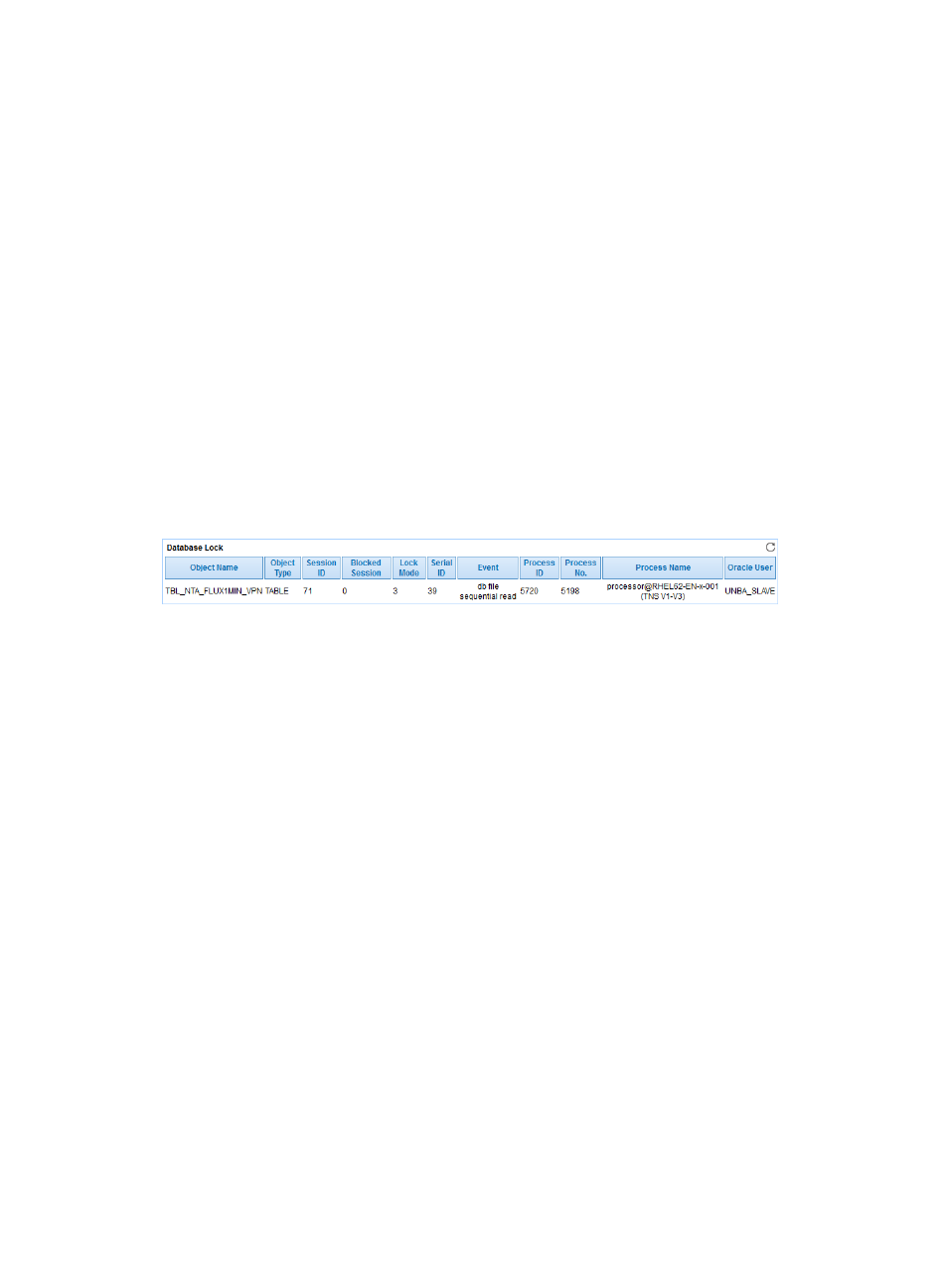
Database Lock
The Database Lock area displays the details of the database lock on an Oracle server.
Figure 219 Database Lock
Database Lock area fields:
•
Object Name—Name of the locked object.
•
Object Type—Type of the locked object.
•
Session ID—ID of the locked session.
•
Blocked Session—ID of the session that has been blocked due to the lock.
•
Lock Mode—Mode of the lock:
{
2—Row-shared lock (Row-S, RS)
{
3—Row-exclusive lock (Row-X: RX)
{
4—Shared lock (Share, S)
{
5—Shared row-exclusive lock (S/Row-X, SRX)
{
6—Exclusive lock (Exclusive: X)
•
Serial ID—Sequence number of the session.
•
Event—Name of the lock event.
•
Process ID—ID of the locked process.
•
Process No.—Number of the locked process.
•
Process Name—Name of the locked process.
•
Oracle User—Locked Oracle user.