Stratus-cs-xre server: edius xre dell r620, Stratus-cs-wfe server: workflow dell r620 – Grass Valley GV STRATUS Installation v.3.1 User Manual
Page 36
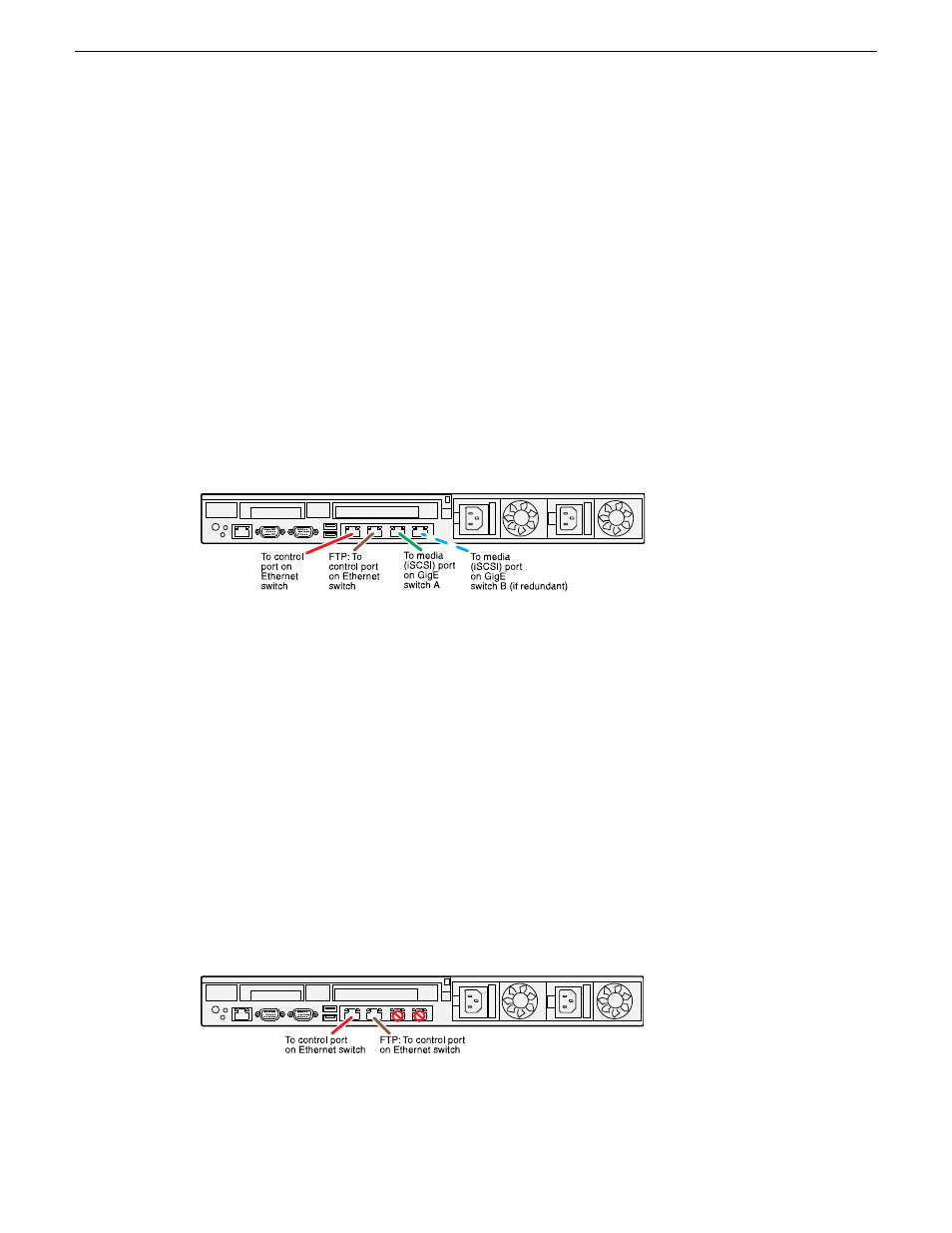
STRATUS-CS-XRE server: EDIUS XRE Dell R620
These cabling instructions apply to a GV STRATUS server, specified as follows:
•
Dell R620 PowerEdge server with roles from the following list:
•
GV STRATUS Application
•
GV STRATUS Event Viewer
•
K2 FTP Server
•
StorNext File System Client
•
XRE Server
NOTE: If initial (not upgrade) install, first install GV STRATUS software, then install
EDIUS software.
For the XRE Server, these roles require connections to the media (iSCSI) network and the control
network. Grass Valley policy requires an additional connection to the FTP/streaming network.
If a basic, non-redundant K2 SAN, connect port 2 to the one media (iSCSI) network. If a redundant
K2 SAN, connect port 2 to media network A and port 3 to media network B.
STRATUS-CS-WFE server: Workflow Dell R620
These cabling instructions apply to a GV STRATUS server, specified as follows:
•
Dell R620 PowerEdge server with roles from the following list:
•
GV STRATUS Event Viewer
•
GV STRATUS Workflow Engine
•
GV STRATUS Rules Engine
•
GV STRATUS Xcode Control Engine
•
GV STRATUS Control Panel
For the Workflow server, these roles require connections to the control network and the FTP/streaming
network.
36
GV STRATUS Installation and Service Manual
2013 12 19
Commissioning a system