Figure 160: configuring https, Table 18: https system support – Microsens MS453490M Management Guide User Manual
Page 287
C
HAPTER
14
| Security Measures
Configuring HTTPS
– 287 –
◆
The client and server establish a secure encrypted connection.
A padlock icon should appear in the status bar for Internet Explorer 5.x
or above, Netscape 6.2 or above, and Mozilla Firefox 2.0.0.0 or above.
◆
The following web browsers and operating systems currently support
HTTPS:
◆
To specify a secure-site certificate, see
"Replacing the Default Secure-
P
ARAMETERS
These parameters are displayed:
◆
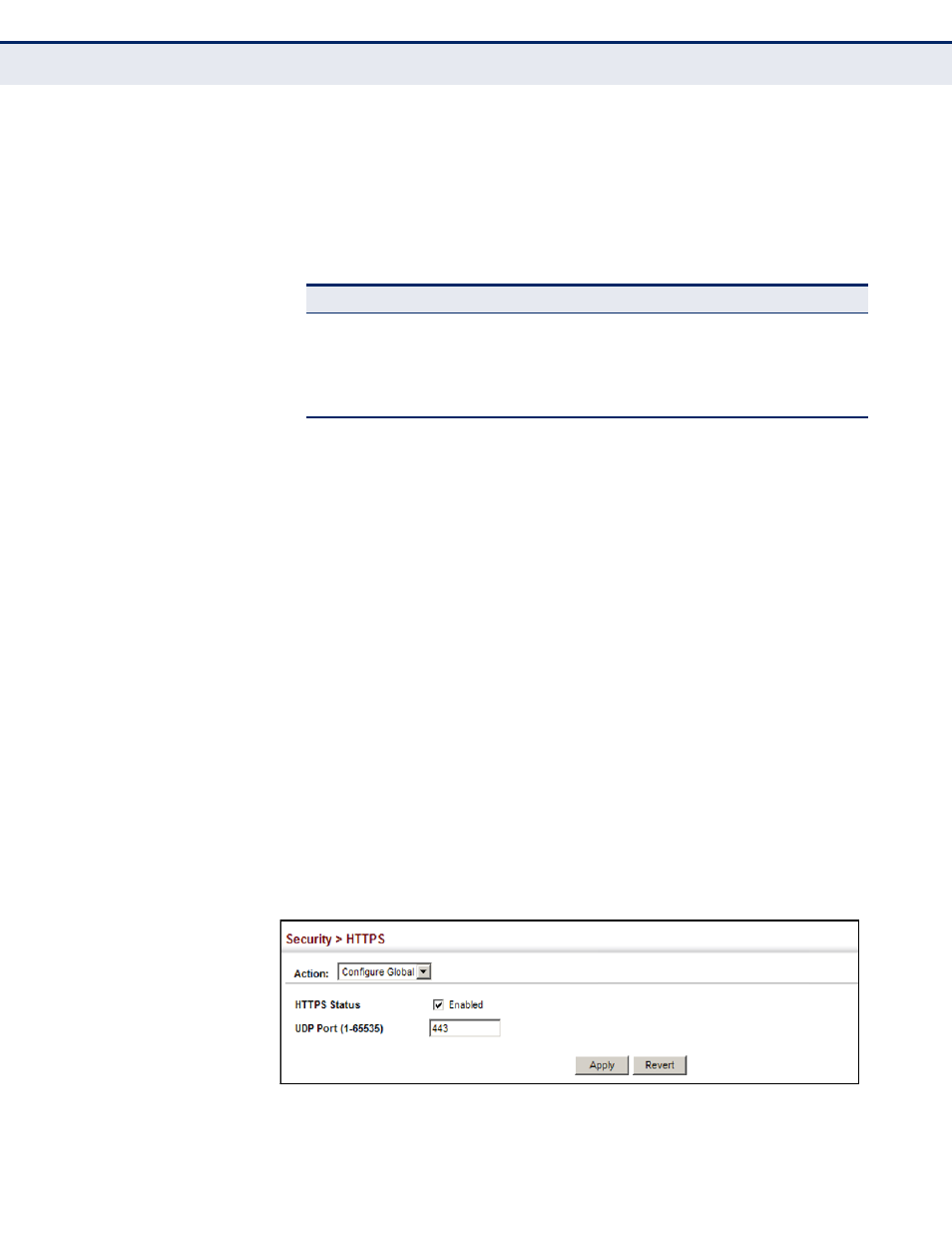
HTTPS Status – Allows you to enable/disable the HTTPS server feature
on the switch. (Default: Enabled)
◆
HTTPS Port – Specifies the UDP port number used for HTTPS
connection to the switch’s web interface. (Default: Port 443)
W
EB
I
NTERFACE
To configure HTTPS:
1.
Click Security, HTTPS.
2.
Select Configure Global from the Step list.
3.
Enable HTTPS and specify the port number if required.
4.
Click Apply.
Figure 160: Configuring HTTPS
Table 18: HTTPS System Support
Web Browser
Operating System
Internet Explorer 5.0 or later
Windows 98,Windows NT (with service pack 6a),
Windows 2000, Windows XP, Windows Vista, Windows 7
Netscape 6.2 or later
Windows 98,Windows NT (with service pack 6a),
Windows 2000, Windows XP, Solaris 2.6
Mozilla Firefox 2.0.0.0 or later
Windows 2000, Windows XP, Linux