KORG PA4X 76 User Manual
Page 137
Editing the SongBook |133
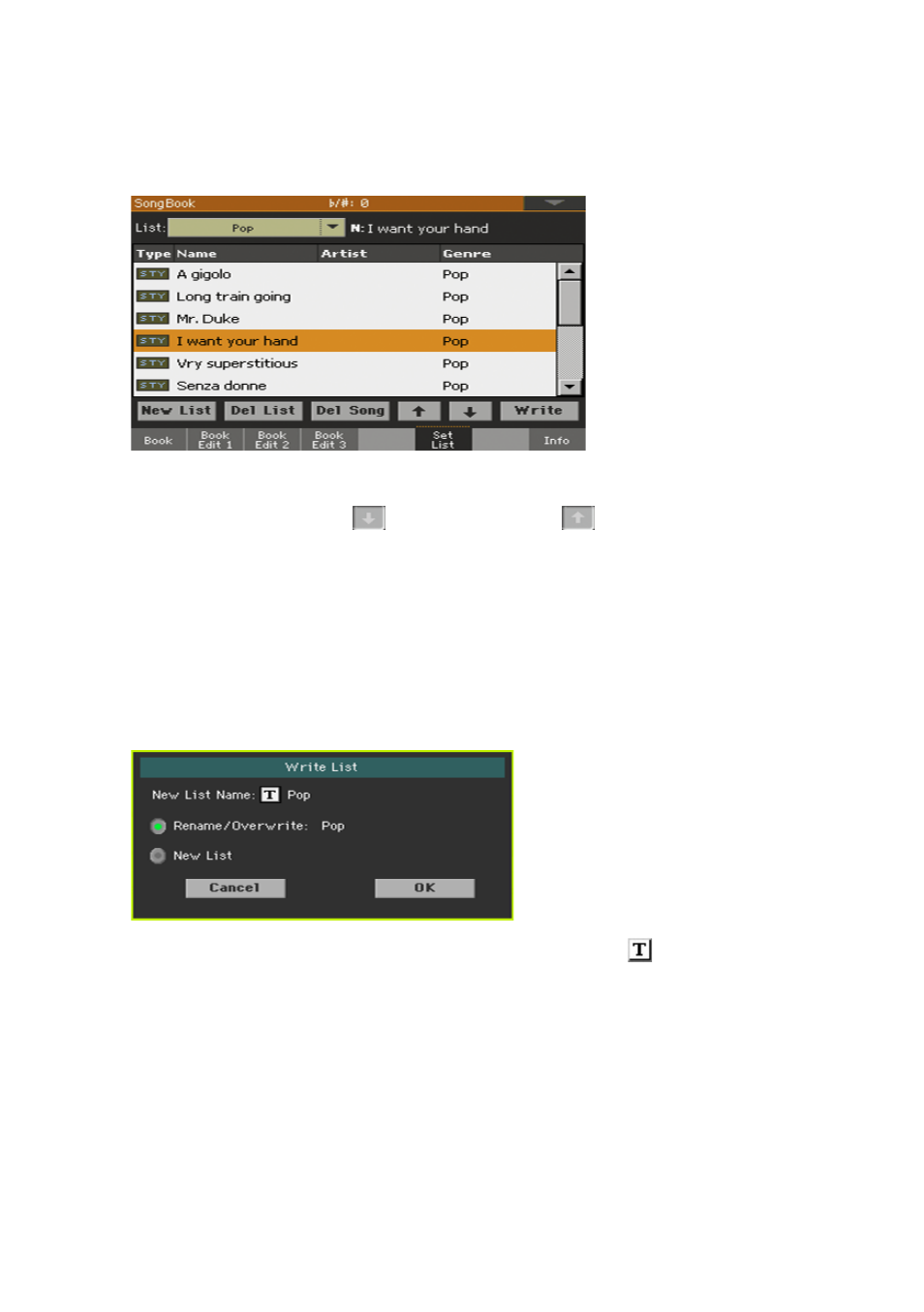
Move or delete songs from the selected Set List
1
Go to the
SongBook > Set List
page, and touch the
song
you want to move
or remove from the list.
2
Edit the list.
▪
Use the
Move > Down (
)
and
Move > Up (
)
buttons on the display to
move the selected Song to a different position in the list.
▪
Touch the
Del Song
button to delete the selected song from the Set List (the
song will not, however, be deleted from the Book list).
Save the Set List
1
While in the
SongBook > Set List
page, touch the
Write
button to open the
Write List
dialog.
2
While in the
Write List
dialog, touch the
Text Edit ( )
icon if you want to
assign the Set List a new name. When done editing the name, confirm by
touching the
OK
button under the
virtual keyboard
.
3
Choose the
Rename/Overwrite
option to write over the selected Set List. If
you prefer to create a new Set List, choose the
New List
option instead.
4
Touch the
OK
button to confirm saving.