Writing keyboard sets into a style – KORG PA4X 76 User Manual
Page 193
Writing the Sound sets |189
Writing Keyboard Sets into a Style
Keyboard Sets can store Keyboard Sounds and settings inside a Style.
When choosing a Style, four Keyboard Sets matching the selected Style are
automatically selected. You can recall these Keyboard Sets by using the
KEYBOARD SET
buttons under the display.
Note:
Changes can be saved onto Favorite, User and Direct Styles.
Writing the Keyboard Set to the current Style
Open the Write Keyboard Set to Style dialog from the control panel
▪
While in
Style Play
or
Song Play
mode, keep any of the
KEYBOARD SET
but-
tons under the display pressed for about one second.
Open the Write Keyboard Set to Style dialog from the display
1
While in
Style Play
or
Song Play
mode, choose the
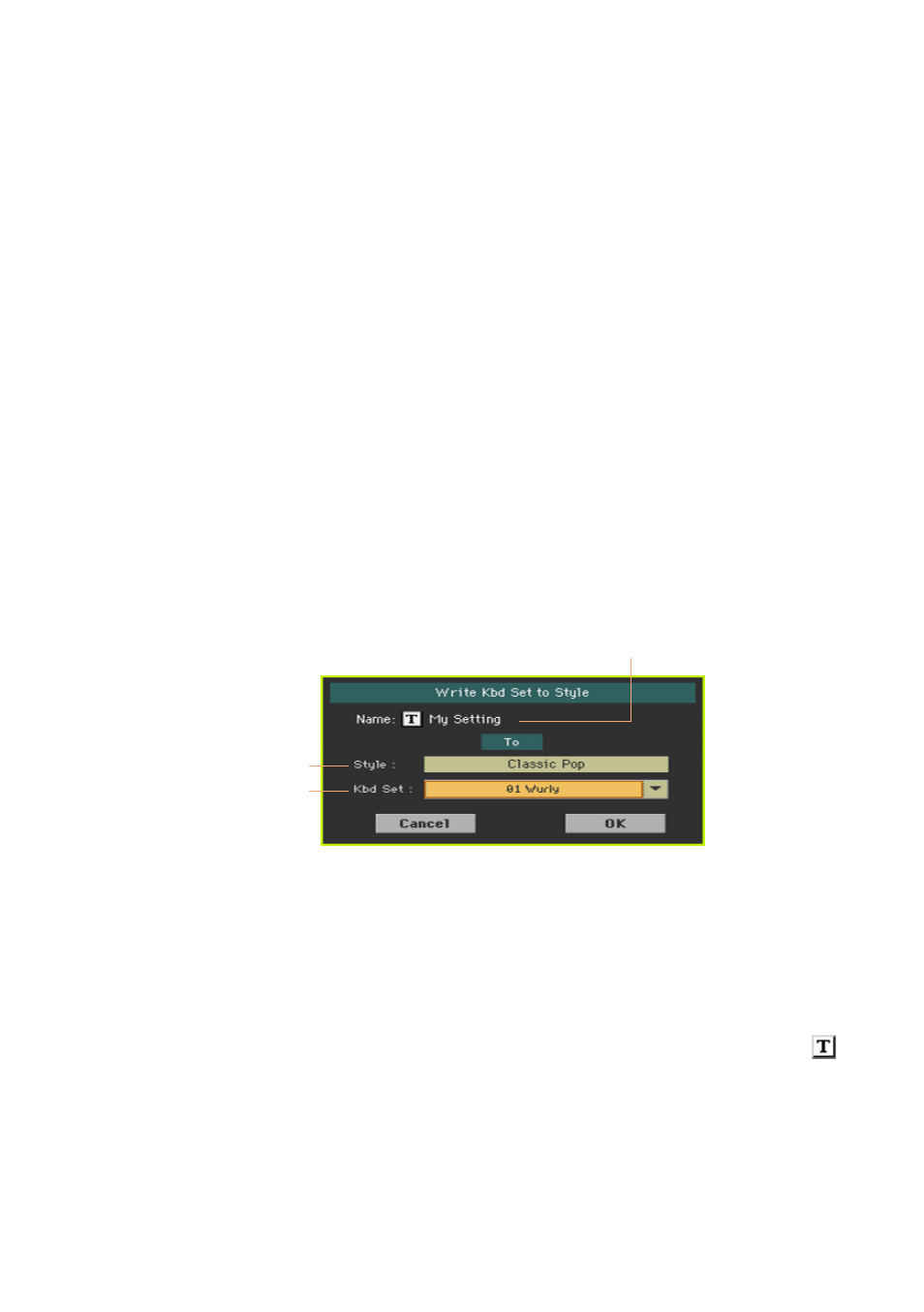
Write Kbd Set to Style
command from the
page menu
.
Keyboard Set name
Style containing the
Keyboard Set
Keyboard Set location
inside the Style
Write the Keyboard Set
▪
If you want to overwrite the current Keyboard Set, just touch the
OK
button.
▪
If you want to write the Keyboard Set to a different location inside the same
Style, touch the arrow next to the
Kbd Set
parameter to open a pop-up menu
and choose a different location.
2
You may change the
name
of the Keyboard Set. Touch the
Text Edit ( )
icon to open the
virtual keyboard
and edit the name.
When done editing the name, confirm by touching the
OK
button under the
virtual keyboard.
3
When back at the
Write Kbd Set to Style
dialog, confirm the Write operation
by touching the
OK
button.