H3C Technologies H3C Intelligent Management Center User Manual
Page 78
64
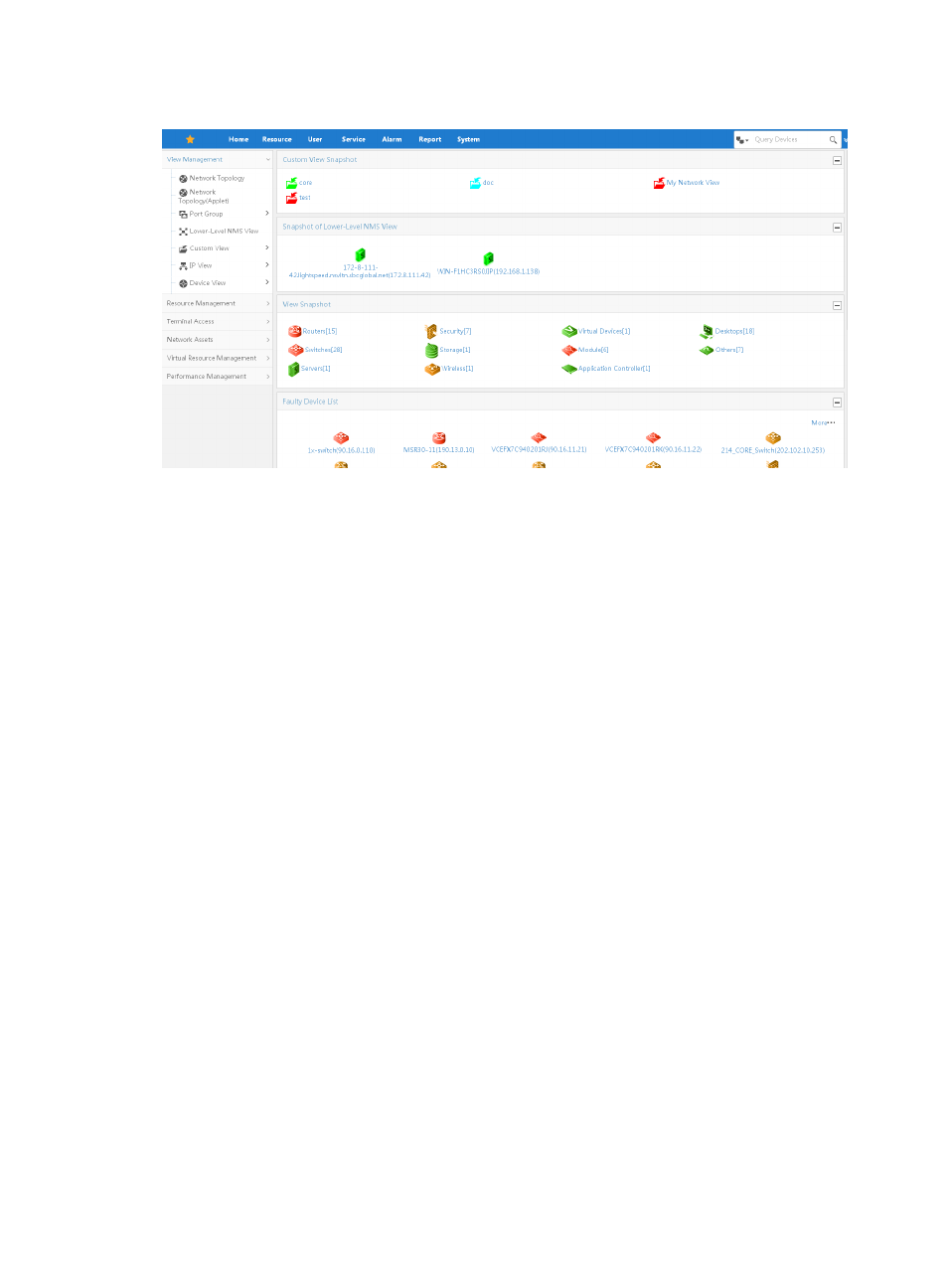
Figure 26 Resource management page
The main Resource page contains real time status views including:
•
Custom View Snapshot—Real time status view for custom views.
•
Snapshot of Lower-Level NMS View—Real time status view for lower-Level NMS views.
•
View Snapshot—Real time status view by device type.
•
Faulty Device List—Real time status view of all devices reporting errors.
In addition, the lower portion of the Resource page provides tabs for viewing real time
performance statistics for a subset of devices for the last hour.
The navigation tree on the left includes the ability to navigate to various real time status views of the
network infrastructure including:
•
Network Topology—Provides a real time status view of the network infrastructure based on
topology.
•
Port Group—Displays user-defined port group information.
•
Lower-Level NMS View—Displays the lower-level NMS servers managed by the current NMS.
•
Custom View—Provides a real time status view of devices prioritized into custom views by the
administrator or operator.
•
IP View—Provides a real time status view of the network infrastructure organized by IP address.
•
Device View—Provides a real time status view of the network infrastructure organized by device
type.
You can also manage perform configuration tasks using the navigation tree including:
•
Resource Management—Manages resources within IMC including adding devices, device auto
discovery, batch operations, and device/topology import and export.
•
Terminal Access—Manages IP addresses including address allocation, binding, IP address location,
discovery and device access.
•
Network Assets—Implements network asset functions including asset audits and reporting.
•
Virtual Resource Management—Manages the virtual network including servers, virtual switches,
and virtual machines.