Direct setting of the color temperature, Exposure, Shutter type – LEICA Q3 Digital Camera User Manual
Page 107
PHOTOGRAPHY ▸ EXPOSURE
107
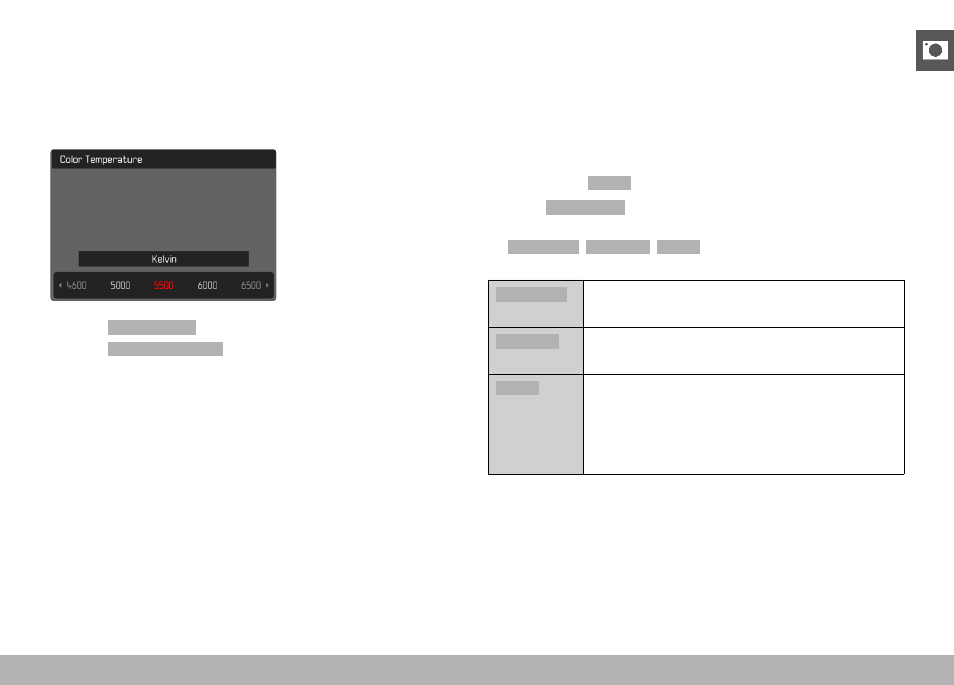
DIRECT SETTING OF THE COLOR TEMPERATURE
Values between 2000 and 11500 K (Kelvin) can be set directly. That
gives you a very wide range, which covers virtually all color tem-
peratures occurring in real life and within which you can adapt color
rendering to any light color and your personal preferences with
incredible detail.
▸
Select
White Balance
in the main menu
▸
Select
Color Temperature
▸
Select the desired value
EXPOSURE
SHUTTER TYPE
The Leica Q3 comes equipped with a mechanical shutter and a
purely electronic shutter function. The electronic shutter expands
the available shutter area and functions completely noiseless, which
may be important in some work environments.
Factory setting:
Hybrid
▸
Select
Shutter Type
in the main menu
▸
Select the desired setting
(
Mechanical
,
Electronic
,
Hybrid
)
Mechanical
Only the mechanical shutter is used.
Working range: 120 s to 1⁄2000 s.
Electronic
Only the electronic shutter function is used.
Working range: 1 s to 1⁄16000 s.
Hybrid
You can add the electronic shutter function if you
need faster shutter speeds than can be achieved
with the mechanical shutter.
Working range: 120 s to 1⁄2000 s + 1⁄2500 s to
1⁄16000 s.