Video playback – LEICA Q3 Digital Camera User Manual
Page 218
Advertising
PLAYBACK MODE ▸ VIDEO PLAYBACK
218
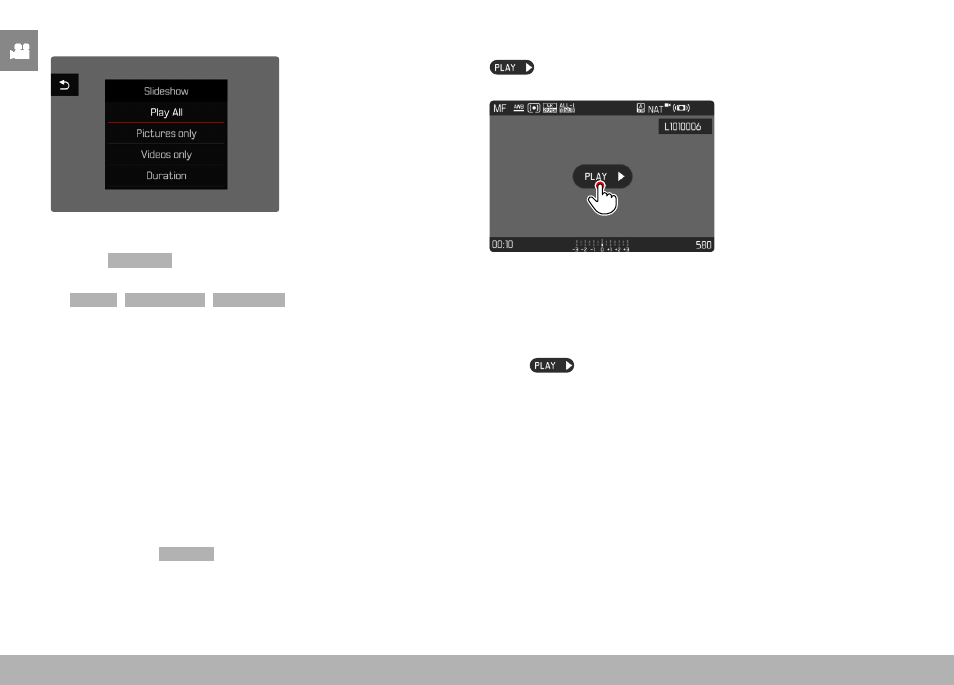
STARTING THE SLIDE SHOW
▸
Press the
MENU
button
▸
Select
Slideshow
in the play menu
▸
Select the desired setting
(
Play All
,
Pictures only
,
Videos only
)
• The slide show will start automatically with the selected images
and runs in an endless loop until it is exited.
ENDING THE SLIDE SHOW
▸
Press the
PLAY
button
or
▸
Tap the shutter button
• The camera switches to the relevant mode.
Notes
• An intermediate screen may appear while the data is prepared for
playback.
• The settings in
Duration
remain intact even after the camera is
switched off and on again.
VIDEO PLAYBACK
appears on screen if you have selected a video file in play-
back mode.
START PLAYBACK
▸
Press the center button
or
▸
Tap
Advertising