LEICA Q3 Digital Camera User Manual
Page 57
Advertising
CAMERA OPERATION ▸ MENU CONTROL
57
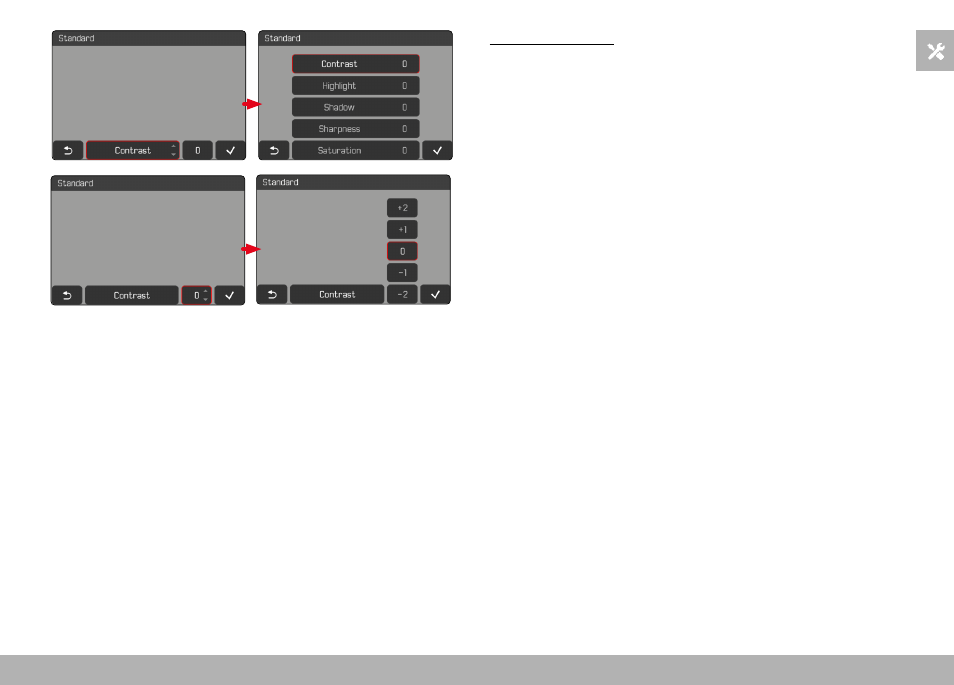
Using button control
Navigating between buttons
▸
Press the directional pad left/right
• An active button is indicated by a red frame.
Applying setting
▸
Press the directional pad up/down
• The button toggles directly between each of the options.
or
▸
Press the center button
• All selectable options are displayed.
• The “Parameter” button displays the currently set value for
each of the parameter options.
▸
Press the directional pad up/down
• An active button is indicated by a red frame.
▸
Press the center button
• The options are no longer displayed.
Advertising