Cropped section zoom – LEICA Q3 Digital Camera User Manual
Page 145
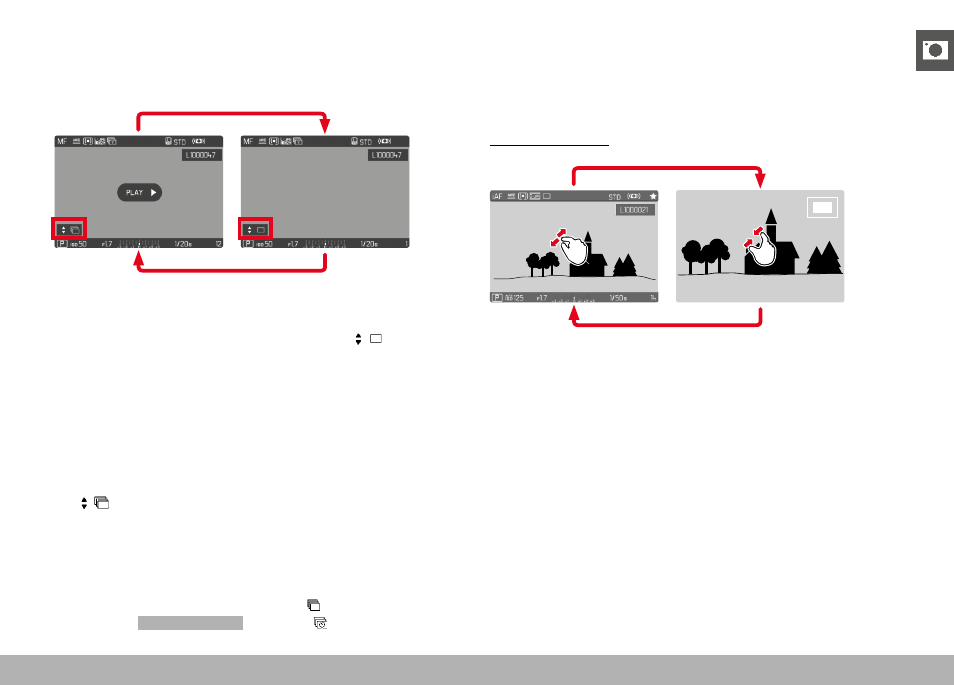
REVIEW MODE ▸ CROPPED SECTION ZOOM
145
SCROLLING THROUGH THE INDIVIDUAL PICTURES OF A
SERIES
The images in a picture series can also be viewed individually.
Switch to the manual scrolling function to do so.
▸
Press the directional pad up/down
• The information displays disappear in full-screen mode.
• When the information displays are activated,
will appear
at the bottom left of the image.
▸
Press the directional pad left/right
or
▸
Swipe to the left or right
Returning to standard review mode
▸
Press the directional pad up/down
•
Is displayed at the bottom left of the image.
Notes
• The review will be limited to the current picture series for as long
as you are scrolling in that series, which also applies to the over-
view display of 12 or 30 thumbnails.
• The images of a series are marked with in the header line,
those of an
Interval Shooting
shoot by a .
CROPPED SECTION ZOOM
You can zoom in to any section of an image for closer inspection.
You have a five-step zoom factor available via the thumbwheel,
while zooming is stepless if you use touch control.
Using touch control
▸
Two-finger pinch/spread
• The image will be zoomed in/zoomed out at the desired point.