Photo mode, Still image settings, File format – LEICA Q3 Digital Camera User Manual
Page 70
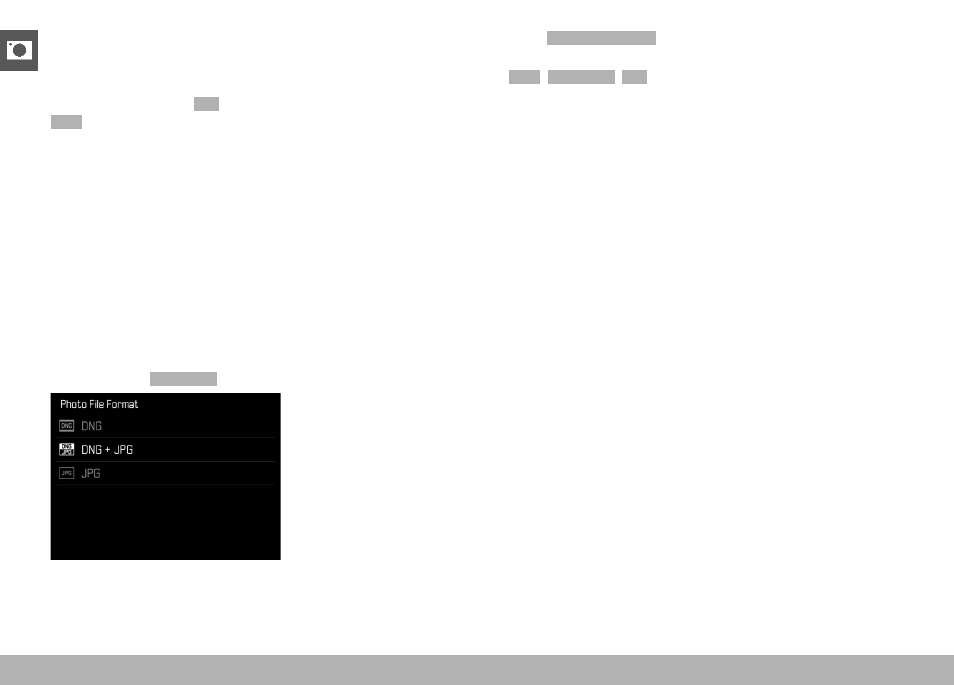
STILL IMAGE SETTINGS ▸ FILE FORMAT
70
STILL IMAGE SETTINGS
FILE FORMAT
Choose the JPG format
JPG
or the standardized raw data format
DNG
(= digital negative). Both can be used individually or simulta-
neously.
When creating JPGs, an initial processing occurs in the camera. Var-
ious parameters, including contrast, saturation, black level, or edge
sharpness are set automatically. The result is then compressed
and stored. The immediate result is an image that is optimized for
various uses and a quick preview. For post-processing, on the other
hand, DNG images are recommended.
DNG files contain all raw data as recorded by the camera sensor at
the time the photo is taken. Special software (e.g. Adobe
®
Photo-
shop
®
Lightroom
®
or Capture One Pro
®
) will be needed to display
DNG format files or to work with this format. Post-processing will
allow exact adjustments of many parameters to your own expecta-
tions.
Factory setting:
DNG + JPG
▸
Select
Photo File Format
in the main menu
▸
Select a format
(
DNG
,
DNG + JPG
,
JPG
)
Notes
• The standardized DNG format is used for the storage of raw
image data.
• The remaining number of shots shown in the LCD panel will not
necessarily change after every shooting. That very much depends
on the object; very fine image structures result in higher data
quantities, while homogeneous surfaces mean less data.
< < < PHOTO MODE > > >