Exposure control, Exposure compensation – LEICA Q3 Digital Camera User Manual
Page 204
RECORDING VIDEO ▸ EXPOSURE
204
EXPOSURE CONTROL
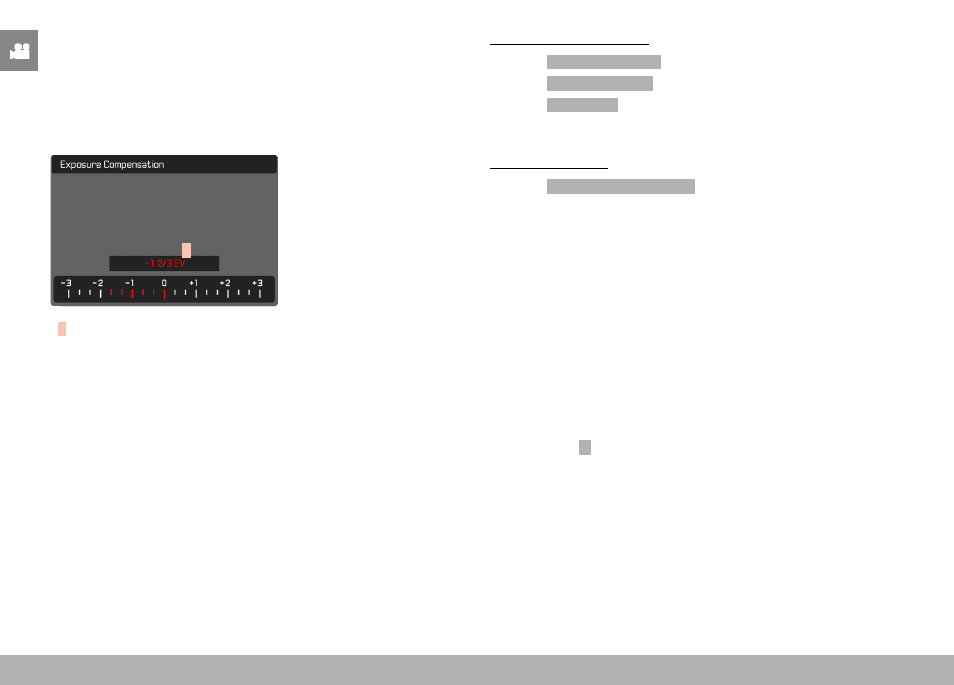
EXPOSURE COMPENSATION
Exposure compensation values can be set in the range ±3 EV in
1⁄3 EV increments (EV: Exposure Value).
A
A
Set compensation value (marks at 0 = Off)
Using thumbwheel control
▸
Select
Customize Control
in the main menu
▸
Select
Customize Wheel
▸
Select
Exp. Comp.
▸
Set the desired value using the thumbwheel
Using menu control
▸
Select
Exposure Compensation
in the main menu
• A scale appears as a submenu item on the LCD panel.
▸
Set the value on the scale
• The set value is displayed above the scale.
• While setting the value, you can see the effect on the screen
image, which becomes darker or lighter.
Notes
• While setting the value, you can see the effect on the screen
image, which becomes darker or lighter.
• The set exposure compensation is indicated by a mark on the
exposure compensation scale in the footer line (see p. 26).
• The following applies for set compensation values, no matter how
they were initially set: They remain effective until they are manu-
ally reset to
0
, even if the camera is switched off and on again in
the meantime.