Interval shooting – LEICA Q3 Digital Camera User Manual
Page 121
PHOTOGRAPHY ▸ SHOOTING MODES
121
INTERVAL SHOOTING
This camera allows you to automatically capture motion sequences
over extended periods of time using the interval shooting function.
You specify the number of frames, the intervals between shots, and
the start time of the series.
When applying exposure and focus settings, keep in mind that con-
ditions may change during the course of the operation.
SPECIFYING THE NUMBER OF FRAMES
▸
Select
Drive Mode
in the main menu
▸
Select
Interval Shooting
▸
Select
Number of Frames
▸
Enter the desired value
SPECIFYING THE INTERVALS BETWEEN SHOTS
▸
Select
Drive Mode
in the main menu
▸
Select
Interval Shooting
▸
Select
Interval
▸
Enter the desired value
SETTING THE DELAY TIME
▸
Select
Drive Mode
in the main menu
▸
Select
Interval Shooting
▸
Select
Countdown
▸
Enter the desired value
Getting started
▸
Press the shutter button
• The LCD panel will switch off automatically between record-
ings. Tapping the shutter button reactivates the LCD panel.
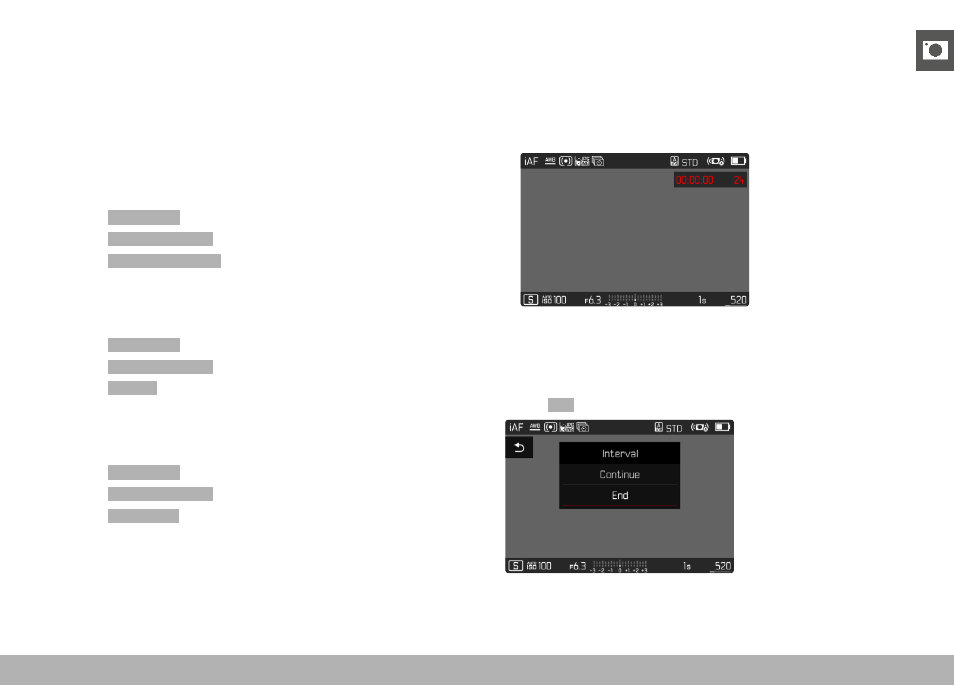
• The remaining time until the next shoot and its number is dis-
played at the top right.
Cancelling a running series of shots
▸
Press the
PLAY
button
• A small menu appears.
▸
Select
End