Clipping, Histogram, Clipping histogram – LEICA Q3 Digital Camera User Manual
Page 89
PRACTICAL DEFAULT SETTINGS ▸ AUXILIARY DISPLAYS
89
CLIPPING
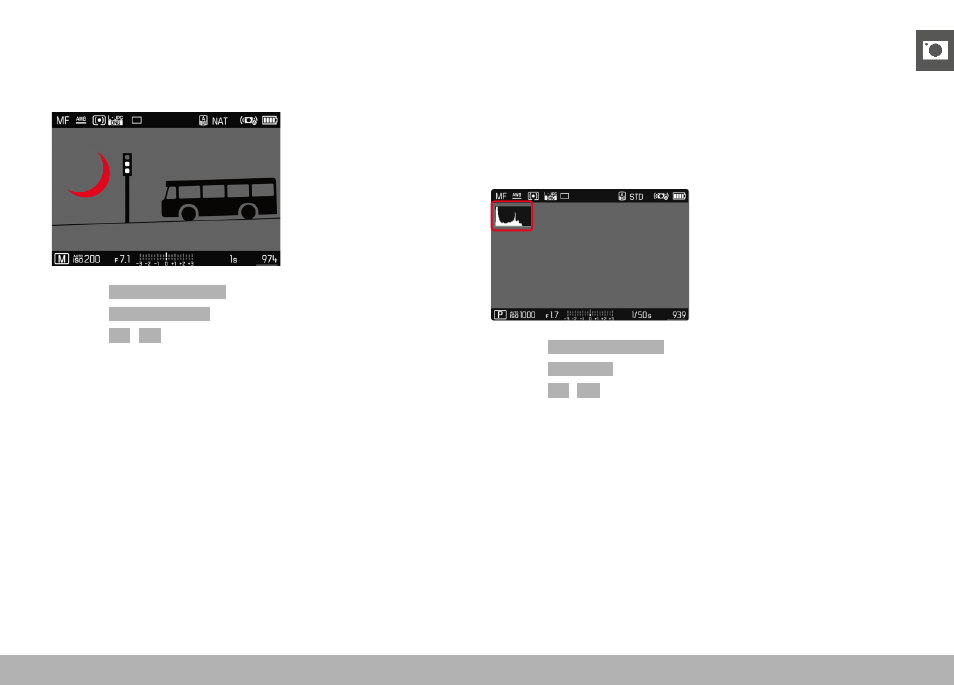
The Clipping display marks very bright image areas. This function is
a very easy and exact tool for checking the correct exposure set-
ting. Overexposed areas flash black.
▸
Select
Capture Assistants
in the main menu
▸
Select
Clipping / Zebra
▸
Select
On
/
Off
▸
Tap and hold the shutter button
• The clipping display appears.
HISTOGRAM
Histogram represents the brightness distribution in the image. The
horizontal axis shows the graduated values from black (left) through
gray to white (right). The vertical axis corresponds to the number of
pixels at each brightness level.
This type of rendering allows an additional quick and easy assess-
ment of the exposure setting.
▸
Select
Capture Assistants
in the main menu
▸
Select
Histogram
▸
Select
On
/
Off
Notes
• The histogram is always based on the brightness displayed;
depending on the settings used, it may not represent the final
exposure.
• In shooting mode, the histogram should be regarded as a “trend
indicator”.
• The histogram during rendering may differ slightly from the one
during exposure.
• The Histogram always refers to the currently displayed cropped
section of the image.