Af quick setting, Accessing af quick setting, Adjusting the af frame size – LEICA Q3 Digital Camera User Manual
Page 97
PHOTOGRAPHY ▸ FOCUSING
97
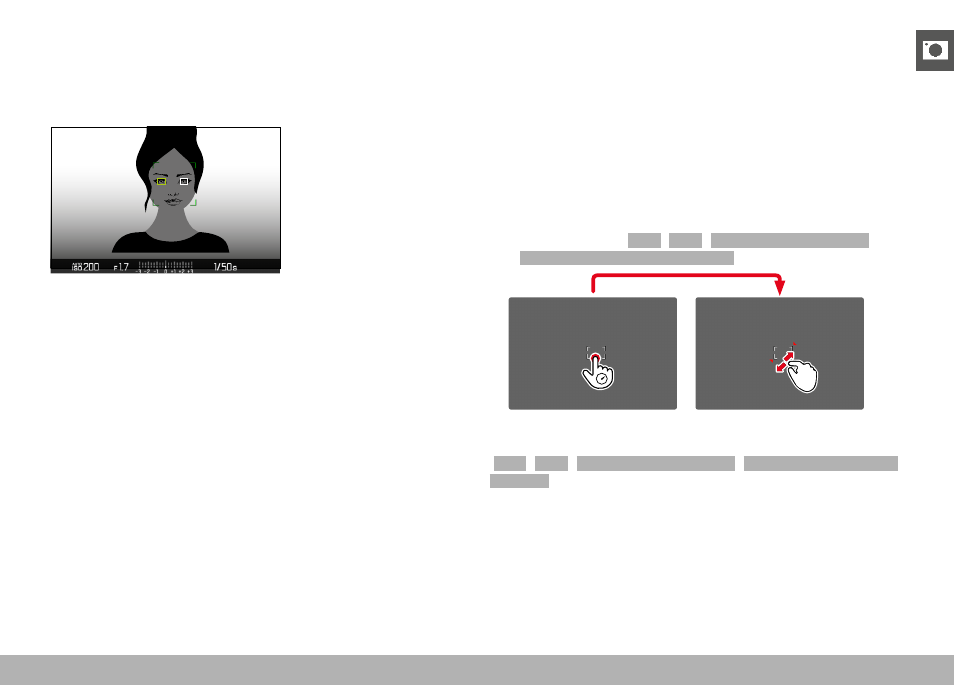
When face detection detects an eye, the focus will be on that eye.
Should more than one eye be detected, then the user can choose
the eye to focus on. The currently selected eye will be highlighted.
Additionally, the desired face can be easily selected if there are
several faces in the frame.
Toggling between faces and/or eyes
▸
Press the directional pad in the relevant direction
EYE/FACE/BODY + ANIMAL DETECTION
This version of Eye/Face/Body Detection also includes the recogni-
tion of some typical pet types.
AF QUICK SETTING
The AF Quick Setting allows quick changes to the focus frame size
in some AF metering methods.
The screen image will remains visible continuously while settings
are being adjusted.
ACCESSING AF QUICK SETTING
▸
Tap and hold the LCD panel
• All auxiliary displays are hidden.
• Red triangles appear at two corners of the focus frame if the
metering method
Field
/
Zone
/
Eye/Face/Body Detection
/
Eye/Face/Body + Animal Detection
is set.
ADJUSTING THE AF FRAME SIZE
(
Field
/
Zone
/
Eye/Face/Body Detection
/
Eye/Face/Body + Animal
Detection
only)
▸
Turn the thumbwheel
or
▸
Two-finger pinch/spread
• The size of the AF frame is adjustable in 3 increments.