Status screen – LEICA Q3 Digital Camera User Manual
Page 49
CAMERA OPERATION ▸ MENU CONTROL
49
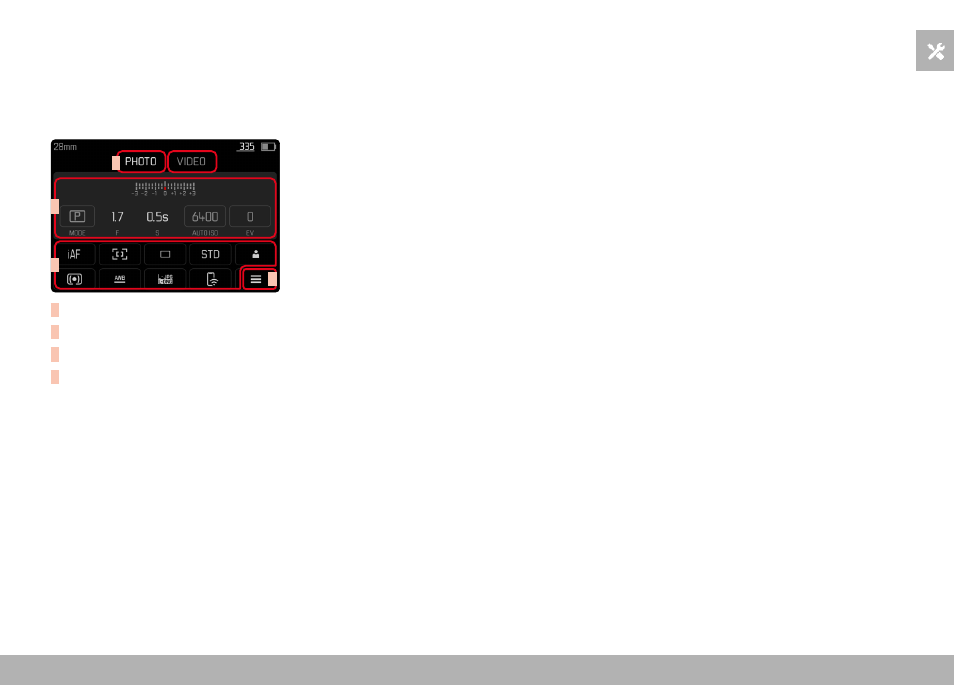
STATUS SCREEN
The status screen offers an overview of the most important infor-
mation regarding the current camera status and active settings.
It furthermore allows direct access to important settings. The status
screen is optimized for touch control.
A
B
C
D
A
Mode: photo/video (see p. 182)
B
Exposure settings (see p. 107 and p. 199)
C
Menu items
D
Access to the main menu
Notes
• Where touch control is not possible or not desirable (e.g. in EVF
mode), the status screen can alternatively be controlled via the
directional pad, center button, thumbwheel and the thumbwheel
button.
• The settings become effective immediately.
• The framed control panels can be selected. Unframed values are
added in automatically (depending on the active exposure mode).
• The available menu items in photo and video mode differ (see
p. 24 and p. 26).