Scene mode – LEICA Q3 Digital Camera User Manual
Page 127
PHOTOGRAPHY ▸ SPECIAL SHOOTING MODES
127
SCENE MODE
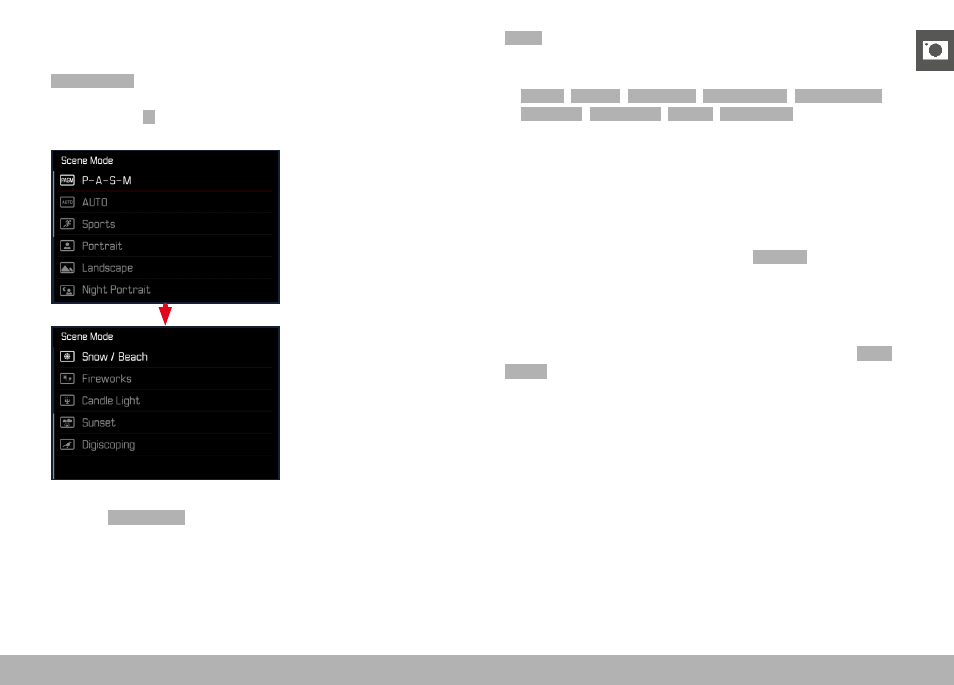
10 automatic program variants are available under the menu item
Scene Modes
. All 10 offer automatically controlled shutter speed
and aperture for extra easy photography (as with the “normal” auto-
matic program
P
), as well as a number of other functions to suit the
selected scene type. These may include the ISO setting or focusing.
▸
Select
Scene Mode
in the main menu
▸
Select the desired setting
–
AUTO
: Automatic snapshot function for general use
– 9 scene modes, which are designed to accommodate the require-
ments of common object types:
–
Sports
,
Portrait
,
Landscape
,
Night Portrait
,
Snow / Beach
,
Fireworks
,
Candlelight
,
Sunset
,
Digiscoping
The following sections offer detailed information about these three
functions.
Notes
• The selected program will remain active until a different program
is selected (even after the camera is switched off).
• The menu item Scene Mode will reset to
P-A-S-M
if the shooting
mode is changed (Photo/Video).
• The program shift function and some of the menu items are
unavailable.
• The shutter-speed dial and the aperture ring are without function.
• A fixed camera setup on a tripod is recommended for the
Digis-
coping
setting.
• Exposure preview (see p. 116) is active in all programs.