Idr function – LEICA Q3 Digital Camera User Manual
Page 169
VIDEO SETTINGS ▸ AUTOMATIC OPTIMIZATION
169
iDR FUNCTION
The
iDR
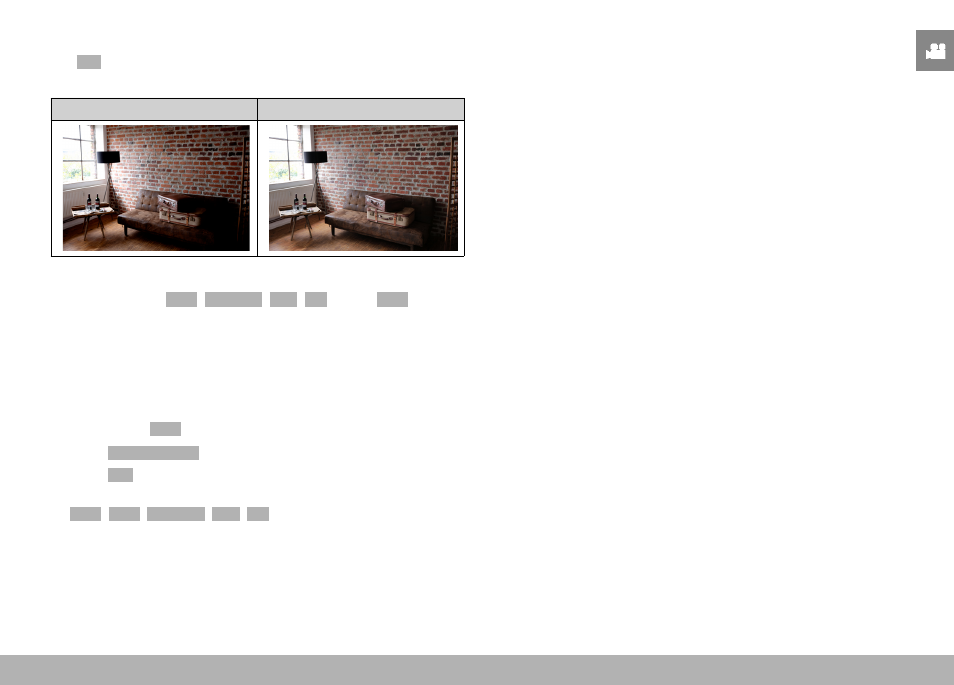
(Intelligent Dynamic Range) function allows an optimization
of the darker areas. Object details become much clearer.
Without iDR
With iDR
You can specify beforehand if and to what extent you want to opti-
mize darker areas (
High
,
Standard
,
Low
,
Off
). In the
Auto
setting,
the camera will automatically select the right setting depending on
the contrast range of the object.
In addition to that setting, the effect also depends on the exposure
settings. The function will have the strongest effect in combination
with low ISO values and fast shutter speeds. The effect is less pro-
nounced with higher ISO values and/or slower shutter speeds.
Factory setting:
Auto
▸
Select
Video Settings
in the main menu
▸
Select
iDR
▸
Select the desired setting
(
Auto
,
High
,
Standard
,
Low
,
Off
)
Note
• The optimization of darker areas will slightly reduce differentiation
in very bright areas.