Accessing the control elements, Pause playback, Resuming playback – LEICA Q3 Digital Camera User Manual
Page 219: Playback mode ▸ video playback 219
PLAYBACK MODE ▸ VIDEO PLAYBACK
219
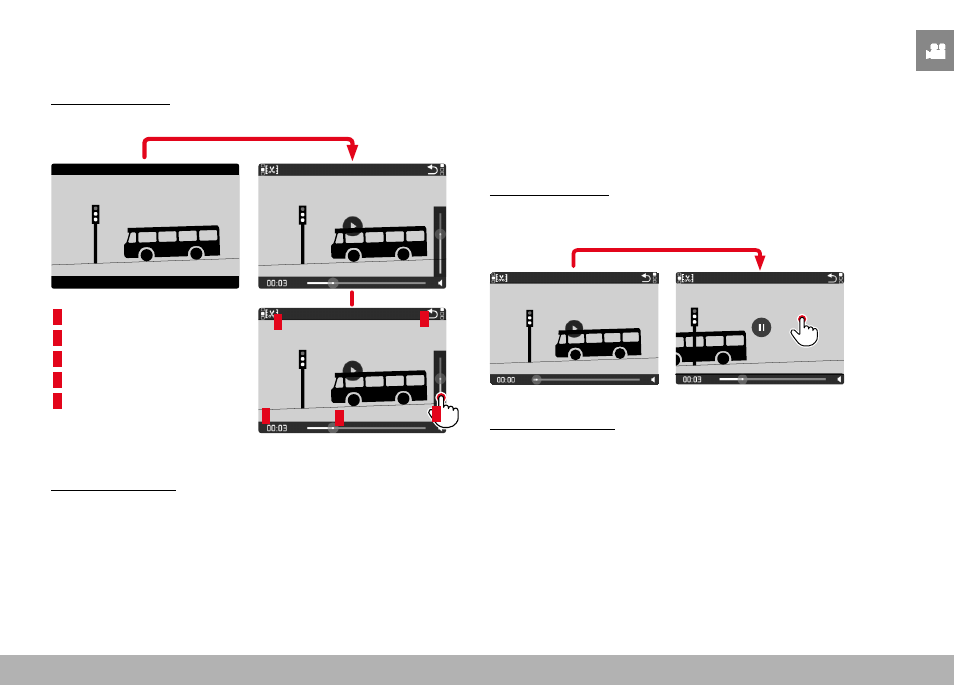
ACCESSING THE CONTROL ELEMENTS
The control elements are displayed when playback is stopped.
Using touch control
▸
Tap anywhere on the LCD panel
INFO
1/8000
2.8
F
12500
ISO
EV
SET
-3 2
1 0
2
1
3+
8234
12
MP
INFO
1/8000
2.8
F
12500
ISO
EV
SET
-3 2
1 0
2
1
3+
8234
12
MP
2
3
1
4
5
1
Video editing function
2
Exiting video playback
3
Current playback time
4
Playback status bar
5
Volume bar
INFO
1/8000
2.8
F
12500
ISO
EV
SET
-3 2
1 0
2
1
3+
8234
12
MP
Using button control
▸
Press the center button
Note
• The control elements disappear after about 3 s. Tapping the LCD
panel again or pressing a button will make them reappear.
PAUSE PLAYBACK
▸
Tap anywhere on the LCD panel
or
▸
Press the center button
RESUMING PLAYBACK
Using touch control
While the control elements are visible:
▸
Tap anywhere on the LCD panel
INFO
1/8000
2.8
F
12500
ISO
EV
SET
-3 2
1 0
2
1
3+
8234
12
MP
18:26
Using button control
While the control elements are visible:
▸
Press the center button