Using lut profiles – LEICA Q3 Digital Camera User Manual
Page 166
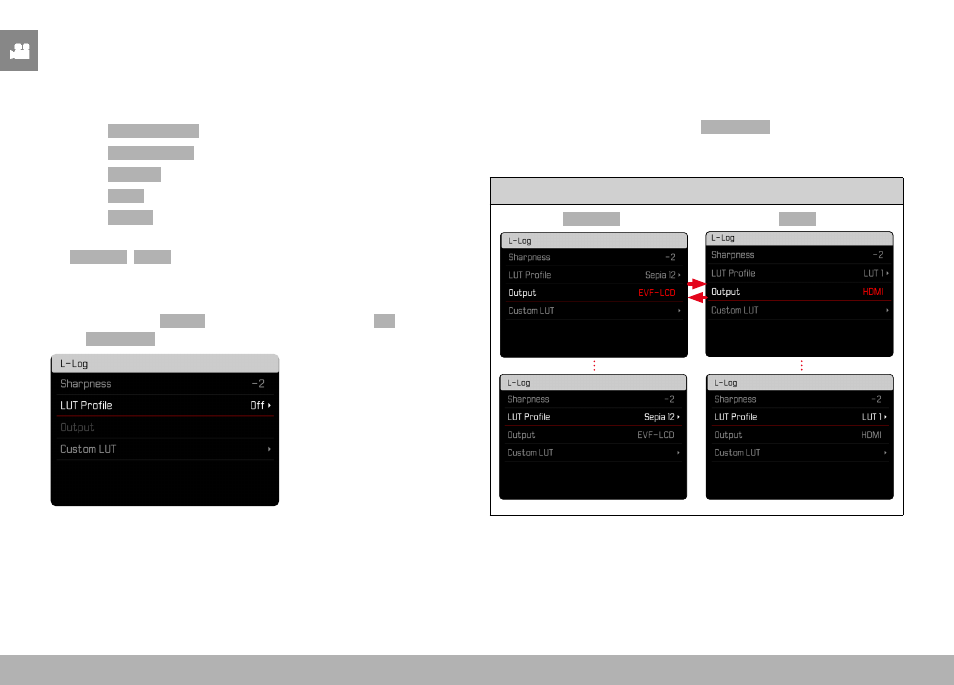
VIDEO SETTINGS ▸ VIDEO GAMMA
166
USING LUT PROFILES
CHANGING THE OUTPUT CHANNEL
The user can choose to apply the LUT profile for output via HDMI or
in the camera (LCD panel/EVF).
▸
Select
Video Settings
in the main menu
▸
Select
Video Gamma
▸
Select
Settings
▸
Select
L-Log
▸
Select
Output
▸
Select the desired setting
(
EVF-LCD
,
HDMI
)
Note
• The menu item
Output
is unavailable if the setting
Off
is selected
for
LUT Profile
.
When toggling between the two output channels, the setting for the
selected memory slot will remain unchanged. Since it is possible
that different profiles are saved on the same slot depending on the
output channel, it is possible that a different profile or an unused
memory slot is selected. The name of the active profile will change
accordingly next to the menu item
LUT Profile
. This does not apply
for the pre-configured profiles, which exist on the same memory
slot for both output channels.
Active output channel
EVF-LCD
HDMI