LEICA Q3 Digital Camera User Manual
Page 164
VIDEO SETTINGS ▸ VIDEO GAMMA
164
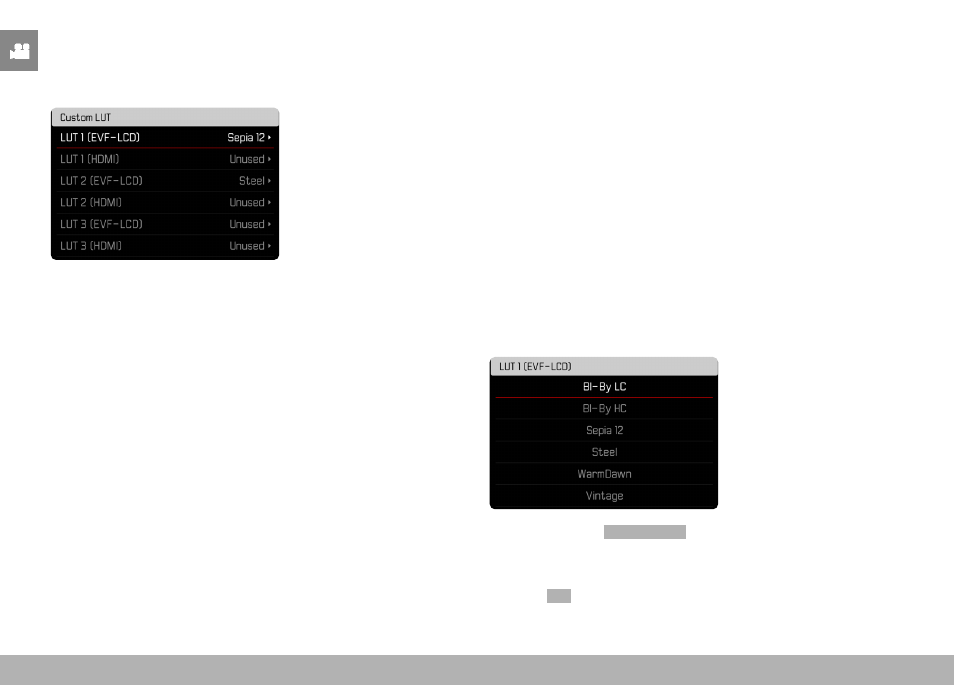
EXAMPLE
In the following, the assignment shown below will be used for all
subsequent figures. Two profile slots for internal camera display
(LCD panel/EVF) are taken, all others are unused.
Importing a custom LUT profile
▸
Download or export an LUT profile as a CUBE file
▸
Give the file a meaningful name (file name max. 8 characters, file
ending “.cub”)
• This file name (without the ending) will appear as a profile
name in the camera after import. A later file name change on
the camera will not be possible.
▸
Save the download to the memory card
• Store the file in the main directory of the memory card (not in
a sub-directory).
▸
Insert the memory card into the camera
▸
Select an unused memory slot
• You will have to delete an existing profile first if there is no
unused memory slot available.
• The “Import” dialog appears. It displays the files found on the
memory card.
• The message
Import Failed
will appear if the camera does not
find a compatible file.
▸
Select the profile to import
▸
Select
Yes