LEICA Q3 Digital Camera User Manual
Page 62
Advertising
CAMERA OPERATION ▸ USER-DEFINED OPERATION
62
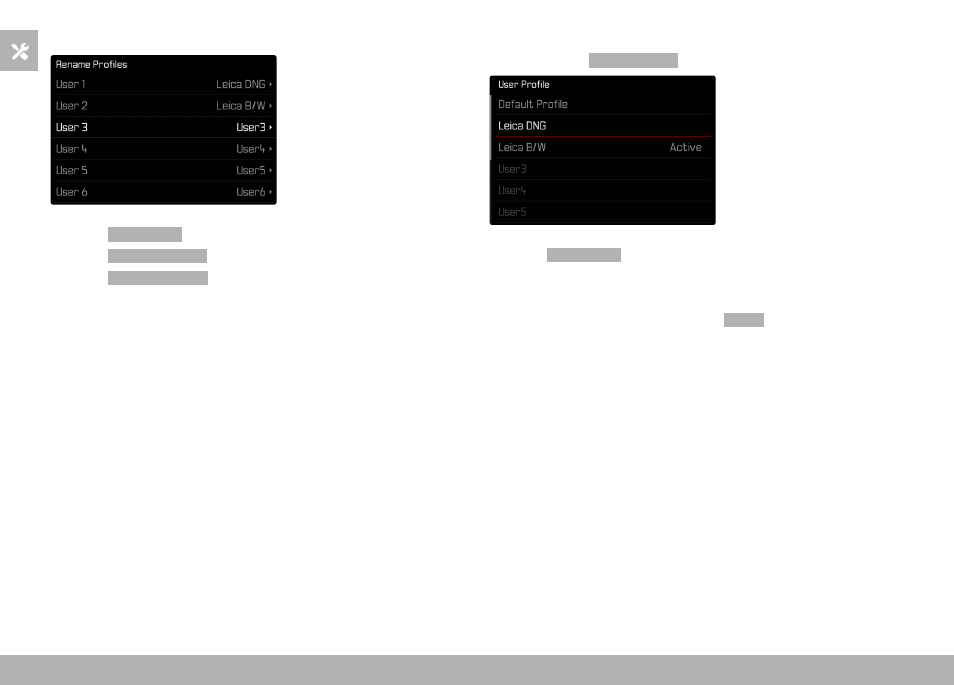
RENAMING PROFILES
▸
Select
User Profile
in the main menu
▸
Select
Manage Profiles
▸
Select
Rename Profiles
▸
Select a profile
▸
Enter a name for the profile via the associated submenu keyboard
and confirm your input (see p. 54)
• Profile names must be between 3 and 10 characters in length.
APPLYING/ACTIVATING PROFILES
Factory setting:
Default Profile
▸
Select
User Profile
in the main menu
• A list of profile names is displayed.
▸
Select a profile
• The selected profile is marked as
Active
.
• Free memory slots appear in gray.
Advertising