Resolution, Dng resolution, Jpg resolution – LEICA Q3 Digital Camera User Manual
Page 71: Dng resolution jpg resolution
STILL IMAGE SETTINGS ▸ RESOLUTION
71
RESOLUTION
DNG RESOLUTION
Three different resolutions (number of pixels) are available for
shooting in raw data format (DNG).
All the benefits of DNG capture (like extensive color depth and
high dynamic range) can therefore be used even if the image size is
reduced.
Factory setting:
L-DNG
▸
Select
DNG Resolution
in the main menu
▸
Select the desired resolution
(
L-DNG (60 MP)
,
M-DNG (36 MP)
,
S-DNG (18 MP)
)
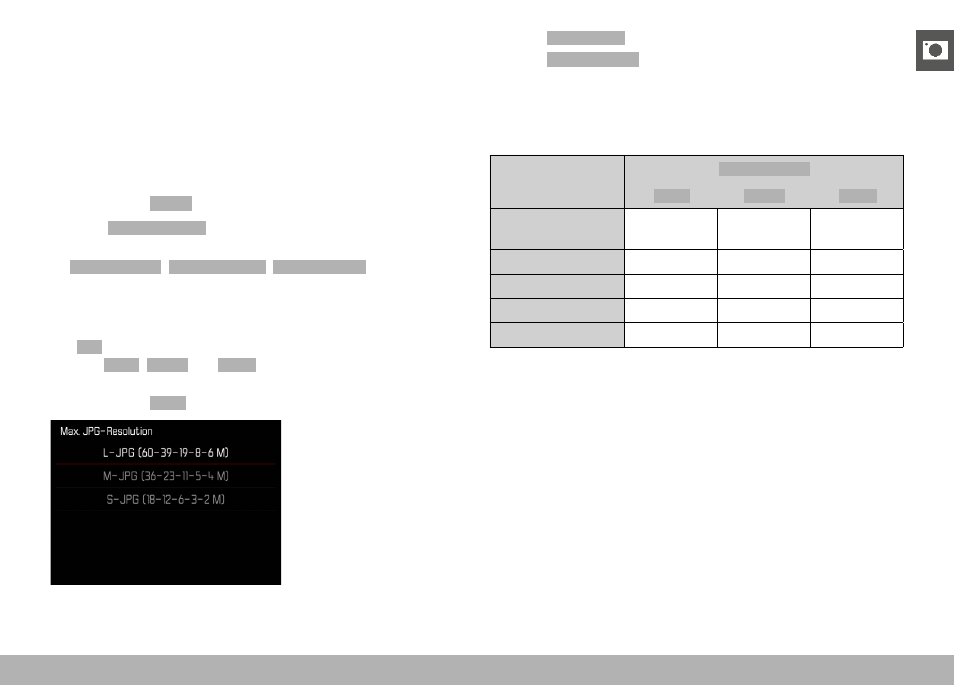
JPG RESOLUTION
The
JPG
format setting offers 3 image resolution (number of pixels)
options.
L-JPG
,
M-JPG
and
S-JPG
. This choice allows an alignment
with the intended use and available memory card capacity.
Factory setting:
L-JPG
▸
Select
JPG Settings
in the main menu
▸
Select
JPG Resolution
▸
Select the desired resolution
When the Digital Zoom function (see p. 125) is selected, then im-
ages will be saved with the following actual resolutions.
Digital Zoom
JPG Resolution
L-JPG
M-JPG
S-JPG
Off
(28 mm)
60 MP
36 MP
18 MP
35 mm
39 MP
23 MP
12 MP
50 mm
19 MP
11 MP
6 MP
75 mm
8 MP
5 MP
3 MP
90 mm
6 MP
4 MP
2 MP